6/10/2026
How to Plan a GPS Tracking Mobile App That Works
Plan a GPS tracking mobile app with the right use case, permissions, architecture, UX, testing, and launch metrics before you build.
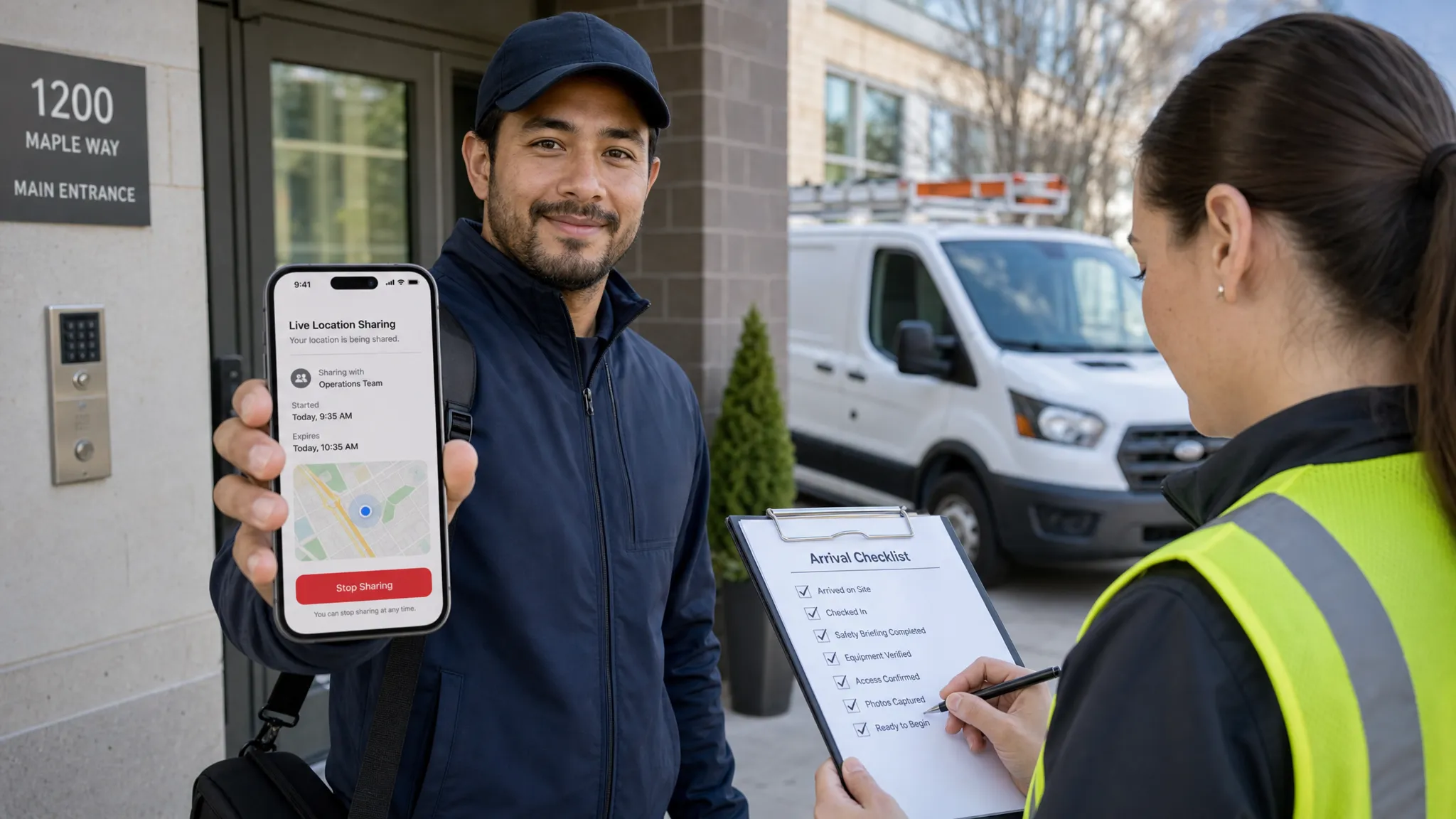
A GPS tracking mobile app sounds simple until the first real-world test. A driver locks their phone. A technician enters a building with weak signal. A user denies background location. The map looks great in a demo, but the product fails when location is late, battery drain is obvious, or users do not understand why tracking is happening.
That is why planning matters. A GPS tracking mobile app that works is not just a map with moving pins. It is a product system with clear user value, careful permission design, reliable mobile engineering, scalable backend architecture, and a launch plan that accounts for privacy, accuracy, and trust from day one.
If you are a founder or product lead preparing to build one, the goal is not to collect as much location data as possible. The goal is to collect the right location data at the right time, use it to solve a real problem, and make the experience reliable enough for users to depend on.
Start by defining what “works” means
Before choosing a maps provider or debating native versus cross-platform development, define the outcome your app must deliver. “Tracking” means different things in different products.
For a delivery app, working might mean a customer sees an accurate order status and ETA. For a field service app, it may mean confirming arrival and departure times without forcing technicians to manually check in. For a safety app, it may mean giving selected contacts controlled access to a user’s current location. For a fitness app, it may mean recording a route cleanly while preserving battery.
A strong planning statement should answer these questions:
- Who is being tracked, and who benefits from seeing the location?
- When should tracking start and stop?
- How accurate does the location need to be for the core use case?
- Is live tracking required, or is periodic status enough?
- What should happen when signal, permissions, or battery conditions are poor?
- How will users understand, control, and trust the tracking experience?
This definition protects your MVP from becoming an expensive pile of location features. If you are still mapping the broader feature, cost, and risk landscape, Appzay’s guide to app GPS tracking features, costs, and risks is a useful companion piece.
Match the tracking model to the use case
Most failed location apps overbuild one area and under-plan another. They add live maps, route playback, alerts, and dashboards before proving which tracking behavior actually matters.
Use the product goal to choose the lightest tracking model that still delivers the user outcome.
| Product goal | What users need | Best-fit tracking model | Common planning risk |
|---|---|---|---|
| Delivery visibility | Order status, ETA, driver proximity | Background tracking during active delivery | Tracking continues after the job ends |
| Field service operations | Arrival proof, job history, route accountability | Geofenced check-ins plus session-based tracking | False arrival events near dense buildings |
| Personal safety | Controlled sharing with trusted contacts | User-controlled live sharing | Users feel watched instead of protected |
| Fitness or outdoor activity | Route, distance, pace, history | Foreground or session-based recording | Battery drain during long sessions |
| Fleet or workforce coordination | Dispatcher visibility and exception alerts | Live or periodic updates by work state | Too much data, too little operational signal |
The important distinction is whether your app needs continuous live tracking or reliable event-based tracking. Continuous tracking is expensive in battery, backend volume, QA effort, and privacy expectations. Event-based tracking can often produce a better first version if the user outcome is proof, status, or exception detection rather than second-by-second movement.
Design the core tracking loop before screens
A GPS tracking mobile app needs a repeatable product loop. Without one, the team will design isolated screens instead of a working workflow.
For example, a delivery tracking loop might be: dispatcher assigns order, driver accepts, tracking begins, customer sees status, arrival is detected, proof of delivery is captured, tracking stops, support can review the trip if needed.
A field service loop might be: technician starts the day, job route is loaded, arrival is detected near the property, work status is updated, departure is recorded, the manager sees completion and exceptions.
Once you define the loop, every feature has to earn its place. A map is useful only if it helps a user make a decision. A route history is useful only if someone needs to audit it. A geofence is useful only if the app can handle false positives, signal drift, and manual correction.
This is where founders should push for a vertical slice instead of a feature list. Build one complete workflow from start to finish, then expand.
Plan location capture as a data strategy
Mobile location is not simply “GPS on” or “GPS off.” Modern iOS and Android devices use a mix of GPS, Wi-Fi, cellular, Bluetooth, motion sensors, and operating system location services. The app does not control all of that directly. It requests a location mode, explains why it needs it, and handles the result.
Apple’s Core Location authorization guidance and the official Android location permissions documentation both make one thing clear: permission state, foreground or background usage, and user transparency shape the implementation.
Before development starts, define these location data rules.
| Decision | Planning question | Why it matters |
|---|---|---|
| Tracking trigger | What exact action starts tracking? | Prevents accidental or always-on tracking |
| Stop condition | When does tracking end automatically? | Protects privacy and battery life |
| Accuracy level | Do you need exact position or approximate area? | Reduces unnecessary battery use |
| Update cadence | How often should the app send location updates? | Controls cost, data volume, and perceived reliability |
| Offline behavior | Should points be cached and synced later? | Keeps workflows usable in weak networks |
| Retention policy | How long is location history stored? | Reduces privacy risk and compliance burden |
| Visibility rules | Who can see live and historical location? | Prevents trust and access-control failures |
Treat this as product strategy, not just engineering setup. If a user can be tracked, someone on the team must be able to explain why, when, by whom, and for how long.
Build permission UX around trust, not interruption
Location permissions are one of the biggest conversion and retention risks in GPS products. Ask too early, and users decline. Ask without context, and users distrust the app. Ask for background location without a clear reason, and you may run into platform review issues.
The best permission strategy is progressive. First, show the user the value. Then ask for the minimum permission needed. Only request elevated permissions, such as background location, when the user reaches a moment where the need is obvious.
For example, a courier app should not ask for background location on the first splash screen. It should explain that tracking is active only during assigned deliveries and request the permission when the courier is about to begin a delivery session.
Your permission UX should include:
- A plain-language explanation before the system prompt
- A clear active-tracking state inside the app
- User controls to pause, stop, or end a session when appropriate
- Settings that explain data usage and visibility
- Graceful fallback flows for denied, approximate, or limited permissions
The App Store and Google Play also expect your app behavior, privacy disclosures, and permission requests to match the actual user experience. Appzay’s guide to App Store app requirements covers this review-readiness mindset in more depth.
Design the experience around confidence and control
A good GPS interface does more than show a moving dot. It tells users what the app knows, what it does not know, and what they can do next.
For tracked users, the app should make tracking status unmistakable. If tracking is active, say so. If location is approximate, delayed, or unavailable, do not hide it. If the user can stop sharing, make that action easy to find.
For viewers, such as customers, dispatchers, or family members, the interface should avoid false precision. A stale location should not look live. A weak signal should not look like a confirmed arrival. An ETA should not appear more certain than the system can support.
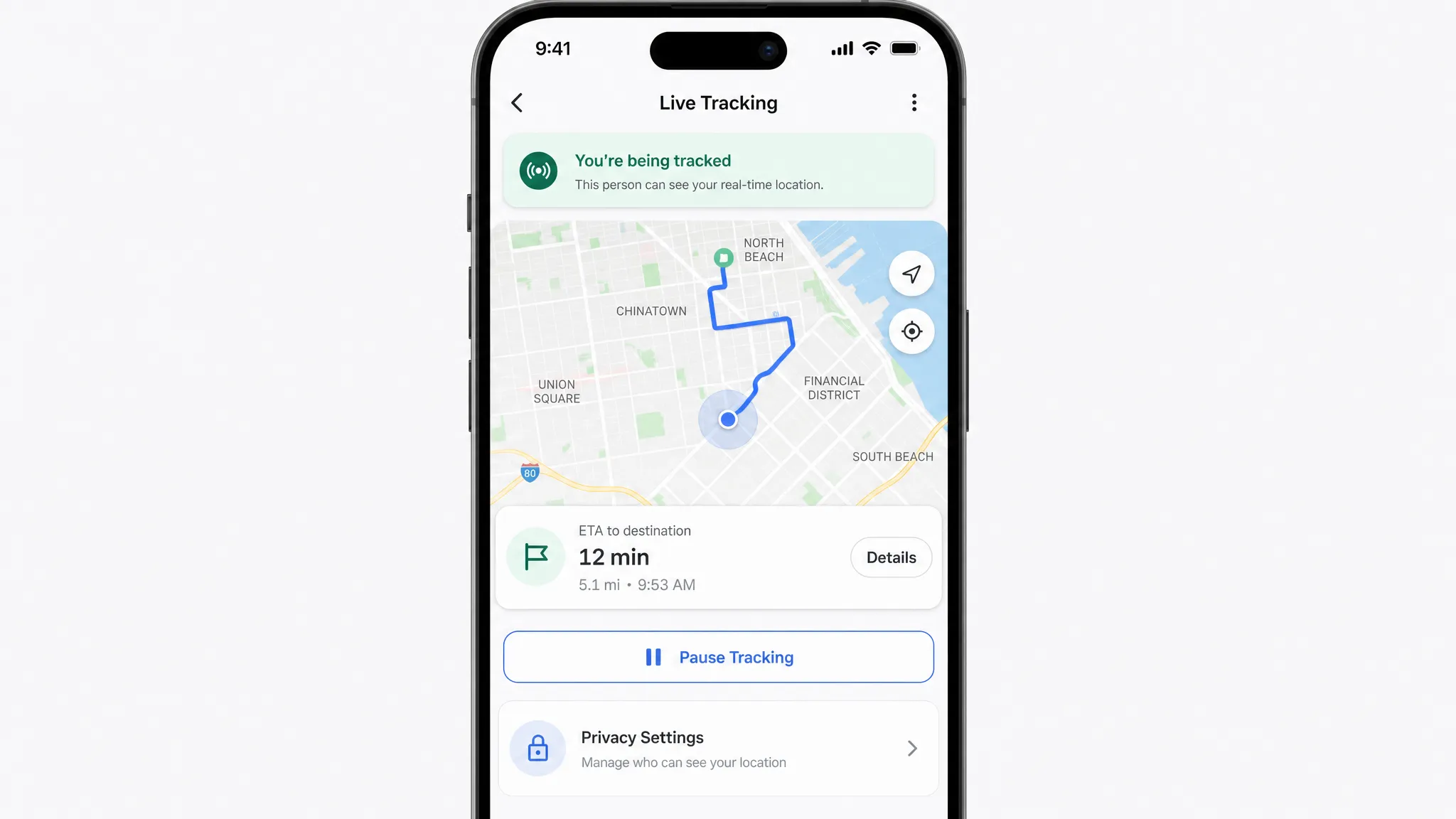
Design for these states before building the polished UI:
- Location loading
- Permission denied
- Approximate location only
- Background permission missing
- Weak signal or no GPS fix
- Offline with cached updates
- Tracking paused
- Tracking completed
- Location history unavailable
These states are not edge cases in location apps. They are everyday conditions.
Choose architecture that separates live state from history
The technical architecture of a GPS tracking mobile app should be planned around data flow. Location points arrive from mobile devices, move through backend services, trigger events, update viewers, and may be stored for history or compliance.
A simple architecture usually includes the mobile client, an authenticated backend, a location ingestion service, current-location storage, historical trace storage, map and routing integrations, push notifications, admin or operations tools, and observability.
| Component | What to plan | Common mistake |
|---|---|---|
| Mobile app | Permission handling, background behavior, offline queue, map UI | Treating background tracking as a simple toggle |
| Backend API | Auth, rate limits, validation, device identity | Trusting raw client data without checks |
| Location ingestion | Timestamp handling, batching, deduplication | Saving every point without purpose |
| Current state store | Latest known location and status | Mixing live state with historical analytics |
| History store | Routes, audit records, support review | Keeping sensitive data longer than needed |
| Event processor | Geofence entry, arrival, route exceptions | Triggering alerts from noisy location data |
| Notifications | Customer updates, dispatcher alerts, safety messages | Sending alerts without confidence thresholds |
| Observability | Crashes, latency, battery impact, sync failures | Discovering failures only through user complaints |
For many startups, the backend architecture becomes the hidden risk. The demo works with ten users, then fails when concurrent tracking sessions, route history, notifications, and admin dashboards all hit the system at once. Appzay’s cloud-based app development guide explains how to think about scalable backend layers before traffic grows.
Security should also be designed early. Location is sensitive data. At minimum, your plan should include strong authentication, role-based access, encrypted transport, careful API authorization, secure storage practices, and auditability for sensitive actions. The OWASP Mobile Application Security project is a helpful reference for teams building security into mobile products from the start.
Plan for battery, accuracy, and real-world messiness
Battery drain is one of the fastest ways to lose users. Accuracy problems are one of the fastest ways to lose trust. Both are planning problems before they are engineering problems.
High-accuracy continuous tracking consumes more power than lower-frequency or event-based tracking. Dense urban areas can create GPS drift. Buildings, tunnels, mountains, and low-power mode can affect location availability. Users may kill the app, revoke permissions, switch devices, or move through poor network coverage.
Your plan should account for these realities with adaptive tracking. The app can request more accurate updates during an active job, then reduce frequency when idle. It can batch updates instead of sending every point immediately. It can stop tracking automatically when a session ends. It can show users when location is stale rather than pretending everything is current.
Plan these scenarios explicitly.
| Real-world scenario | Product and engineering response |
|---|---|
| User enters a parking garage | Show last known location and mark it as stale if needed |
| App loses network | Cache timestamped points and sync when connection returns |
| Battery is low | Reduce update frequency and notify the user if tracking quality changes |
| GPS drift near buildings | Use geofence buffers, confidence rules, and manual confirmation when necessary |
| User denies background location | Offer a foreground-only workflow or explain what will not work |
| Device clock is incorrect | Store both device timestamps and server receipt timestamps |
| App is force-closed | Recover gracefully and explain what tracking was missed |
Do not treat a coordinate as perfect truth. A robust system considers timestamp, accuracy radius, speed, source freshness, and business context before making decisions.
Decide what belongs in the MVP
A GPS tracking MVP should prove the riskiest workflow, not imitate a mature fleet platform. For most funded startups, the first version should include just enough to complete the primary tracking loop with trust and reliability.
| Capability | Usually belongs in V1? | Why |
|---|---|---|
| User roles and authentication | Yes | Controls who can track and who can view |
| Start and stop tracking session | Yes | Defines privacy and product boundaries |
| Live or latest known location | Yes, if central to the use case | Delivers the core value |
| Background tracking | Only if essential | Adds permission, battery, and review complexity |
| Route history | Sometimes | Useful for audit, support, or user value |
| Geofencing | Sometimes | Valuable when arrival or exit events matter |
| Admin dashboard | Often | Needed for operations and support |
| Advanced route optimization | Usually later | Complex and rarely required to validate demand |
| Predictive ETAs | Usually later | Requires data quality and model confidence |
| Complex analytics dashboards | Later | Better after real usage patterns emerge |
The most dangerous MVP mistake is cutting the invisible foundations while keeping flashy features. Do not cut permission UX, telemetry, crash reporting, basic admin tooling, or store-review preparation. A location app without operational visibility is hard to debug and risky to launch.
For broader scope planning, Appzay’s guide to scoping custom mobile app development can help you separate core value from nice-to-have features.
Test in the field before you trust the map
GPS tracking must be tested outside the office. Simulators and mocked routes are useful early, but they cannot validate real battery behavior, signal loss, app lifecycle issues, or platform permission quirks.
Your QA plan should include walking, driving, indoor transitions, low network coverage, app backgrounding, phone locking, permission changes, low battery mode, and long-running sessions. Test on a representative mix of iOS and Android devices, not just the newest phones on fast networks.
Measure both technical and product signals:
- Crash-free sessions during tracking
- Location update latency
- Percentage of sessions with missing points
- Battery impact during active tracking
- Permission opt-in and denial rates
- Geofence false positives or missed events
- Tracking session completion rate
- Support tickets related to location confusion
- Backend ingestion errors and queue delays
Tie these metrics to release versions. When you ship a location change, you need to know whether battery, accuracy, crashes, or permission conversion changed. Appzay’s app deployment guide explains how CI/CD, staged rollouts, and monitoring reduce release risk for mobile teams.
Plan integrations before they become blockers
Most GPS tracking products rely on third-party services. Maps, geocoding, routing, analytics, push notifications, CRM sync, payments, and customer support tooling may all touch the experience.
The planning mistake is treating integrations as plug-ins. Each one affects cost, privacy, testing, failure handling, and user experience. A maps provider outage, a routing API limit, or a notification delay can break the core loop even if your mobile app code is stable.
Decide early which systems own which responsibilities. Secrets should be backend-owned, not embedded in the app. Webhooks should be idempotent. External API failures should have fallback behavior. Analytics events should map to real product questions, not vanity dashboards.
For a deeper integration framework, see Appzay’s mobile app integration guide.
Prepare store, marketing, and trust messaging together
A GPS tracking mobile app needs launch planning before submission. Your App Store and Google Play listing should clearly explain the app’s value, who it is for, why location is used, and how user control works. Screenshots should show the real tracking experience, not only a beautiful map.
This matters for conversion, review readiness, and trust. Users are more likely to grant location access when the store listing, onboarding, and in-app prompts all tell the same story.
Marketing should also be planned around the buyer and user journey. If your app serves field service companies, contractors, or local operations teams, a partner focused on answer engine optimization and local SEO can complement your app launch by helping the right customers discover the product while your mobile team focuses on product quality and store readiness.
On the app side, plan your launch assets with the same discipline as your engineering release. Appzay’s application store optimization guide covers how positioning, screenshots, reviews, privacy messaging, and product quality work together to improve meaningful downloads.
Use a planning canvas before development starts
A one-page planning canvas can save weeks of rework. Before you write code, align the founding team, design team, and engineering team on these decisions.
| Planning area | Decision to document |
|---|---|
| Product promise | The one tracking outcome V1 must deliver |
| Primary user loop | Start, track, view, act, complete, review |
| Tracking model | Foreground, background, event-based, or hybrid |
| Permission strategy | When each permission is requested and why |
| Data policy | Capture, visibility, retention, deletion |
| Accuracy target | What precision is good enough for the use case |
| Battery strategy | Update cadence by user state |
| Backend architecture | Ingestion, live state, history, events, monitoring |
| Failure states | Offline, denied permission, stale location, app killed |
| Launch metrics | Activation, tracking reliability, retention, support issues |
If any row is vague, pause before building. Vague planning becomes expensive engineering ambiguity.
Frequently Asked Questions
How accurate can a GPS tracking mobile app be? Accuracy depends on device hardware, operating system services, environment, permissions, and signal conditions. Outdoor tracking can be strong, but dense buildings, indoor spaces, tunnels, and low-power settings can reduce reliability. Plan for confidence ranges instead of assuming every coordinate is exact.
Does a GPS tracking app need background location? Only if the core user benefit requires tracking while the app is not open, such as active delivery, field service, safety sharing, or route recording. If the product can work with foreground tracking or check-ins, that is often simpler for privacy, battery, and review approval.
Should a GPS tracking mobile app be native or cross-platform? It depends on the required background behavior, performance, OS integrations, timeline, and team capability. Native iOS and Android can be advantageous for complex location behavior, while cross-platform can work for many MVPs if background tracking and maps are carefully tested.
How do you reduce battery drain in a GPS tracking app? Use adaptive tracking based on user state, avoid unnecessary high-accuracy updates, batch location data, stop tracking aggressively when sessions end, and test on real devices. Battery optimization should be measured during QA, not guessed after launch.
What location data should the app store? Store only what supports the product outcome, operations, support, or compliance needs. Many apps need current state and limited history, not permanent raw traces. Define retention, deletion, and access rules before launch.
What is the biggest planning mistake founders make with GPS tracking apps? The biggest mistake is focusing on map features before defining trust, permissions, battery behavior, backend data flow, and failure states. The app may look finished in a demo but fail under real-world conditions.
Build the GPS tracking app users can actually rely on
A GPS tracking mobile app succeeds when the product promise, user trust, mobile engineering, backend architecture, and launch plan all work together. The map is only the visible layer. The real product is the system underneath it.
Appzay helps funded startups plan, design, build, and launch premium iOS and Android apps end to end, including product strategy, UX design, native engineering, cloud architecture, CI/CD, App Store optimization, and post-launch support.
If you are planning a location-based product and want to avoid costly rework, talk to Appzay about turning your GPS tracking concept into a reliable, launch-ready mobile app.