5/15/2026
Win More Downloads With App Store Optimization That Converts
Use application store optimization tactics that improve visibility, trust, and conversion so your iOS and Android app earns more downloads.
Application store optimization is often treated like a launch-week task: write a title, upload screenshots, add a few keywords, and hope the algorithm does the rest. That approach leaves downloads on the table.
For funded startups, ASO should be part of the product growth system. It connects positioning, UX, trust, technical quality, store compliance, and post-launch iteration. The goal is not only to rank for more searches. The goal is to help the right users find your app, understand why it matters, trust it enough to install, and keep it long enough for the store to see positive engagement signals.
If your mobile app is already built or approaching launch, application store optimization can become one of the highest-leverage growth channels you control.
What application store optimization really means
Application store optimization, or ASO, is the ongoing process of improving how your app appears, performs, and converts inside marketplaces like the Apple App Store and Google Play.
A strong ASO strategy works across three layers:
| ASO layer | What it improves | Examples |
|---|---|---|
| Visibility | Whether the app can be discovered by relevant users | App name, subtitle, keyword field, short description, category, localization |
| Conversion | Whether store visitors decide to install | Icon, screenshots, preview video, ratings, reviews, pricing, trust signals |
| Quality signals | Whether stores and users keep rewarding the app | Crash rate, uninstall rate, retention, review sentiment, update cadence |
The mistake many teams make is focusing only on visibility. Ranking for a keyword does not help if the product page fails to convert. Driving thousands of downloads does not help if the users are poorly matched and churn immediately. Effective ASO balances acquisition quality with install volume.
For startups, that balance matters. Your first 5,000 downloads should teach you something useful about the market, not just inflate a vanity metric.
Start with positioning before keywords
Before writing metadata, answer a sharper question: who is this app for, and what job does it help them complete?
A fitness app for postpartum strength, a finance app for freelancers, and a field operations app for construction managers all need different store language. Even if the features overlap, the user’s mental model is different. Your ASO copy should match how users describe the problem, not how your team describes the technology.
The best inputs usually come from:
- Customer interviews and sales calls
- Competitor app reviews, especially negative reviews
- Support tickets and beta feedback
- Search suggestions in the App Store and Google Play
- Landing page queries and paid search terms
Look for repeated language. Users may not search for your internal category name. They may search for a task, frustration, role, or outcome. For example, a founder might call a product an AI-enabled productivity platform, while users search for meeting notes app, voice recorder, or CRM follow-up assistant.
This is why ASO should start during product strategy, not after engineering finishes. If the store promise and the product experience do not match, downloads become fragile. Users will install, open once, and leave.
Build metadata that is clear, searchable, and credible
Metadata is the text layer of ASO. It helps store algorithms understand relevance and helps users decide whether your app solves their problem.
Apple and Google use different fields, so your copy should not be pasted blindly across both platforms.
| Store | Important metadata areas | Practical guidance |
|---|---|---|
| Apple App Store | App name, subtitle, keyword field, category, promotional text | Prioritize clarity and relevance. Use the keyword field deliberately, avoid duplicate terms, and keep the title readable. |
| Google Play | App title, short description, full description, tags, category | Write naturally for humans while covering core use cases. Google gives more room for explanatory copy, but keyword stuffing still weakens trust. |
Your metadata should answer three questions quickly:
- What does the app do?
- Who is it for?
- Why should this user choose it now?
A weak title tries to say everything. A strong title makes the category and value obvious. A weak description lists features. A strong description connects features to outcomes.
For example, instead of writing generic copy like AI notes, tasks, reminders, and productivity tools, a better store message might focus on the user journey: Record meetings, capture action items, and sync follow-ups to your CRM.
That message is more specific, more credible, and easier for the right user to understand.
Design screenshots for decisions, not decoration
Screenshots are often the biggest conversion lever on a store page. Users scan them before reading the full description, especially on mobile.
Think of screenshots as a compressed sales story. The first three assets should usually communicate:
- The primary outcome users get
- The key moment inside the app
- The reason the app is easier, faster, or more trustworthy than alternatives
Avoid using screenshots that only show attractive UI without context. A beautiful dashboard means little if the user does not know what changed because of it. Add short captions that explain the benefit in plain language.
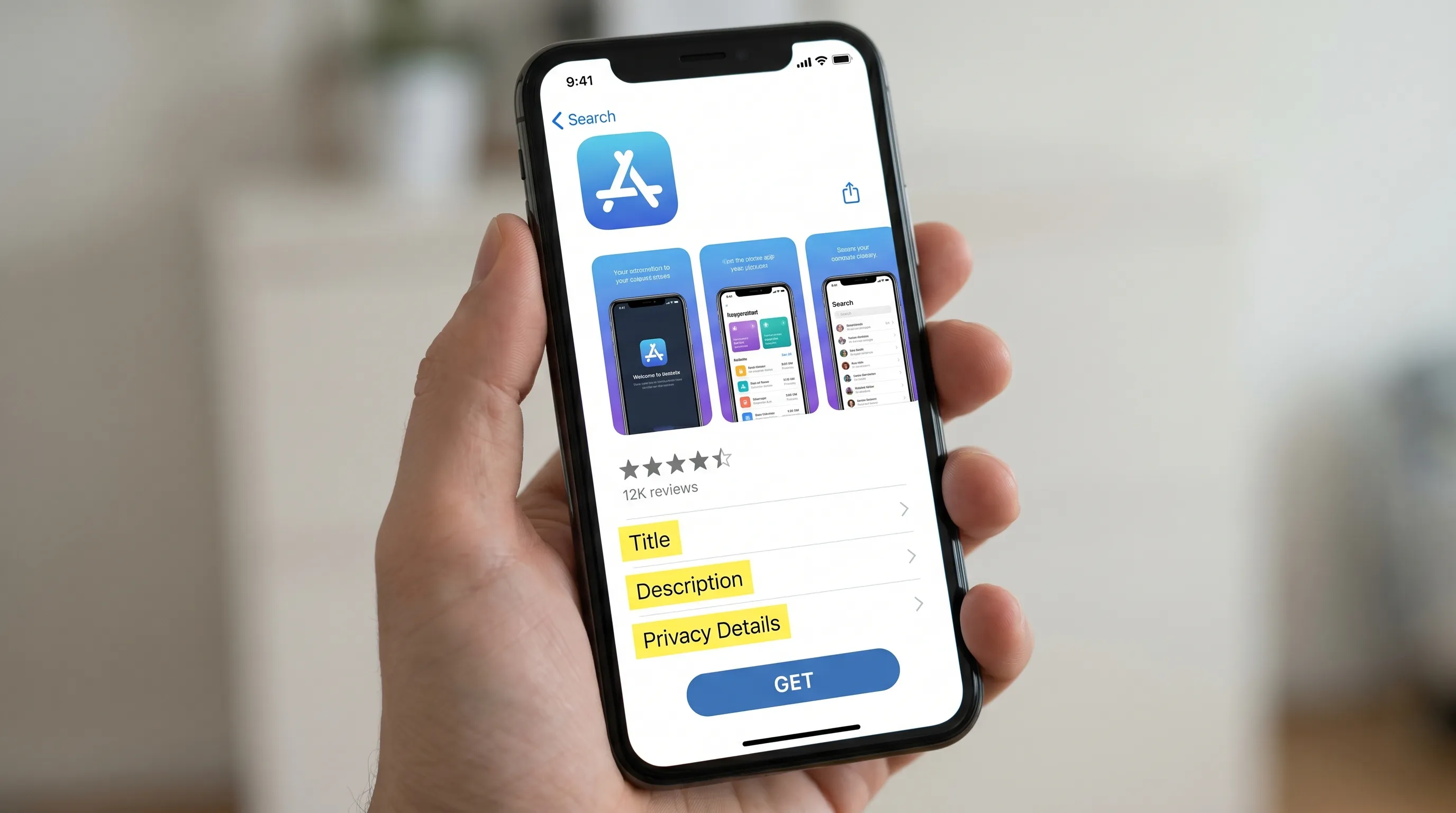
For premium apps, visual polish matters. But polish should support comprehension. A user should be able to glance at your screenshots and understand the app’s core promise in seconds.
A practical screenshot sequence might look like this:
| Screenshot position | Purpose | Example message |
|---|---|---|
| 1 | State the main outcome | Plan your week in under 5 minutes |
| 2 | Show the core workflow | Drag tasks into a focused daily plan |
| 3 | Reduce anxiety or friction | Sync calendars without manual setup |
| 4 | Add proof or differentiation | Built for founders, operators, and lean teams |
| 5 | Show trust or control | Manage notifications, privacy, and exports |
If your app serves multiple audiences, do not force one generic page to do all the work. Use platform features like custom product pages or custom store listings when appropriate, especially for paid campaigns, influencer traffic, or industry-specific positioning.
Make trust visible before the install
Users are more cautious than ever about permissions, data collection, subscriptions, and account creation. Store visitors may abandon an install if the listing feels vague or overreaching.
Trust is especially important for apps involving payments, health, productivity data, location, enterprise workflows, children, AI-generated content, or regulated industries.
Your ASO process should align the store page, onboarding, permission prompts, privacy labels, and actual app behavior. If your listing promises private, secure, or compliant handling of data, the product and operations need to support that claim.
For sensitive products, it can be valuable to involve privacy and governance specialists before launch. External governance, risk, and compliance support can help teams review data protection practices, privacy documentation, and operational risk before those issues become store review delays or user trust problems.
Trust-building ASO elements include:
- Accurate privacy labels and Data Safety disclosures
- Clear explanation of why permissions are needed
- Screenshots that show user control and settings
- Transparent subscription or pricing language
- Recent updates that show active maintenance
- Review responses that sound human and helpful
Do not use privacy as a marketing claim unless it is true. Store teams and users can both detect mismatches, and the cost of losing credibility is higher than the benefit of a vague promise.
Improve ratings without manipulating users
Ratings and reviews influence both conversion and perceived quality. A 4.8-star app with recent thoughtful reviews creates confidence. A 3.2-star app with complaints about crashes, billing, or support creates friction before the user even downloads.
The right way to improve ratings is to ask at moments of satisfaction, not moments of frustration.
Good rating prompt moments include after a user completes a successful booking, exports a report, finishes a workout, syncs data successfully, or reaches a clear milestone. Bad moments include first launch, after a crash, during onboarding, or immediately after a denied permission request.
Avoid review gating. Do not ask users if they are happy and only send happy users to the store while routing unhappy users elsewhere. Apple and Google policies expect rating prompts to be fair and not manipulative.
Reviews should also feed your product roadmap. If multiple users mention confusing onboarding, slow sync, or missing integrations, that is not just an ASO issue. It is a product quality issue affecting acquisition.
Appzay often encourages teams to connect store feedback with post-launch product analytics. The store listing may win the install, but the product experience earns the rating.
Treat performance as an ASO factor
Application store optimization is not separate from app quality. A slow, unstable, battery-draining app will struggle to maintain positive reviews and retention. Over time, those weaknesses can reduce conversion and growth efficiency.
Before pushing harder on ASO, make sure the app experience supports the promise.
Key product quality areas include:
- Fast first launch and smooth onboarding
- Low crash rates across real devices
- Reliable login, payments, sync, and notifications
- Clear empty states and offline handling where relevant
- Reasonable battery and data usage
- Accessibility and readable UI on common devices
If your app has technical quality gaps, fix those before scaling acquisition. More downloads will only expose problems faster.
For a deeper look at performance and retention, see Appzay’s guide to app optimization for speed, battery, and retention.
Use experiments, but test meaningful changes
ASO testing is powerful, but small cosmetic tests rarely produce useful learning unless you already have significant traffic. A tiny wording tweak may not move conversion. A stronger positioning test might.
High-value ASO experiments usually test one of these variables:
| Experiment type | What you learn |
|---|---|
| Screenshot sequence | Which value proposition converts best |
| Icon direction | Which visual identity earns more taps or installs |
| First-line copy | Which promise users understand fastest |
| Audience-specific page | Which segment has stronger install intent |
| Video vs. no video | Whether motion helps explain the product |
| Pricing or subscription framing | Whether users understand the value before installing |
Do not test everything at once. If you change the icon, screenshots, title, and pricing copy in the same experiment, you will not know what caused the result.
Also, judge tests by downstream quality, not only install conversion. A creative direction that increases installs but lowers activation may be attracting the wrong audience.
A 30-day ASO sprint for more downloads
If your app is live or close to submission, use a focused 30-day sprint to improve downloads without creating chaos for the product team.
| Week | Focus | Output |
|---|---|---|
| Week 1 | Audit positioning, competitors, keyword relevance, reviews, and analytics | Clear ASO baseline and opportunity list |
| Week 2 | Rewrite metadata and redesign top screenshot concepts | Updated store copy and creative direction |
| Week 3 | Launch controlled store experiments or new listing assets | Live test or refreshed listing |
| Week 4 | Review install conversion, retention, ratings, and review sentiment | Next iteration plan tied to product and growth goals |
If you are still pre-launch, fold ASO into your release plan. Store readiness should not be a last-minute scramble. Appzay’s App Store submission checklist can help teams avoid common review blockers before optimization begins.
For funded startups building toward launch, ASO also belongs in the broader roadmap from MVP to App Store. The earlier you define the audience, positioning, analytics, and store assets, the easier it is to launch with momentum.
Metrics that show whether ASO is working
Downloads matter, but they are not enough. A better ASO dashboard connects acquisition, conversion, and product quality.
Track these metrics together:
| Metric | Why it matters |
|---|---|
| Impressions | Shows how often your app appears in store surfaces |
| Product page views | Indicates whether users are interested enough to inspect the listing |
| Install conversion rate | Measures how well the listing turns visitors into downloads |
| Keyword rankings | Helps assess visibility for relevant search terms |
| Activation rate | Shows whether downloaded users reach first value |
| Day 1 and Day 7 retention | Reveals whether acquisition quality is healthy |
| Rating average and review volume | Influences trust and conversion |
| Crash-free sessions | Protects user experience and review quality |
| Uninstall rate | Signals mismatch, poor onboarding, or technical issues |
The most important pattern is not one metric moving up. It is the relationship between metrics. If impressions rise but conversion falls, your listing may be appearing for less relevant searches. If installs rise but activation drops, your store promise may be too broad. If conversion improves and retention holds steady, you are likely attracting more of the right users.
Common ASO mistakes that limit downloads
Many apps underperform not because the product is bad, but because the store presence does not communicate value clearly.
Watch for these issues:
- Keyword stuffing that makes the listing sound spammy
- Screenshots that show UI but not outcomes
- Generic positioning that could apply to ten competitors
- Privacy claims that are not supported by disclosures or UX
- Asking for ratings too early or too aggressively
- Ignoring negative reviews until they hurt conversion
- Launching paid campaigns before the store page is ready
- Measuring downloads without retention or activation context
The fastest wins often come from clarity. Say what the app does. Show the main workflow. Address the biggest trust concern. Make the install feel low-risk.
Frequently Asked Questions
What is application store optimization? Application store optimization is the process of improving an app’s visibility, conversion rate, trust, and quality signals in marketplaces like the Apple App Store and Google Play. It includes metadata, visuals, ratings, reviews, privacy information, testing, and post-launch iteration.
How long does ASO take to improve downloads? Some listing improvements can affect conversion within days, especially if your app already has traffic. Keyword visibility, ratings, review volume, and store learning usually take longer. Most teams should treat ASO as a continuous monthly process, not a one-time launch task.
Should startups focus on keywords or screenshots first? It depends on the bottleneck. If few people find the app, start with metadata and keyword relevance. If many users view the page but do not install, prioritize screenshots, icon, reviews, and trust signals. The best ASO strategy addresses both visibility and conversion.
Does ASO matter before launch? Yes. Pre-launch ASO helps define positioning, prepare store assets, align privacy claims, and plan analytics. It also reduces launch risk because the team is not rushing metadata, screenshots, and compliance details after the build is complete.
Can ASO fix poor retention? No. ASO can improve discovery and installs, but it cannot compensate for a weak product experience. If users churn quickly, the issue may be onboarding, performance, value delivery, pricing, or audience mismatch. Strong ASO should attract users who are likely to activate and stay.
Turn store visibility into product growth
More downloads do not come from a checklist alone. They come from a store presence that matches the product strategy, speaks the user’s language, earns trust, and keeps improving after launch.
Appzay helps funded startups design, build, launch, and optimize premium iOS and Android apps end to end. That includes product strategy, UX design, native engineering, release orchestration, App Store optimization, and post-launch support.
If you are preparing to launch or your current app is not converting the way it should, Appzay can help turn your mobile product into a stronger acquisition channel from concept to App Store.