5/27/2026
App Deployment Guide: CI/CD, Testing & Safe Rollouts
App deployment guide covering CI/CD, automated testing gates, staged rollouts, and rollback planning for faster, safer iOS and Android releases.
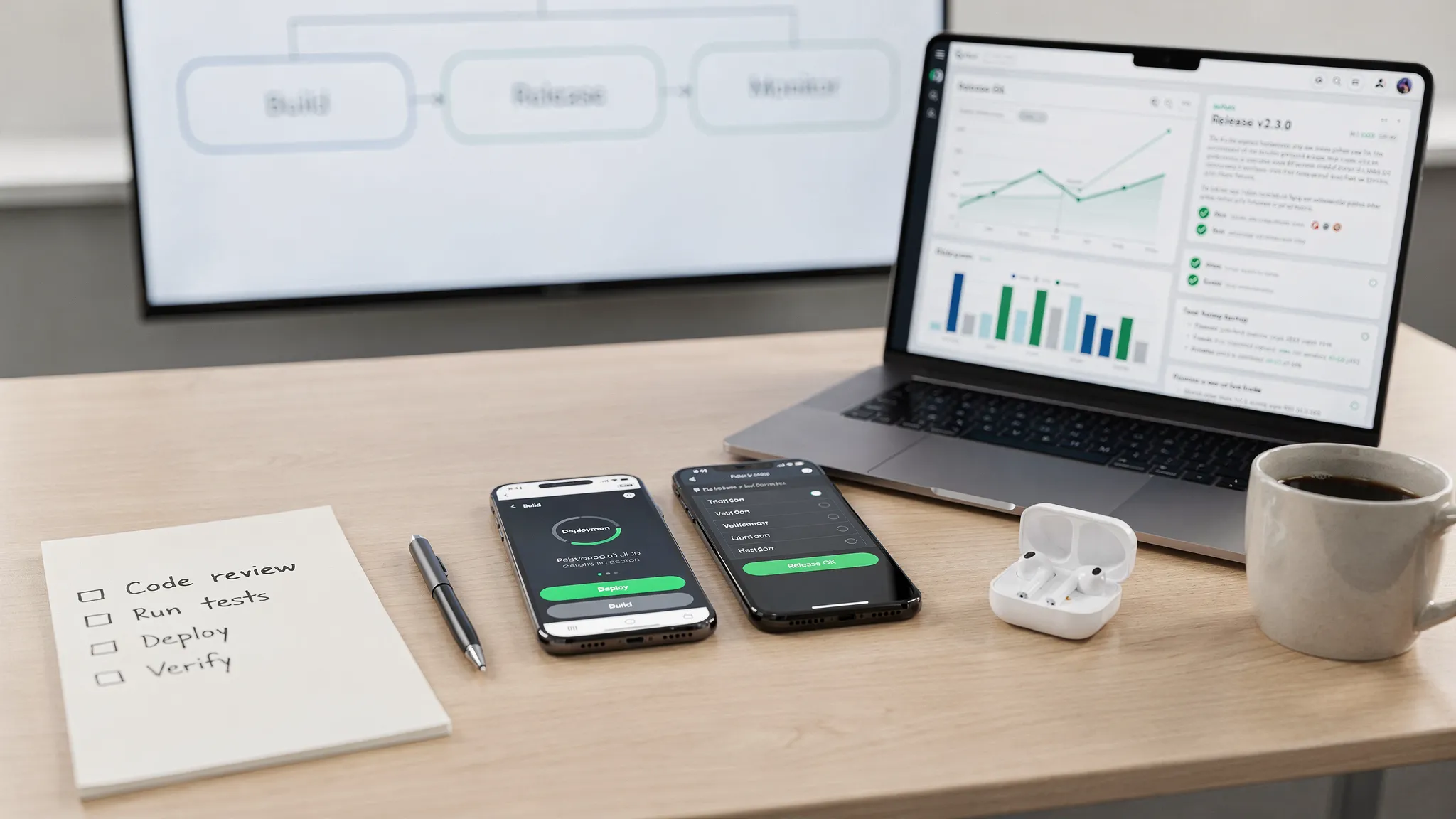
Shipping mobile app releases quickly is not about rushing a build into App Store Connect or Google Play Console. It is about creating a repeatable app deployment system that turns code into a signed, tested, observable release with fewer surprises.
For funded startups, this matters because every release changes the business. A new onboarding flow can improve activation. A payment fix can recover revenue. A broken build can damage trust, trigger bad reviews, and slow your next fundraising milestone.
A strong deployment process gives you both speed and safety. It lets your team ship smaller changes more often, detect issues earlier, and roll out updates with confidence across iOS and Android.
What App Deployment Really Means
App deployment is the operational process of moving a mobile app build from source code to users’ devices. It includes build automation, signing, testing, distribution, store submission, rollout control, monitoring, and post-release response.
It is related to app launch, but not the same thing. Launch is a market event. Deployment is the system you use for every release, from the first MVP build to your hundredth production update.
A complete mobile app deployment process usually covers:
- Reproducible iOS and Android builds generated from version-controlled code.
- Environment configuration for development, staging, and production.
- Automated checks for code quality, tests, security, and performance.
- Internal and beta distribution for QA and stakeholder review.
- App Store and Google Play submission assets, metadata, and compliance notes.
- Staged rollout, release monitoring, and hotfix planning.
The mistake many teams make is treating deployment as a final task after development. In reality, deployment should be designed during architecture and implementation. If your build pipeline, API contracts, feature flags, and observability are not ready, the release will expose those gaps at the worst possible moment.
The Principles of Fast, Safe Releases
Fast deployment does not mean skipping review. Safe deployment does not mean slowing every release to a crawl. The best mobile teams build a system that makes the safest path the easiest path.
The first principle is small, releasable changes. Large releases are harder to test, harder to review, and harder to diagnose when metrics move. Smaller releases reduce blast radius because each update changes fewer variables.
The second principle is automation over memory. If a deployment depends on one engineer remembering certificate settings, build commands, environment variables, or store notes, the process is fragile. CI/CD should generate builds, run checks, and preserve an auditable history of what was shipped.
The third principle is separating deployment from exposure. With feature flags, remote configuration, and staged rollouts, you can deploy code without instantly exposing every new feature to every user. This is especially important in mobile, where full rollback is slower than on the web.
The fourth principle is monitoring tied to the release. A release is not complete when Apple or Google approves it. It is complete when you have confirmed that the new version is stable, key journeys still work, and early user signals look healthy.
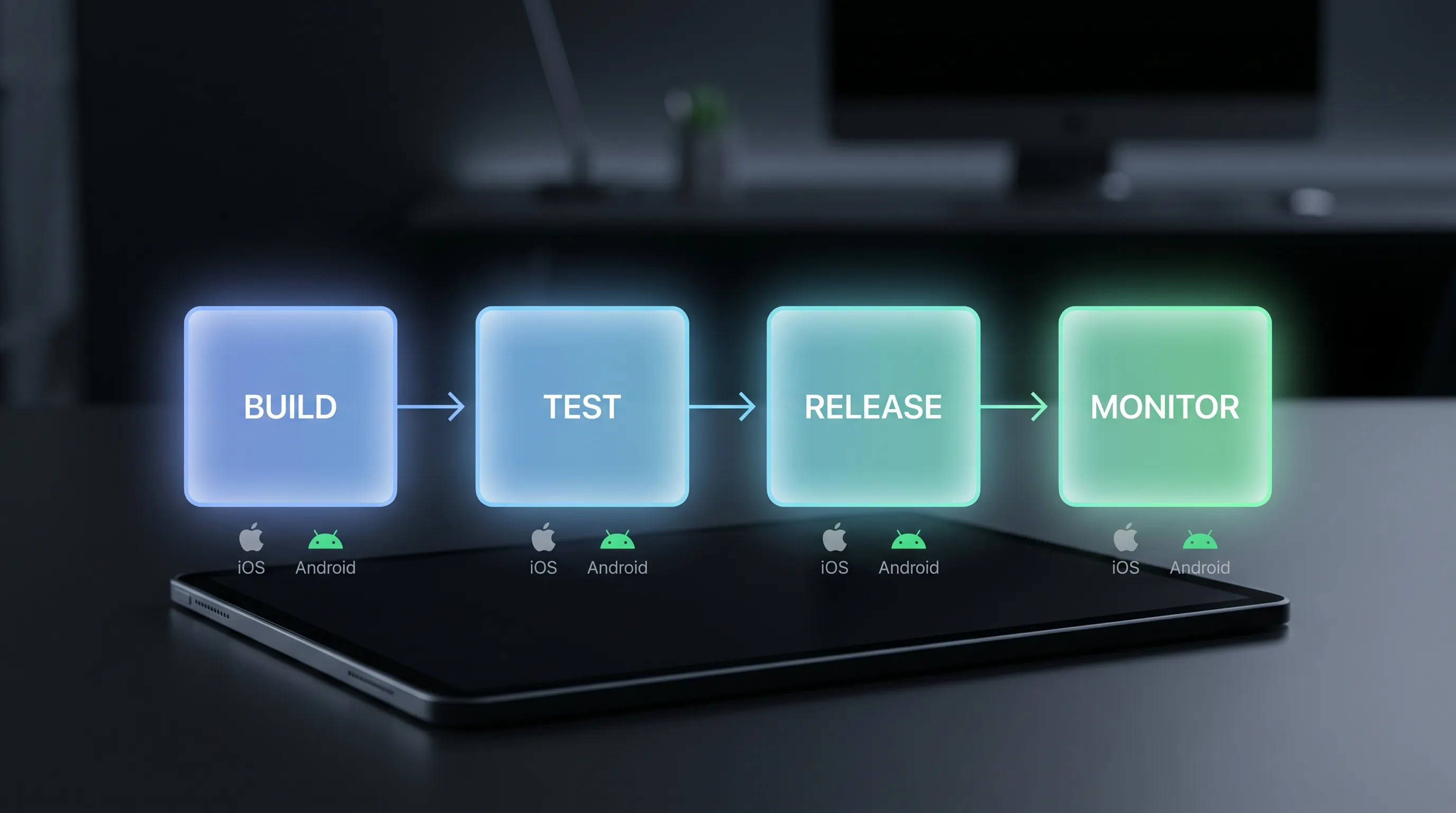
A Practical App Deployment Pipeline
A deployment pipeline should make the status of every release candidate clear. Everyone should know what build is being tested, what commit it came from, what checks passed, and what remains before rollout.
| Deployment stage | Goal | Typical output | Safety check |
|---|---|---|---|
| Code merge | Integrate approved work into the release branch | Merged pull request | Code review, unit tests, linting |
| CI build | Generate reproducible app binaries | iOS archive, Android bundle or APK | Build succeeds from clean environment |
| Automated validation | Catch obvious defects before humans test | Test reports, static analysis results | Critical tests pass |
| Internal distribution | Let QA, product, and stakeholders install the build | TestFlight, internal testing, or device install | Install, login, and core flow smoke test |
| Release candidate | Freeze scope for production submission | Tagged build with version number | No new features, only release-blocking fixes |
| Store submission | Send the build and metadata for review | App Store Connect and Google Play submissions | Reviewer notes, privacy, permissions, and assets verified |
| Staged rollout | Expose the release gradually | Percentage-based or phased production rollout | Metrics monitored at each step |
| Post-release monitoring | Confirm production health | Crash, performance, funnel, and support signals | Continue, pause, or hotfix decision |
The key is consistency. A release candidate should always come from the same type of tagged source state. Store submissions should always include the same packet of reviewer information. Rollout decisions should always be based on agreed signals, not gut feel.
If your team is still building the broader delivery plan, Appzay’s mobile app launch plan for iOS and Android teams is a useful companion for aligning deployment with launch operations.
Set Up Environments Before You Need Them
Many deployment problems are actually environment problems. The app works in development, fails in staging, and breaks in production because each environment behaves differently.
A production-ready mobile product usually needs at least three environments: development, staging, and production. Development is for active engineering work. Staging should be as production-like as possible, with realistic API behavior, authentication flows, push notification setup, and third-party integrations. Production is the live system, protected by stricter access and change controls.
| Environment | Purpose | What to validate |
|---|---|---|
| Development | Build and test features quickly | Local flows, unit tests, early integration work |
| Staging | Rehearse production behavior safely | Auth, payments, notifications, analytics, API contracts, migrations |
| Production | Serve real users | Stability, performance, data integrity, support readiness |
Mobile apps also need careful configuration management. API endpoints, analytics keys, feature flags, build variants, bundle identifiers, package names, and signing profiles should not be edited manually for each release.
Keep secrets out of the app binary whenever possible. Mobile binaries can be inspected, so API keys embedded in an app should not be treated as truly secret. Sensitive credentials, payment logic, privileged operations, and third-party secrets should live behind your backend or cloud infrastructure.
This is also where architecture affects deployment speed. Backward-compatible APIs, versioned endpoints, and resilient offline behavior make mobile releases safer because old and new app versions can coexist. For more on avoiding expensive rebuilds as your product grows, see Appzay’s guide to scale app architecture patterns.
Build Quality Gates Into the Pipeline
Quality gates are objective checks that a release must pass before moving forward. They should be strict enough to catch meaningful risk, but not so heavy that the team bypasses them.
A useful approach is to define gates by release stage. Early gates should be automated and fast. Later gates should focus on user journeys, store compliance, and production readiness.
| Quality gate | What it checks | Why it matters |
|---|---|---|
| Build gate | The app compiles cleanly for iOS and Android | Prevents broken artifacts from reaching QA |
| Test gate | Unit, integration, and key automated UI tests pass | Catches regressions before manual testing |
| Install gate | The build installs, opens, and authenticates on real devices | Finds signing, provisioning, and startup issues |
| Journey gate | Core user flows work end to end | Protects activation, revenue, and retention |
| Performance gate | Startup, screen transitions, network behavior, and battery use are acceptable | Prevents technically “working” releases from feeling broken |
| Compliance gate | Permissions, privacy disclosures, payments, and account flows match store rules | Reduces review delays and rejection risk |
| Observability gate | Crash reporting, analytics, logs, and alerts are connected to the release version | Makes production issues diagnosable |
The most important phrase in deployment is “release candidate.” Once a build becomes the release candidate, the team should stop adding scope. Every change after that point should be limited to release-blocking fixes, and each fix should restart the relevant checks.
For mobile products, real-device testing remains essential. Simulators and emulators are valuable, but they do not fully represent camera behavior, biometric authentication, push notifications, poor networks, storage constraints, Bluetooth, background processing, or device-specific performance.
Automate CI/CD Without Overcomplicating It
CI/CD for mobile apps has more moving parts than web deployment. You need certificates, provisioning profiles, keystores, store credentials, build numbers, platform-specific artifacts, and often separate beta channels.
That does not mean you need an enterprise-grade pipeline on day one. For an MVP, the goal is a reliable baseline: every production candidate should be generated by automation, not by a developer’s laptop.
A practical first CI/CD setup should include automated dependency installation, clean builds for iOS and Android, test execution, artifact storage, version and build number management, and internal distribution. As the product matures, you can add automated screenshots, security scans, release notes generation, store upload automation, and staged rollout controls.
The biggest win is reproducibility. When a release has a problem, you should be able to answer basic questions quickly: Which commit produced this binary? Which environment was used? Which tests passed? Which feature flags were enabled? Who approved the rollout?
CI/CD is also a cultural tool. It reduces the pressure on individual engineers and gives product, QA, and leadership a shared release status. That predictability is especially valuable when your startup is coordinating investor demos, customer pilots, PR, or enterprise procurement milestones.
Understand iOS and Android Deployment Differences
A safe deployment process must respect platform differences. Apple and Google both care about quality, privacy, and policy compliance, but their review flows and rollout controls differ.
| Area | iOS App Store | Google Play |
|---|---|---|
| Beta testing | TestFlight is the standard Apple beta channel | Internal, closed, and open testing tracks are available |
| Review model | App Review includes human review and policy checks | Play review combines automated and policy review processes |
| Rollout controls | Apple supports phased release for eligible app updates | Google Play supports staged rollouts by percentage |
| Rollback reality | Users who installed a bad version still need a corrective update | A rollout can be halted, but installed users may still have the affected version |
| Metadata sensitivity | Screenshots, privacy details, subscriptions, and account flows are closely reviewed | Data safety, permissions, target API requirements, and policy declarations are critical |
Apple’s phased release documentation describes how eligible app updates can be released gradually over a 7-day period. Google Play’s staged rollout guidance explains how Android teams can release updates to a percentage of users and increase exposure over time.
These controls are powerful, but they are not a substitute for testing. They reduce the number of users affected by an issue. They do not guarantee that a broken release can be instantly undone.
If your release is being blocked by metadata, privacy, payments, or account-flow issues, Appzay’s App Store submission checklist covers the common rejection triggers to review before you submit.
Plan for Rollback Before You Ship
Web teams often think of rollback as redeploying the previous version. Mobile rollback is more complicated because users install binaries on their devices, stores review updates, and older app versions can remain active for weeks or months.
That means the safest mobile rollback strategy is prevention plus containment. Your app should be designed so the team can reduce impact without waiting for every user to install a new binary.
Useful containment mechanisms include feature flags, remote configuration, kill switches for non-critical features, backend-controlled experiments, backward-compatible API changes, and safe database migrations. If a new recommendation module fails, you may be able to disable it remotely. If a required login flow crashes at launch, you may need an urgent hotfix.
Not every feature can be protected by a flag. Core navigation, app startup, authentication, payments, and local data migrations deserve extra review because they can block users before remote configuration is fetched.
A good rollback plan defines three things before release: what signals trigger a pause, what can be disabled remotely, and who has authority to stop the rollout or initiate a hotfix. Without those decisions in advance, teams lose time debating while users experience the problem.
Create a Release Runbook
A release runbook is a short operational document that explains exactly how a deployment will happen. It does not need to be long. It needs to be specific.
| Runbook item | What to document |
|---|---|
| Release owner | The person accountable for coordinating the deployment |
| Build identity | Version number, build number, commit SHA, branch, and release tag |
| Scope summary | What changed, what is behind flags, and what is excluded |
| Dependencies | Backend releases, migrations, third-party changes, or store metadata updates |
| Rollout plan | Target date, platform order, rollout percentage, and expansion schedule |
| Monitoring plan | Dashboards, alerts, metrics, and review checkpoints |
| Stop conditions | Crash, error, funnel, support, or review signals that trigger a pause |
| Communication | Internal channel, stakeholder updates, support notes, and customer messaging |
For larger releases, hold a short pre-release review. The goal is not ceremony. The goal is to catch gaps while they are still cheap to fix.
A strong runbook also prevents “invisible ownership” problems. Product may assume engineering is watching reviews. Engineering may assume support has release notes. Marketing may assume the store listing is final. Deployment exposes these assumptions, so write them down.
Monitor the First 72 Hours Like a Product Experiment
The first 72 hours after deployment are where technical quality and product impact meet. You are not only asking, “Did the app crash?” You are asking, “Did this release make the product better without harming the core experience?”
At minimum, monitor crash rate, Android ANRs, app startup time, API error rates, authentication success, purchase or subscription events, onboarding completion, push notification delivery, support tickets, app reviews, and server cost changes.
| Signal | What it can reveal |
|---|---|
| Crash and ANR trends | Binary instability, device-specific failures, threading issues |
| Core funnel metrics | Broken onboarding, login, checkout, booking, or content creation flows |
| API and backend errors | Contract mismatches, auth failures, migration problems |
| Performance metrics | Slow startup, blocked screens, poor network handling |
| Store reviews and support tickets | User-facing pain that telemetry may not fully explain |
| Feature adoption | Whether the release actually improves the product outcome |
Tie every signal to the app version and build number. Without release-aware monitoring, it is hard to distinguish a deployment regression from normal product noise.
If you need a deeper observability framework, Appzay’s guide to monitoring app essentials explains which mobile signals to track before and after launch.
Choose a Deployment Cadence That Matches Your Risk
There is no perfect release cadence for every startup. The right cadence depends on your user base, product maturity, compliance needs, QA capacity, and team size.
Early MVPs often benefit from frequent small releases because learning speed matters. Products with payments, healthcare workflows, enterprise customers, or operational dependencies may need more formal release windows. The pattern to avoid is irregular giant releases that accumulate risk for weeks and then demand a stressful all-hands push.
| Release type | Typical use | Deployment approach |
|---|---|---|
| Hotfix | Critical crash, security issue, broken payment, login failure | Minimal scope, urgent review, focused validation |
| Patch release | Small bug fixes and polish | Automated checks, short QA cycle, staged rollout |
| Feature release | New user-facing capability | Beta testing, flags, analytics, support notes |
| Platform release | OS update, SDK migration, architecture change | Technical spike, expanded device testing, longer monitoring window |
As a rule, release more often than feels comfortable, but with smaller scope than feels exciting. The teams that deploy safely are not the ones that never take risks. They are the ones that make each risk visible and manageable.
Common App Deployment Mistakes to Avoid
The most expensive deployment mistakes are usually predictable. They happen when teams treat the store submission as the finish line instead of one step in a larger release system.
One common mistake is manual build creation. If production builds come from a developer’s machine, you risk inconsistent dependencies, wrong configuration, missing assets, and unclear audit history.
Another mistake is shipping backend-breaking changes without supporting older app versions. Unlike web users, mobile users do not all update immediately. Your backend must tolerate multiple app versions unless you intentionally enforce a minimum version, which should be reserved for serious compatibility or security needs.
Teams also underestimate permissions and privacy disclosures. Camera, microphone, location, contacts, tracking, health data, and payment flows must match the actual app behavior and store metadata. A mismatch can delay review or damage user trust.
Finally, many teams forget support readiness. If a release changes onboarding, billing, account deletion, or notifications, your support and customer-facing teams need to know before users ask questions.
Pre-Release Checklist for Fast, Safe Deployment
Use this checklist before every production release. Adapt it to your product, but keep the structure consistent.
- The release candidate was generated by CI from a tagged commit.
- Version numbers, build numbers, bundle identifiers, and package names are correct.
- Production and staging configurations have been verified.
- Core journeys pass on representative iOS and Android devices.
- Permissions, privacy disclosures, and store metadata match actual behavior.
- Backend changes are backward compatible with older supported app versions.
- Feature flags and remote configuration defaults are documented.
- Crash reporting, analytics, and monitoring are tied to the release version.
- Reviewer notes, demo accounts, and test credentials are ready if needed.
- Rollout percentage, stop conditions, and hotfix owner are defined.
A checklist does not replace engineering judgment. It creates a shared baseline so the team can spend its judgment on the unusual risks, not on remembering routine steps.
Frequently Asked Questions
What is app deployment? App deployment is the process of turning mobile app code into a signed, tested, distributed, and monitored release for iOS and Android users. It includes CI/CD, QA, store submission, staged rollout, and post-release monitoring.
How is app deployment different from app launch? App launch is the public go-to-market moment for a product or major feature. App deployment is the repeatable operational process used to ship every build, including internal builds, beta versions, hotfixes, and production updates.
Do startups need CI/CD before the first MVP release? Yes, at least a lightweight version. Even an MVP benefits from automated builds, version tracking, internal distribution, and basic tests. The pipeline can mature over time, but production builds should not depend on manual laptop steps.
Can you roll back a mobile app release instantly? Not in the same way as a web app. You can pause staged rollouts, disable some features remotely, or submit a hotfix, but users who already installed a bad binary may keep it until they update. This is why feature flags and backward-compatible systems matter.
Should iOS and Android be deployed at the same time? Not always. Simultaneous releases are useful for parity and marketing, but staggered releases can reduce operational risk. The right choice depends on feature dependencies, platform risk, review timing, and support capacity.
What metrics should be watched after deployment? Watch crash rate, Android ANRs, startup performance, API errors, authentication, core funnel completion, payments, support tickets, store reviews, and feature adoption. Tie these metrics to the release version so regressions are easier to diagnose.
Ship Faster Without Turning Releases Into Fire Drills
Fast, safe app deployment is not a single tool. It is a system: disciplined scope, automated builds, quality gates, store readiness, rollout controls, monitoring, and clear ownership.
Appzay helps funded startups design, build, deploy, and maintain premium iOS and Android apps from concept to App Store. Our work spans product strategy, UX, native engineering, distributed systems architecture, CI/CD and release orchestration, App Store optimization, and proactive support.
If your team is preparing a first release or trying to make deployments more predictable, talk to Appzay about building a release-ready mobile product with fewer surprises.