6/8/2026
App GPS Tracking: Key Features, Costs, and Risks
App GPS tracking guide for founders: compare key features, cost ranges, architecture needs, privacy risks, and MVP scoping tips.
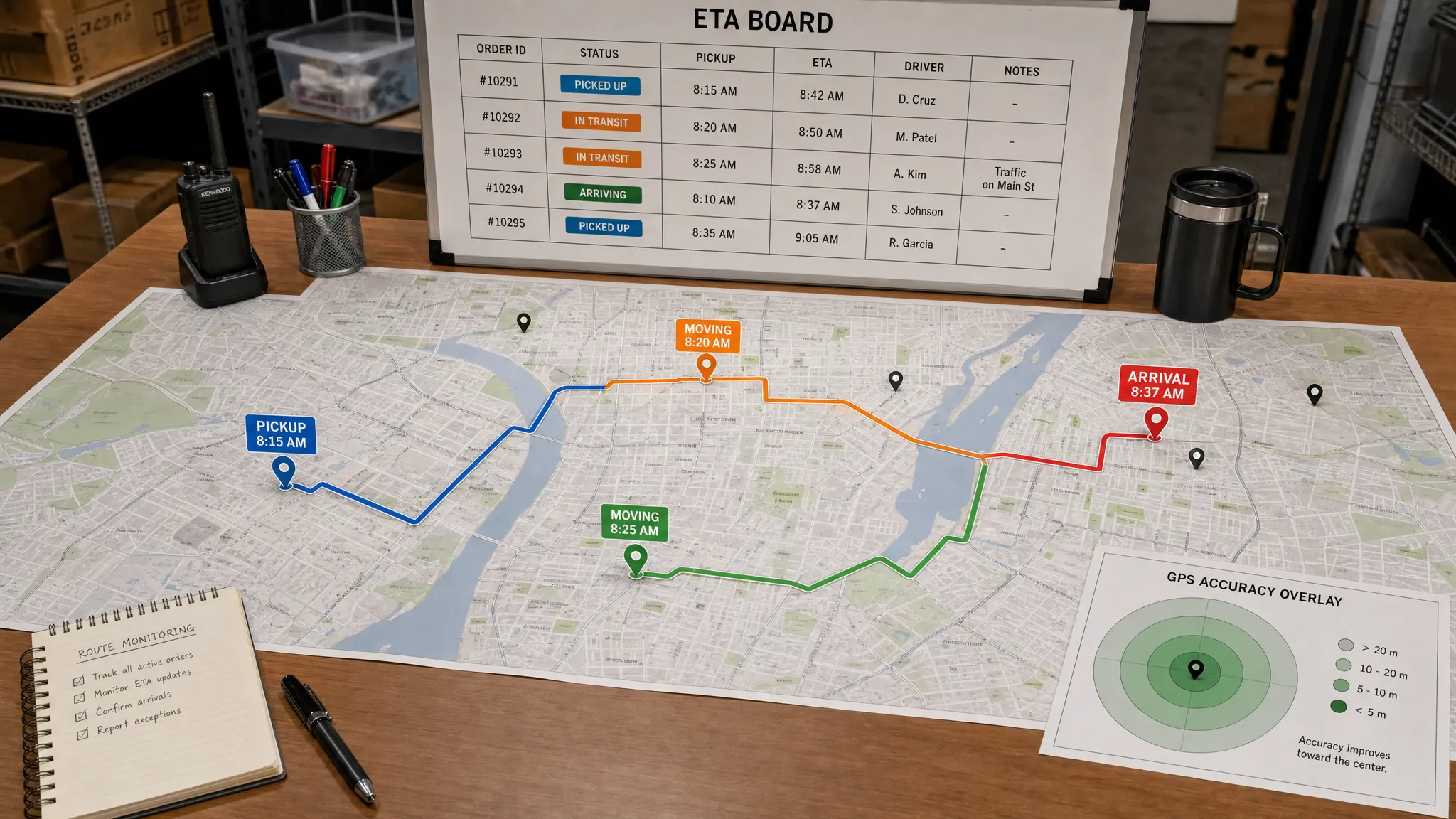
App GPS tracking looks simple from the outside: show a dot on a map, move it as the user moves, and maybe share an ETA. In production, it is one of the most sensitive and technically demanding feature sets you can add to a mobile product.
A reliable GPS tracking app has to balance accuracy, battery life, privacy, backend scale, map costs, App Store rules, and user trust. If you overbuild it, your MVP gets expensive fast. If you underbuild it, users see stale locations, drained batteries, rejected permissions, or a product that feels unsafe.
This guide breaks down the key features, cost drivers, and risks founders should understand before building app GPS tracking into an iOS or Android product.
What “GPS tracking” actually means in a mobile app
In mobile product conversations, “GPS” is often used as shorthand for location services. In practice, phones estimate location using a mix of GPS satellites, Wi-Fi, cellular networks, Bluetooth signals, and device sensors. The operating system decides which signals to use based on the app’s requested accuracy, battery state, permissions, and whether the app is active or in the background.
That means the first product decision is not “Do we need GPS?” It is “What location behavior does the user experience actually require?” A delivery app, fitness tracker, safety app, field-service tool, and social meetup app all need different levels of accuracy, frequency, and data retention.
| Tracking model | Typical use case | Complexity | Main risk |
|---|---|---|---|
| One-time location | Find nearby providers, set pickup address, check in | Low | Permission friction if asked too early |
| Foreground live tracking | Route recording, navigation, active delivery session | Medium | Battery drain and weak-network handling |
| Background tracking | Courier movement, fleet operations, safety sharing | High | App Store scrutiny, privacy, battery impact |
| Geofencing | Arrival alerts, store proximity, job-site check-ins | Medium | False positives, OS limits, edge cases |
| Historical route logs | Fitness, compliance, delivery audit trails | High | Data storage, privacy, legal exposure |
| Real-time shared tracking | Customer ETA, dispatcher view, live safety link | High | Backend scale, latency, security |
For most startups, the smartest MVP is not continuous background tracking everywhere. It is the smallest reliable location loop that proves the business value.
Key features every GPS tracking app should scope carefully
The feature list depends on your product category, but strong app GPS tracking products usually share a few core building blocks.
Permission flow and trust UX
Location permissions are not just a technical prompt. They are a trust moment. Users need to understand why the app asks for location, when tracking starts, when it stops, and what they can control.
A good permission flow usually explains the value before the OS prompt appears. For example, a delivery customer may accept location access if it helps set an accurate address. A courier may accept background tracking if it is clearly tied to active shifts, order fulfillment, and earnings. A safety app may need even stronger language around consent, visibility, and emergency use.
The app should also provide clear states such as “tracking active,” “paused,” “sharing expires in 30 minutes,” or “location unavailable.” These details reduce support issues and make the experience feel safer.
Map experience and live status
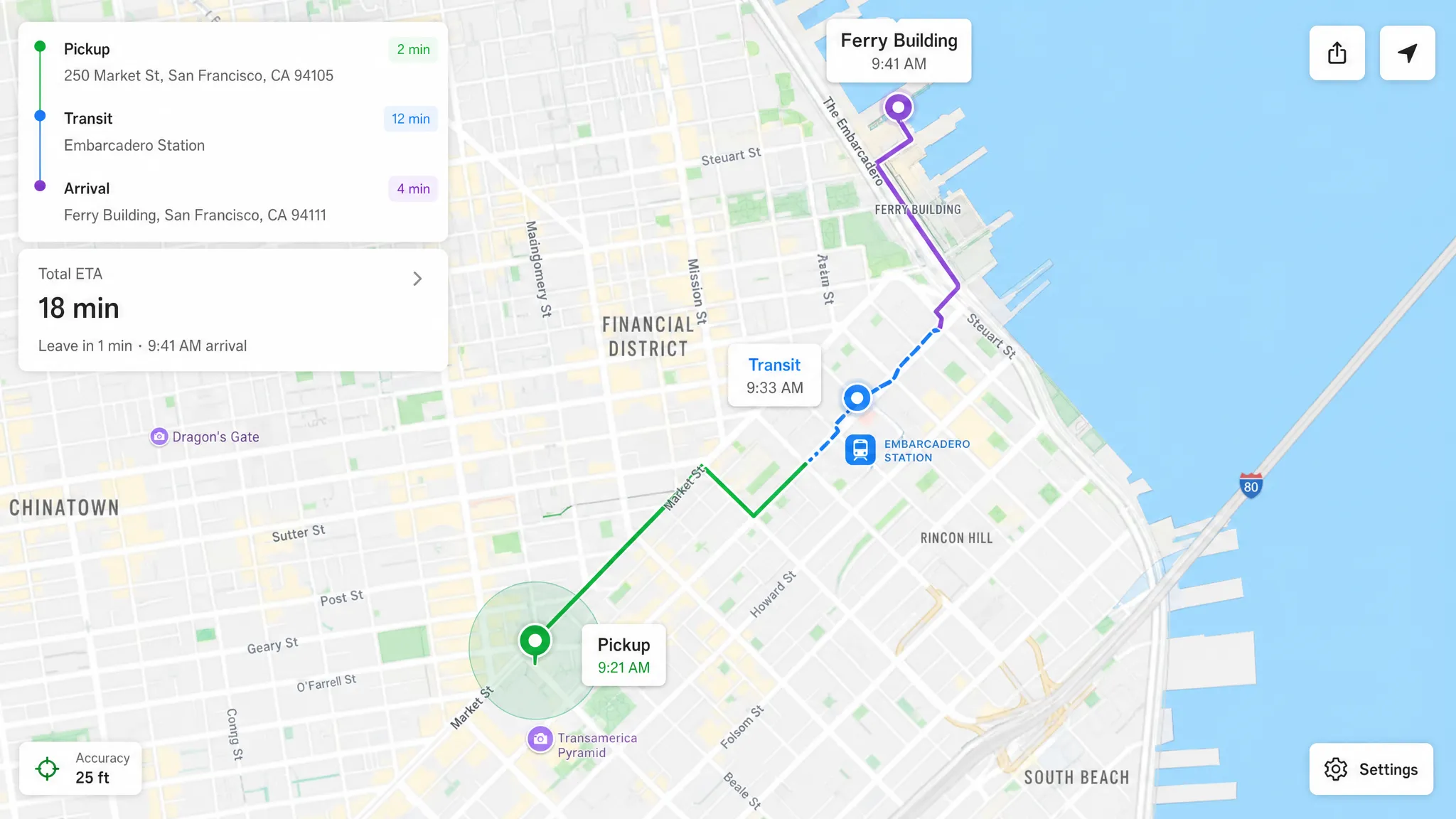
A map is often the most visible part of a GPS app, but it is only one piece of the system. The product also needs status labels, timestamps, accuracy indicators, route context, and graceful handling when location is delayed.
Instead of showing a marker with no explanation, consider adding:
- Last updated time
- Accuracy radius
- Current status, such as en route, arrived, paused, offline, or low signal
- ETA confidence, if your system can estimate it reliably
- Manual refresh or fallback action when the map is stale
These UX details matter because location data is imperfect. A premium experience does not pretend GPS is always exact. It helps users understand uncertainty.
Background tracking
Background tracking is where many GPS app budgets and risks increase. iOS and Android both restrict what apps can do when they are not active. They also expect strong justification for continuous location collection.
If your product needs background tracking, scope it as a first-class technical risk. The team should test it early on real devices, during movement, with screen locked, in low battery mode, across weak networks, and after OS-level interruptions.
Techniques such as adaptive sampling, distance filters, motion detection, and batching uploads can reduce battery drain. But they must be designed around the product’s accuracy needs. A courier dispatch app may need frequent updates during active jobs, while a field-service app may only need arrival and departure proof.
Geofencing and event triggers
Geofencing lets the app trigger actions when a device enters or leaves a defined area. It can power arrival notifications, automated check-ins, shift validation, curbside pickup alerts, or proximity-based reminders.
Geofencing is useful, but it is not magic. Accuracy varies by environment, device state, operating system behavior, and the size of the fence. A 200-meter arrival zone may work better than a very small radius in dense urban areas. The UX should account for false arrivals, delayed triggers, and manual overrides.
Route history and audit trails
Some apps need to store where a user has been. This can support delivery disputes, compliance logs, mileage reports, fitness history, safety timelines, or operational analytics.
Route history raises the stakes. You are no longer just using location temporarily, you are keeping sensitive movement data. That means you need a clear retention policy, access controls, deletion workflows, and a strong reason for storing each data point.
A useful rule: if a location data point does not improve the product, user safety, operations, or compliance, do not collect it.
Real-time sharing and notifications
Real-time tracking often means one user’s location is visible to another user or team. Examples include a customer watching a delivery driver, a dispatcher monitoring field staff, or a friend receiving a temporary live location link.
This requires more than frequent GPS updates. You need authentication, authorization, streaming or polling architecture, push notifications, rate limiting, and clear session rules. A live tracking link should not stay active forever unless that is explicitly part of the product and legally reviewed.
Offline and poor-network behavior
GPS tracking apps are often used in imperfect conditions: moving vehicles, warehouses, underground garages, rural roads, airports, hospitals, or congested cities. The app should define what happens when the network fails.
For many MVPs, the right answer is local caching with later sync. The app records the event or route on-device, timestamps it, and uploads when the connection returns. The backend should be designed to handle delayed events without corrupting timelines or sending confusing notifications.
The backend architecture behind app GPS tracking
A location feature can start on the phone, but it rarely ends there. Once you need live sharing, route history, analytics, dispatch, compliance, or multi-user visibility, backend architecture becomes critical.
A typical GPS tracking system includes:
| Layer | What it does | Important decisions |
|---|---|---|
| Mobile location layer | Reads device location and manages permissions | Accuracy mode, update frequency, foreground vs background behavior |
| Local storage | Caches events during poor connectivity | Retry rules, timestamps, conflict handling |
| API layer | Receives location updates securely | Authentication, rate limits, payload validation |
| Data store | Saves sessions, route points, geofences, and events | Retention, indexing, encryption, query patterns |
| Real-time layer | Streams updates to customers, dispatchers, or other users | Latency, scaling model, access control |
| Map and routing services | Displays maps, geocodes addresses, calculates routes | Provider choice, usage cost, fallback behavior |
| Observability | Tracks crashes, latency, battery impact, and failed syncs | Alerts, dashboards, release monitoring |
This is why location-heavy apps need architecture planning before development starts. A simple prototype can show a moving dot, but a production system must handle thousands of updates, privacy boundaries, edge cases, and support workflows.
If your product includes maps, payments, analytics, notifications, or third-party operations systems, plan integrations early. Appzay’s app integration guide explains how to think through those dependencies before they become launch blockers.
How much does a GPS tracking app cost?
There is no universal price because the cost depends on scope, accuracy, platforms, integrations, and operational complexity. A simple location-enabled MVP is very different from a real-time delivery marketplace or field-service platform.
The ranges below are planning estimates for funded startups working with a professional mobile team in the US or Europe. They are not Appzay pricing and should not be treated as a quote.
| Product scope | Typical features | Planning range |
|---|---|---|
| Basic location MVP | Login, current location, map view, simple nearby search, basic backend | $40k to $90k |
| Operational tracking MVP | Active session tracking, geofencing, route history, notifications, admin visibility | $90k to $180k |
| Two-sided real-time tracking app | Customer and worker apps, live ETA, dispatcher tools, backend event pipeline, QA across movement scenarios | $150k to $300k+ |
| Compliance-heavy or high-scale platform | Advanced audit logs, role-based access, analytics, offline sync, custom operations, performance hardening | $250k to $500k+ |
The biggest mistake is comparing quotes without comparing scope. One proposal may include only a mobile interface with a map. Another may include backend ingestion, real-device QA, CI/CD, store submission, privacy work, release monitoring, and post-launch support. Those are not the same product.
Main cost drivers
The cost of app GPS tracking usually increases when the product needs higher reliability, more data, more users, or more accountability.
| Cost driver | Why it increases cost |
|---|---|
| Background location | Requires deeper platform work, real-device testing, and careful permission UX |
| Real-time updates | Adds streaming, synchronization, scaling, and latency requirements |
| Map and routing complexity | Directions, ETAs, geocoding, search, and custom map styling can add API and engineering costs |
| Multi-role experience | Customer, courier, dispatcher, admin, and support views multiply flows and permissions |
| Offline sync | Requires local persistence, retry logic, conflict handling, and QA in poor-network scenarios |
| Compliance and security | Adds data minimization, retention controls, audit trails, legal review, and access governance |
| Testing in motion | Requires field testing, device matrix coverage, battery profiling, and release monitoring |
Ongoing costs to budget for
The build is only part of the investment. GPS-enabled apps also have recurring costs tied to usage and maintenance.
Map services can charge based on map loads, routing requests, geocoding, places search, or distance calculations. Backend costs can grow with the number of tracked users, update frequency, data retention period, and real-time subscribers. Observability, analytics, customer support tooling, and compliance workflows also add operating costs.
A practical budget should include:
- Cloud infrastructure and databases
- Map, routing, geocoding, and places APIs
- Crash reporting, performance monitoring, and logging
- Push notifications and messaging infrastructure
- Ongoing iOS and Android maintenance
- Security updates and SDK upgrades
- QA for new OS versions and device behavior
- Support workflows for location disputes or data requests
For many startups, annual maintenance and iteration can represent 15% to 25% of the original build cost, sometimes more for operational products with frequent releases. Location-heavy apps should also reserve budget for post-launch optimization because real-world movement patterns are hard to fully simulate before launch.
The biggest risks in GPS tracking apps
Location data is sensitive, technically noisy, and expensive to process at scale. The risks are manageable, but only if they are designed into the product from the beginning.
Privacy and consent risk
Location data can reveal home addresses, workplaces, routines, religious visits, medical visits, relationships, and travel patterns. Treat it as highly sensitive.
Users should know what is collected, why it is collected, when tracking is active, who can see it, how long it is stored, and how they can stop or delete it. If the app tracks employees, children, patients, drivers, or vulnerable users, legal and ethical review becomes even more important.
A trustworthy product usually uses data minimization. Collect the least precise location that still serves the feature. Store it for the shortest useful period. Limit access by role. Make tracking states visible.
App Store and Google Play review risk
Apple and Google closely evaluate apps that request background location. A vague explanation such as “we need your location to improve the experience” is not enough. The app should make the user benefit obvious and align the permission request with actual functionality.
Common review problems include asking for background location before the user understands the feature, collecting location without a clear active use case, mismatched privacy disclosures, broken permission fallback states, and screenshots or descriptions that do not match the app’s behavior.
Before submission, test the app as a reviewer would: install fresh, deny permissions, grant limited permissions, disable location, lock the screen, resume after inactivity, and confirm every explanation is accurate. Appzay’s App Store requirements guide covers broader submission expectations for iOS and Android.
Battery drain and performance risk
Poorly implemented tracking can drain battery, heat the device, create background crashes, or trigger OS restrictions. This directly hurts retention. Users will delete an app that makes their phone unreliable.
Battery-safe tracking depends on product-specific tuning. The app may reduce update frequency when the user is stationary, switch accuracy modes based on session state, batch uploads, pause tracking outside active jobs, or use geofencing instead of continuous updates when appropriate.
The team should measure battery impact on real devices, not just emulators. Appzay’s app optimization guide explains why speed, battery, and retention should be treated as connected product metrics.
Accuracy and edge-case risk
GPS is not always precise. Dense cities, tunnels, large buildings, bad weather, device settings, low battery, and network loss can all affect results. If your product assumes perfect accuracy, users will experience frustrating or even unsafe behavior.
Design the app for uncertainty. Show “last updated,” allow manual correction, avoid overconfident ETA language, and create support paths for disputed deliveries, failed check-ins, or missed geofence events.
For products where safety, employment, insurance, or legal outcomes depend on location data, accuracy limitations must be communicated carefully.
Security and access-control risk
A GPS tracking app often answers the question “Where is this person right now?” That data must never be exposed casually.
Security planning should include encrypted transport, secure API authentication, authorization checks for every location request, role-based access, audit logs for sensitive views, server-side secrets, and protection against scraping or enumeration. If users can share live location links, those links need expiration, revocation, and abuse prevention.
Cost runaway risk
Location updates can generate a lot of data. If 10,000 active users send location every five seconds, that is millions of events per day. Add routing, geocoding, real-time subscribers, logs, and analytics, and costs can escalate quickly.
Cost controls should be architectural, not just financial. Use adaptive update rates, avoid unnecessary geocoding, cache where appropriate, compress payloads, define retention rules, and monitor cost per active tracking session.
MVP scoping: what to build first and what to defer
The best MVP depends on the core promise. A GPS app should not start with a giant feature list. It should start with one complete location-based user loop.
| Product type | MVP location loop | Defer until later |
|---|---|---|
| Delivery app | Driver shares live location during active order, customer sees ETA and status | Route optimization, batching, advanced dispatch automation |
| Field-service app | Worker checks in at job site, manager sees proof of arrival | Continuous all-day tracking, productivity scoring |
| Fitness app | User records a route and views summary after session | Social leaderboards, advanced coaching, complex maps |
| Safety app | User shares live location with trusted contact for a limited session | Always-on tracking, family dashboards, predictive alerts |
| Marketplace app | User sets location and sees nearby providers | Full real-time logistics layer |
A lean MVP can still be premium if the core loop is reliable. In fact, a smaller but trustworthy GPS experience usually beats a broad app with inaccurate tracking and unclear permissions.
If you are validating a location-based startup before committing to a full build, a focused landing page and waitlist can help test positioning, pricing, and demand. For teams that need that pre-app web presence, a specialist Webflow and Framer website agency can support the validation layer while the mobile product is being scoped.
Native, React Native, or Flutter for GPS tracking?
Stack choice matters because location behavior touches OS-level APIs. Native iOS and Android can be the best fit when the app depends heavily on background tracking, advanced permissions, high reliability, platform-specific location behavior, Bluetooth, sensors, or battery tuning.
Cross-platform frameworks can still work well for many GPS products, especially when the tracking model is moderate and the team is comfortable maintaining native modules. The key is not the framework alone. The key is whether your team can test, tune, and debug the OS-level behavior that location features require.
A good decision process starts with the riskiest interaction. If your entire business depends on reliable background tracking during active jobs, validate that flow in a technical spike before committing to the full roadmap. If location is used mainly for search, address selection, or foreground sessions, cross-platform may be efficient.
For a broader stack comparison, read Appzay’s guide to native app vs React Native.
How to reduce risk before development
Before writing production code, founders should align product, technical, and compliance assumptions. This is especially important for GPS tracking because mistakes can be expensive to undo.
A practical pre-build process should answer these questions:
- What exact user moment requires location?
- Does tracking happen once, during an active session, or continuously in the background?
- What accuracy is good enough for the product promise?
- Who can see location data, and under what conditions?
- How long is location data stored?
- What happens when the user denies permission?
- What happens when GPS is inaccurate or unavailable?
- How will the app limit battery drain?
- Which map, routing, and geocoding services are required?
- What metrics prove tracking is reliable after launch?
This work should become wireframes, technical architecture, acceptance criteria, QA scenarios, and release gates. Appzay’s mobile app build checklist is a useful companion if you are turning a GPS concept into a launch-ready plan.
FAQ
How accurate is app GPS tracking? Accuracy varies by device, environment, permissions, battery state, and signal quality. Outdoor GPS can be very accurate, while dense cities, indoor spaces, tunnels, and low-power states can reduce reliability. Your UX should show uncertainty instead of pretending every location is exact.
Can an app track location in the background? Yes, but iOS and Android restrict background location and require a clear user benefit. Apps need correct permissions, visible explanations, careful battery management, and review-ready privacy disclosures.
Does GPS tracking drain battery? It can if implemented poorly. Battery impact depends on update frequency, accuracy mode, network usage, motion detection, and whether tracking runs continuously. Adaptive tracking and real-device profiling are essential.
How much does it cost to build a GPS tracking app? A basic location MVP may cost around $40k to $90k, while real-time operational tracking apps often range from $150k to $300k or more. The final cost depends on scope, platforms, backend complexity, QA, integrations, and compliance needs.
Do I need real-time tracking for my MVP? Not always. Many products can validate demand with check-ins, geofencing, foreground sessions, or limited live sharing. Continuous real-time tracking should be reserved for cases where it directly supports the core user promise.
What is the biggest hidden risk in GPS app development? The biggest hidden risk is usually the combination of background behavior, battery drain, and privacy compliance. These issues are hard to solve late because they affect product design, architecture, QA, and store submission.
Build GPS tracking with the right product and engineering plan
App GPS tracking can create powerful products, from delivery and field operations to safety, fitness, mobility, and location-based marketplaces. But it should be scoped with discipline. The right MVP is not the one with the most map features. It is the one that delivers a reliable, trusted location experience users actually need.
Appzay helps funded startups design, build, and launch premium iOS and Android apps end to end, including product strategy, UX design, native engineering, cloud architecture, CI/CD, App Store launch, and post-launch support.
If your app depends on GPS tracking, start with a technical and product blueprint before you commit your build budget. Talk to Appzay about turning your location-based product into a scalable mobile app users can trust.