7/10/2026
Kotlin for Mobile App Development: When Native Android Wins
Learn when Kotlin for mobile app development is the right native Android choice for performance, UX, scalability, and startup roadmap risk.
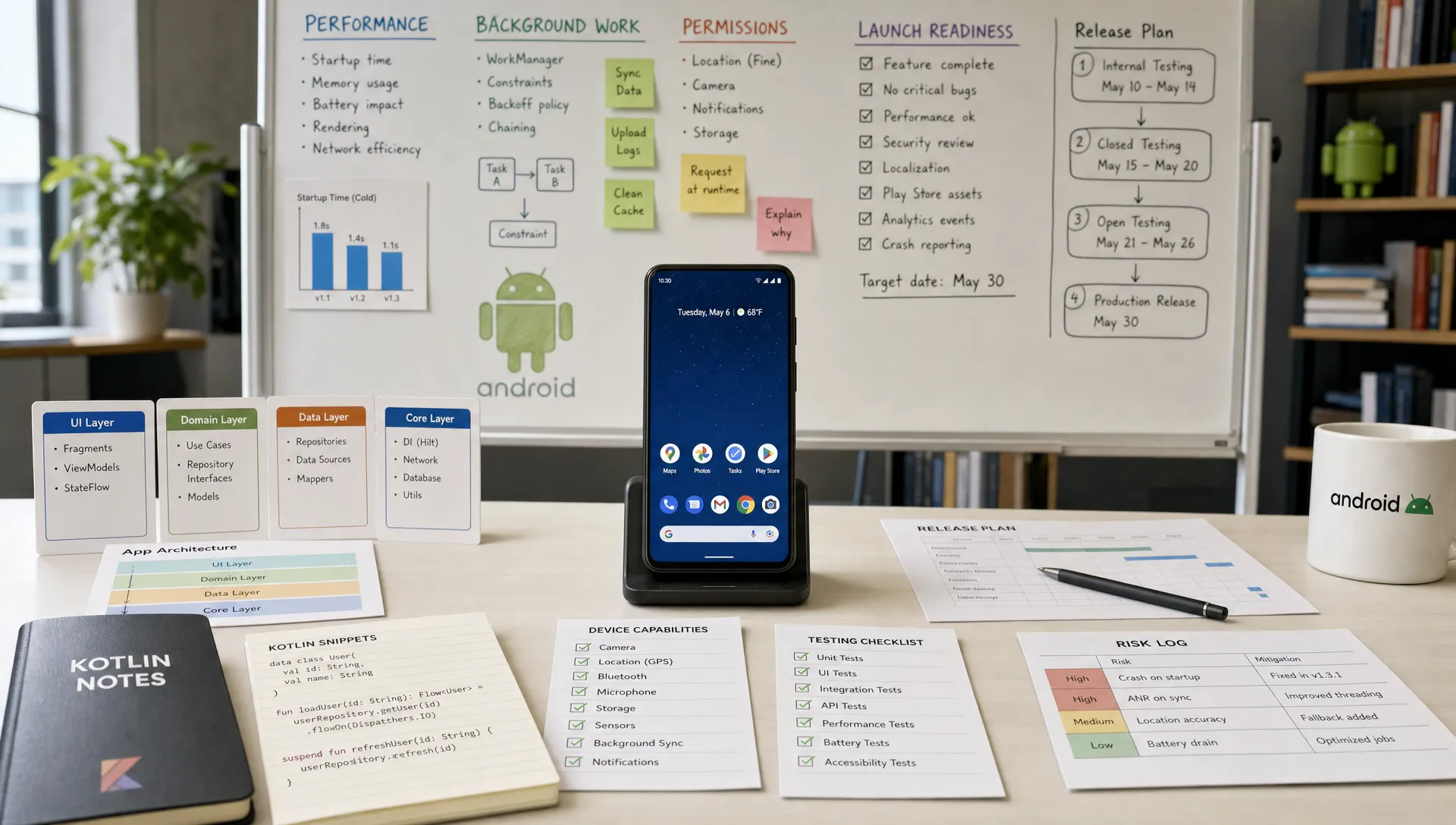
Choosing Kotlin for mobile app development is not just a language preference. For a funded startup, it is a product strategy decision: how much control do you need over Android performance, platform behavior, user experience, and long-term scalability?
Cross-platform frameworks can be excellent when speed and shared code are the top priorities. But when Android is a meaningful growth channel, or when your product depends on device capabilities, real-time responsiveness, background reliability, or a premium native feel, Kotlin native Android development can be the stronger bet.
The key is not asking, “Is Kotlin better than every other stack?” The better question is: “Does our Android app need native control badly enough to justify a dedicated Android codebase?”
For many ambitious products, the answer is yes.
Why Kotlin became the modern Android standard
Kotlin is a statically typed programming language created by JetBrains and widely used for Android development. Google’s Android Developers documentation describes Kotlin as a recommended language for Android, and the broader Android ecosystem has steadily moved toward Kotlin-first APIs, samples, libraries, and tooling.
For product teams, Kotlin’s appeal comes from a few practical strengths:
- Concise syntax that reduces boilerplate compared with older Java-heavy Android codebases.
- Null safety that helps prevent a common class of runtime crashes when used well.
- Coroutines for cleaner asynchronous programming, especially for networking, database access, and background tasks.
- Java interoperability that lets teams modernize existing Android code without rewriting everything at once.
- Strong alignment with Jetpack libraries and Compose, Google’s modern toolkit for building Android UI.
That does not mean Kotlin automatically produces a better app. Architecture, UX, QA, release engineering, and product discipline still matter. But Kotlin gives Android teams a modern foundation for building apps that need to feel fast, reliable, and deeply integrated with the platform.
What “native Android with Kotlin” really means
Native Android development means building the Android app directly on top of Android’s platform APIs and tooling. In a Kotlin-based native app, the team typically works with the Android SDK, Android Studio, Gradle, Jetpack libraries, Material Design guidelines, and Google Play release tooling.
This is different from using React Native, Flutter, or another cross-platform framework, where some portion of the app’s interface, logic, or rendering model is abstracted away from the underlying platform.
That abstraction can be valuable. It can accelerate delivery, reduce duplicate work, and help teams maintain similar behavior across iOS and Android. Appzay has a dedicated guide on React Native for mobile app development if your main decision is whether a shared codebase fits your first release.
Native Kotlin wins when the abstraction starts becoming a constraint. If your Android app needs precise control over performance, OS integrations, background work, permissions, device APIs, or Android-specific UX, native development gives your team fewer layers to fight.
When Kotlin native Android wins
Kotlin is not the right answer for every app, but it is often the right answer for Android products where quality, scale, and platform depth matter. These are the scenarios where native Android tends to outperform a cross-platform approach.
1. Performance is part of the product promise
Some apps can tolerate small delays. Others cannot.
If your app depends on fluid scrolling, real-time updates, camera processing, media playback, maps, location tracking, complex animations, offline-first data sync, or high-frequency user interactions, Android performance becomes a product feature, not just an engineering detail.
Native Kotlin gives developers direct access to Android profiling tools, memory behavior, threading models, background task APIs, and platform-specific performance patterns. That makes it easier to identify bottlenecks, tune rendering, reduce jank, and optimize battery usage.
This matters for categories such as:
- Fitness and health tracking apps that rely on sensors and background data.
- Marketplace or social feeds with heavy media and fast scrolling.
- Navigation, delivery, and logistics apps with location-heavy workflows.
- Creator tools that process images, audio, or video.
- IoT and hardware-adjacent apps that connect to devices over Bluetooth, NFC, or local networks.
A cross-platform stack may still work for some of these products, especially if the complex parts are limited. But when performance-sensitive behavior sits at the center of the user experience, native Android with Kotlin gives the team more control.
2. The app needs deep Android OS integration
Android is not just a screen size. It is an operating system with its own permissions, background execution rules, notification behaviors, widgets, share flows, system intents, hardware APIs, and device diversity.
Kotlin native Android is a strong fit when your product relies on features such as:
- Push notifications with nuanced behavior and deep links.
- Background sync, uploads, downloads, or scheduled work.
- Camera, microphone, sensors, Bluetooth, NFC, or biometric authentication.
- Android widgets, shortcuts, share sheets, and system-level integrations.
- Secure local storage, encrypted credentials, and platform authentication.
- Offline-first workflows with local databases and conflict resolution.
The more your app behaves like part of the Android operating system, the more native development helps. You can build closer to the platform’s intended patterns instead of waiting for third-party framework support, writing custom native modules, or debugging edge cases across abstraction layers.
3. Android UX needs to feel genuinely native
A premium app should not feel like a website wrapped in a mobile shell. It should feel like it belongs on the device.
On Android, that means respecting Material Design patterns, system navigation, adaptive layouts, permission flows, accessibility expectations, typography, haptics, dark mode, edge-to-edge layouts, and device-specific behaviors. It also means accounting for the Android ecosystem’s variety: different screen sizes, foldables, tablets, OEM variations, and hardware capabilities.
Kotlin, especially when paired with Jetpack Compose, helps teams design Android experiences that follow platform conventions while still supporting a distinctive product identity. The result is not simply “more native” in a technical sense. It is an app that feels more trustworthy and easier to use because it behaves the way Android users expect.
This is especially important for consumer products where retention depends on subtle UX quality. A signup flow that feels slightly off, a laggy transition, or an inconsistent back gesture can reduce confidence even if the core feature works.
4. Android has its own roadmap, not just an iOS copy
Some startups begin with iOS as the primary design reference, then treat Android as a port. That can work for a simple MVP, but it becomes risky when Android users, devices, or markets have different needs.
Native Kotlin is often the better choice when your Android roadmap includes platform-specific priorities, such as Android-first markets, device integrations, Google ecosystem features, tablet layouts, foldables, or business workflows that differ from iOS.
In those cases, the Android app should not be constrained by decisions made for another platform. It needs room to evolve on its own terms while staying aligned with the overall product vision.
If you are comparing this against a broader native strategy for both platforms, Appzay’s guide to native mobile app development covers when native beats cross-platform across iOS and Android together.
5. Long-term maintainability matters more than the fastest first build
For a funded startup, the first launch matters, but the second, fifth, and tenth releases matter more. Apps are not finished at launch. They accumulate features, edge cases, experiments, performance fixes, analytics requirements, compliance needs, and platform updates.
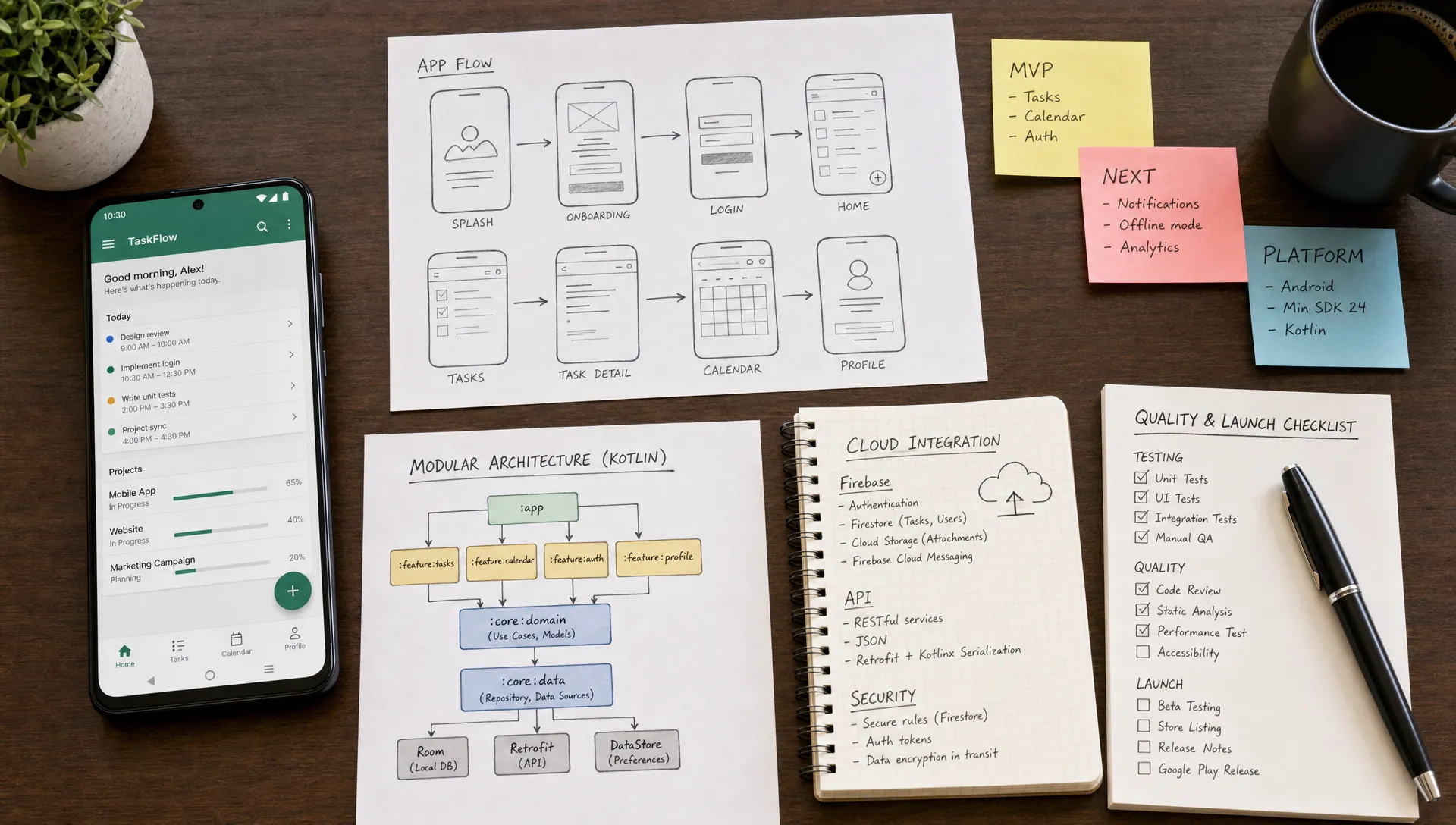
A well-architected Kotlin Android codebase can support that growth through modular design, clear domain layers, automated testing, CI/CD, and strong separation between product logic and platform-specific implementation.
Kotlin can also make Android hiring and collaboration easier because it is now deeply embedded in the Android ecosystem. Modern Android engineers expect Kotlin, Jetpack, coroutines, Compose, and contemporary architecture patterns. A clean Kotlin codebase is easier to onboard into than an outdated or heavily patched stack.
Kotlin native Android vs other mobile development options
The best stack depends on what you are optimizing for. Kotlin native Android offers maximum Android control, but that does not mean every startup should choose it by default.
| Option | Best fit | Main advantage | Main trade-off |
|---|---|---|---|
| Kotlin native Android | Android apps with performance, OS integration, or premium UX needs | Deep platform control and strong Android ecosystem alignment | Separate iOS codebase required |
| Java Android | Legacy Android products or teams with existing Java code | Mature ecosystem and interoperability with Kotlin | More boilerplate and less modern Android momentum |
| React Native | MVPs and products with shared iOS and Android UI needs | Faster cross-platform delivery with one shared codebase | Native modules may be needed for complex platform behavior |
| Flutter | Highly custom cross-platform UI with consistent rendering | Strong control over visual consistency across platforms | Platform-native feel and integrations can require extra work |
| Kotlin Multiplatform | Shared business logic with native UI on each platform | Code sharing without giving up native interfaces | More architectural complexity and team maturity required |
Kotlin Multiplatform deserves a special note. It can be useful when teams want to share business logic across platforms while keeping native UI layers. But it is not the same as “write once, run everywhere,” and it still requires thoughtful architecture. For many funded startups, it becomes more attractive after the product domain is clearer and the team has enough engineering discipline to manage shared modules well.
When Kotlin may not be the right first move
Native Android wins in many high-stakes scenarios, but it is not always the most efficient starting point.
A cross-platform stack may be more practical if your first release is mostly straightforward account creation, content browsing, forms, dashboards, messaging, or CRUD workflows with limited device integration. If your goal is to validate a market quickly and the Android experience does not need platform-specific depth, a shared codebase can reduce delivery time and cost.
Kotlin may also be less ideal if your internal team has no Android expertise and your roadmap does not justify hiring or partnering for native development. A poorly built native app is not automatically better than a well-built cross-platform app. The quality of execution matters more than the label on the stack.
The key is to avoid choosing Kotlin out of technical preference alone. Choose it because the product requires Android-native strengths.
A practical decision framework for founders
Before choosing Kotlin for mobile app development, align your product, design, and engineering teams around the real constraints of the roadmap. These questions usually reveal whether native Android is worth the investment.
- Is Android a primary growth channel or a secondary platform? If Android will drive a meaningful share of acquisition, engagement, or revenue, native quality may be worth prioritizing early.
- Does the app depend on device capabilities? Hardware, sensors, background work, secure storage, media, or location-heavy flows all increase the case for Kotlin.
- Will performance issues directly hurt retention? If lag, battery drain, or unreliable sync damages the user promise, native control becomes more valuable.
- Does Android need a distinct UX or roadmap? If Android users need platform-specific behaviors, do not force the product through an iOS-shaped template.
- Can the team support two platform codebases? Native Android is powerful, but it requires disciplined planning, testing, release management, and ongoing maintenance.
If the answers point toward performance, OS depth, and Android-specific product value, Kotlin is likely the right call. If the answers point toward rapid validation with standard mobile patterns, cross-platform may be a better first release strategy.
What a strong Kotlin Android build should include
Choosing Kotlin is only the starting point. To get the benefit of native Android, the app needs a strong execution model from product strategy through launch.
A serious Kotlin Android project should include clear product requirements, UX flows designed for Android behavior, interactive prototypes, modular architecture, automated testing, CI/CD, release orchestration, analytics instrumentation, crash reporting, and a plan for ongoing maintenance.
It should also include platform-aware product decisions. Android permissions should be requested at the right moment. Notifications should respect user intent. Offline states should be designed, not treated as errors. Loading, empty, and failure states should feel deliberate. Accessibility should be built in early, not retrofitted before launch.
This is where many startups underestimate the work. Native Android is not just “build the Android version.” It is the discipline of turning Android’s platform capabilities into a product advantage.
For funded teams planning a full mobile release, it can help to zoom out from the language decision and map the path from scope to store submission. Appzay’s guide to mobile app development from MVP to App Store gives a broader view of strategy, UX, engineering, testing, and launch readiness.
Common Kotlin Android mistakes to avoid
A Kotlin codebase can still become slow, fragile, or expensive if the team treats the language as the solution instead of the foundation.
One common mistake is overbuilding the first release. Native Android gives you many platform capabilities, but the MVP should still focus on the core user behavior that proves the product. Adding widgets, offline sync, advanced notifications, and complex animations too early can delay learning.
Another mistake is copying iOS interactions without adapting them to Android. Users may not consciously notice platform conventions, but they feel the difference when navigation, gestures, permissions, or system behaviors are wrong.
A third mistake is skipping release engineering. Android’s device diversity makes testing and rollout discipline essential. A strong team should plan beta distribution, staged rollouts, crash monitoring, regression testing, and post-launch fixes before the first public release.
Finally, teams should avoid treating performance optimization as a late-stage task. Architecture, data flow, image loading, background work, and UI rendering decisions affect performance from the beginning. Kotlin gives you the tools, but the team still needs the habits.
Frequently Asked Questions
Is Kotlin good for mobile app development? Yes, Kotlin is especially strong for native Android mobile app development. It is modern, concise, interoperable with Java, and well supported by Android’s tooling and libraries.
Is Kotlin better than React Native? Kotlin is better when the Android app needs deep platform integration, high performance, or a very native user experience. React Native can be better when speed, shared code, and consistent iOS and Android delivery are the main priorities.
Can Kotlin be used for iOS app development? Kotlin can be used in cross-platform scenarios through Kotlin Multiplatform, usually to share business logic. However, native iOS interfaces are still commonly built with Swift, especially for premium iOS experiences.
Should a startup build Android in Kotlin from day one? It depends on the product. If Android is central to the business model or requires platform-specific capabilities, Kotlin can be the right first choice. If the MVP is simple and needs fast validation across platforms, cross-platform may be more efficient.
Does Kotlin make Android apps faster? Kotlin itself does not automatically make an app fast. It gives Android teams modern tools and patterns that can support high-performance development, but speed still depends on architecture, profiling, testing, and implementation quality.
Build the Android app your roadmap actually needs
Kotlin native Android wins when your app needs more than basic mobile coverage. It wins when Android performance, OS integration, platform-native UX, and long-term maintainability are central to the product’s success.
If you are deciding whether Kotlin is the right foundation for your Android app, Appzay can help you evaluate the trade-offs, shape the product strategy, design the experience, engineer the app, and support the launch end to end. Start with Appzay’s mobile app development team when you need a partner that can turn a funded app idea into a polished iOS and Android product ready for real users.