4/10/2026
Mobile App Development: From MVP to App Store in 2026
Mobile app development in 2026: a practical roadmap from MVP to App Store, covering UX, engineering, testing, CI/CD, compliance, and launch.
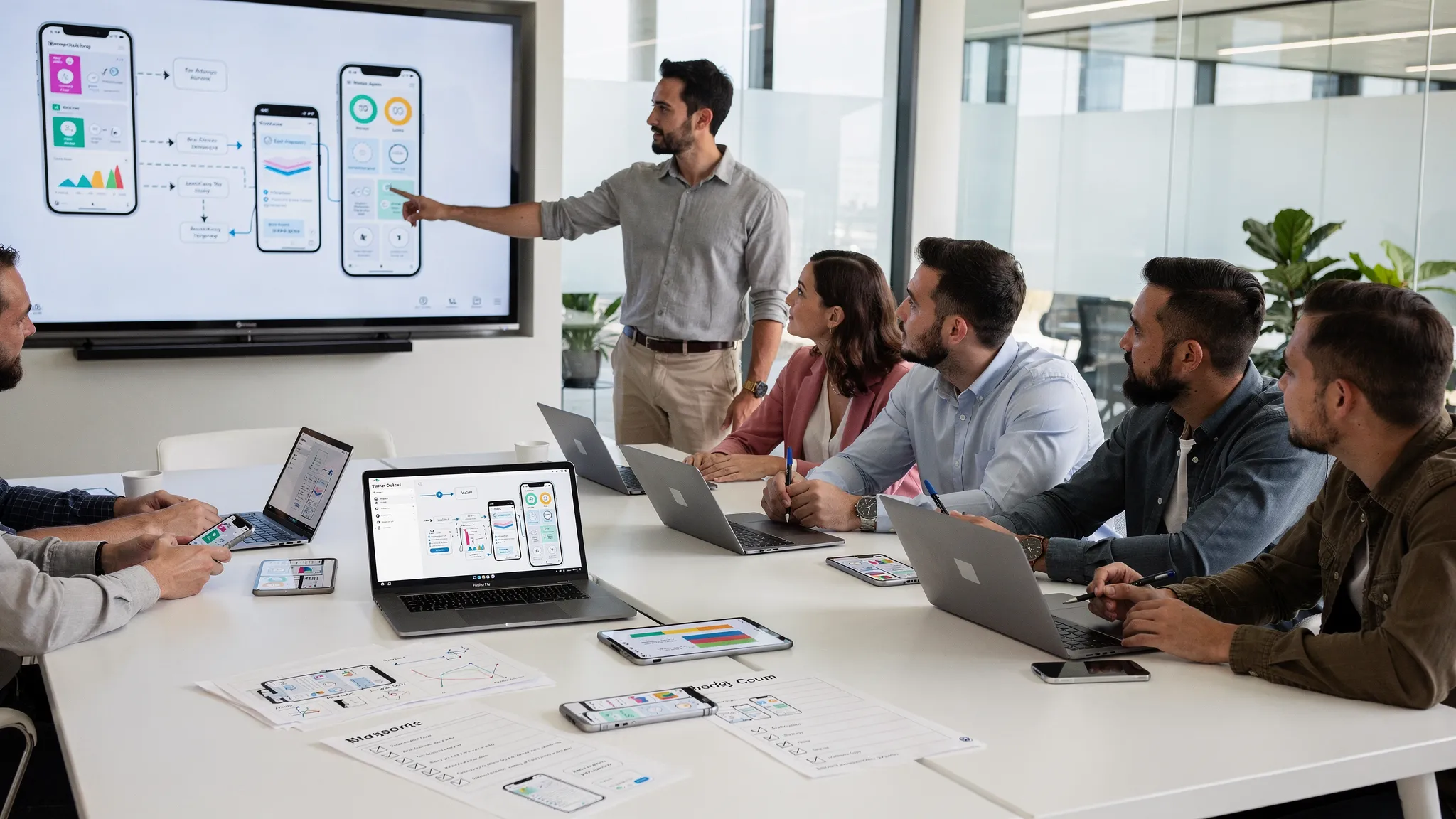
If you are building a startup in 2026, “mobile app development” is less about shipping screens quickly and more about shipping a reliable, compliant, measurable product that can survive real users, real devices, and real store review rules.
An MVP still matters, but the bar for “minimum” has moved. Users expect near instant performance, thoughtful onboarding, privacy transparency, and a steady release cadence. App stores expect accurate disclosures and policy compliance. And investors increasingly expect proof of retention and a path from early traction to scale.
This guide walks you through a modern roadmap: from MVP to App Store, with the practical decisions and deliverables that keep teams shipping.
What “MVP to App Store” actually means in 2026
In 2026, your MVP is not a prototype that only works on the founder’s phone. A credible MVP is:
- Narrow (one core job-to-be-done, not ten “nice to have” features)
- Instrumented (analytics, events, crash reporting)
- Secure by default (basic mobile security and backend hardening)
- Store-ready (review guidelines, privacy disclosures, content rules)
- Operational (monitoring, support paths, and a release process)
Think of the MVP as “the smallest version of the product that can be learned from safely.” Shipping to the App Store and Google Play is how you validate distribution, acquisition funnels, and retention, not just feature demand.
Step 1: Align on problem, audience, and success metrics (before design)
Most mobile projects slip because “build an app” is treated as the goal. It is not. The goal is a measurable business outcome.
Start with three decisions:
Define the primary user and the primary moment
Pick one:
- The user you can reach now (not your future enterprise persona)
- The moment that matters (for example, “book in under 60 seconds” or “complete a workout plan”)
This becomes your MVP scope boundary. Everything else goes into a backlog.
Choose 3 to 5 MVP metrics
Good MVP metrics are leading indicators, not vanity numbers. Examples:
- Activation rate (onboarding completion, first key action)
- Week 1 retention
- Task success time (how fast users complete the core action)
- Checkout or conversion rate (if applicable)
- Crash-free sessions
Establish constraints early
Constraints drive architecture choices. Clarify:
- Offline requirements
- Background location or background processing needs
- Real-time updates (sports, logistics, chat)
- Regulatory requirements (health, kids, finance)
- Expected scale in year one
If you anticipate sensitive permissions like background location, it is worth reading the platform policies upfront: Apple App Store Review Guidelines and Google Play policy center.
Step 2: Turn scope into a product blueprint
A useful blueprint prevents churn in design and engineering. It typically includes:
MVP feature set (one page)
Focus on:
- The core flow (start to success)
- The minimum set of screens required
- Admin or operational needs (even if it is a simple internal tool)
User journeys and edge cases
Define what happens when:
- The network drops
- The user denies a permission
- The backend is slow
- The user abandons onboarding
Edge cases are where app ratings are won or lost.
Data model and API boundaries
A clean separation between mobile and backend reduces rework. Define:
- Core entities (user, subscription, order, trip, etc.)
- API contracts and versioning expectations
- Event tracking schema (what you will measure)
Step 3: UX and prototyping that reduce rework
In 2026, fast design is not about producing pixels faster. It is about de-risking the build.
Start with interactive prototypes
An interactive prototype helps validate:
- Navigation and information architecture
- Onboarding clarity
- Whether the “core moment” feels obvious
It also exposes missing states (loading, empty, permission denied) that often get forgotten until late.
Design for accessibility and store expectations
Accessibility is not just compliance, it is conversion. At a minimum, design for readable text, sufficient contrast, and usable touch targets. Reference WCAG as a baseline.
Build a lightweight design system
A small set of components (buttons, inputs, cards, typography) speeds up development and keeps the UI consistent across iOS and Android.
Step 4: Choose the right engineering approach (native, cross-platform, or hybrid)
There is no universal best. The best choice depends on performance needs, team skill, and time to market.
A practical comparison for 2026
| Approach | Best for | Tradeoffs to plan for |
|---|---|---|
| Native iOS + native Android | Maximum platform performance, complex device integrations, long-term platform parity | Two codebases, higher upfront cost, more coordination |
| Cross-platform (one codebase) | Faster iteration, consistent UI logic, MVP speed | Some platform edge cases, careful performance profiling needed |
| Hybrid with native modules | Mostly shared code, but with native “escape hatches” | Requires disciplined architecture to avoid complexity |
Regardless of approach, you need:
- A clear app architecture (state management, navigation, data layer)
- A scalable backend strategy (authentication, storage, observability)
- A release process that does not depend on heroics
Step 5: Build the MVP with quality gates (not hero debugging)
Speed and quality are not opposites if you build with the right gates.
Use Agile delivery with tight feedback loops
Treat each sprint as a mini launch:
- Build the smallest slice end-to-end
- Demo it on real devices
- Capture feedback immediately
Test strategy that matches risk
A modern baseline includes:
- Unit tests for core logic
- Integration tests for critical flows (auth, checkout, data sync)
- UI smoke tests for core navigation
- Manual exploratory testing on a device matrix
For security, many teams align with OWASP MASVS as a reference model.
Instrument from day one
An MVP without instrumentation is guesswork. Ensure you can answer:
- Where do users drop off?
- What causes crashes?
- Which devices and OS versions are problematic?
This is also what makes post-launch iteration efficient.
Step 6: CI/CD and release orchestration (so shipping becomes routine)
If you want weekly releases, you need automation.
A practical CI/CD setup for mobile app development typically includes:
- Automated builds on every pull request
- Static checks (linting, formatting)
- Automated tests
- Signed builds for internal testing
- Separate environments (dev, staging, production)
This matters because many App Store delays are not “review issues,” they are packaging issues: signing, provisioning, misconfigured entitlements, or missing privacy disclosures.
Step 7: Beta testing that actually validates the MVP
Beta should not be “send it to friends.” A useful beta answers specific questions:
- Can new users complete onboarding without guidance?
- Do permissions prompts make sense when they appear?
- Is performance acceptable on mid-tier devices?
- Are your analytics events firing correctly?
Recruit testers who match your target audience, and give them tasks, not a vague request for feedback.
Step 8: App Store and Google Play submission in 2026 (common blockers)
Store submission is not a formality. Plan time for policy alignment, metadata, and review feedback.
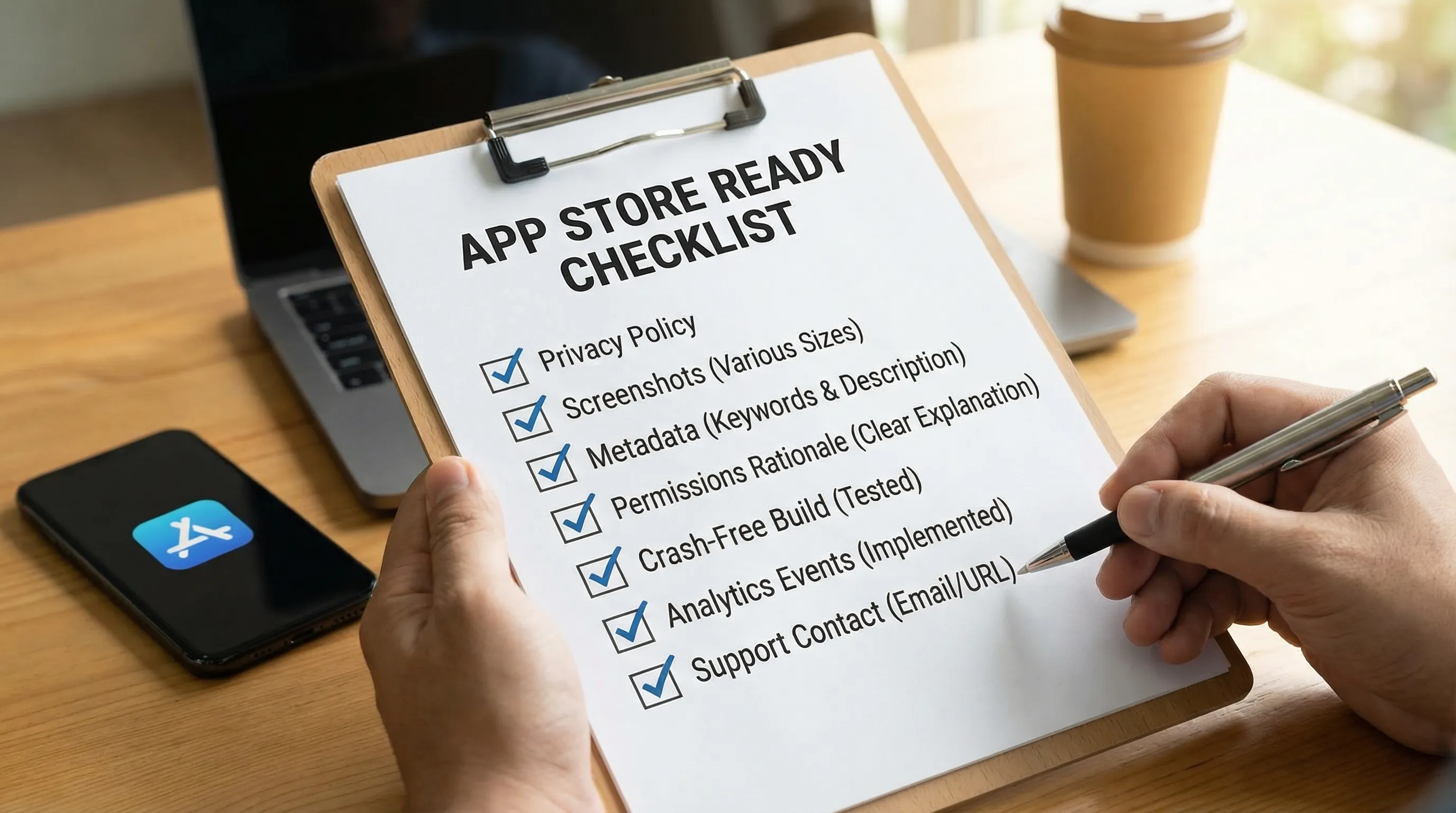
Typical store readiness checklist
- App name, description, screenshots, and preview assets
- Privacy disclosures and permission justifications
- Support URL, privacy policy URL, contact details
- Stable builds with correct versioning
- Clear account deletion and data handling flows (where applicable)
Consult platform docs when in doubt: App Store Connect and Play Console Help.
Common blockers and how to prevent them
| Blocker | Why it happens | Prevention tactic |
|---|---|---|
| Rejected for unclear permission use | Prompts appear too early, or rationale is missing | Ask at the moment of value, add a clear pre-permission screen |
| Privacy disclosure mismatch | Data collected differs from declared data | Keep a shared “data inventory” doc, update it as features ship |
| Crashes during review | Edge cases, older devices, slow network | Test with throttled network and low-memory devices |
| Login requirements confusion | Reviewers cannot access key features | Provide test credentials and review notes when allowed |
| Background activity concerns | Battery or tracking concerns | Optimize background work, document user benefit clearly |
Step 9: Post-launch is where the product becomes real
Launch is the beginning of the feedback cycle.
In the first 30 days, focus on:
Stability and performance
- Crash-free sessions
- App start time and screen load times
- Battery usage (especially if location or background work exists)
Funnel and retention improvements
- Onboarding drop-offs
- Push notification strategy (value first, not spam)
- Paywall and pricing experiments (if applicable)
App Store optimization (ASO)
ASO is your compounding advantage. Improve:
- Title and subtitle (clarity over cleverness)
- Screenshots that demonstrate outcomes
- Review prompts at the right moment
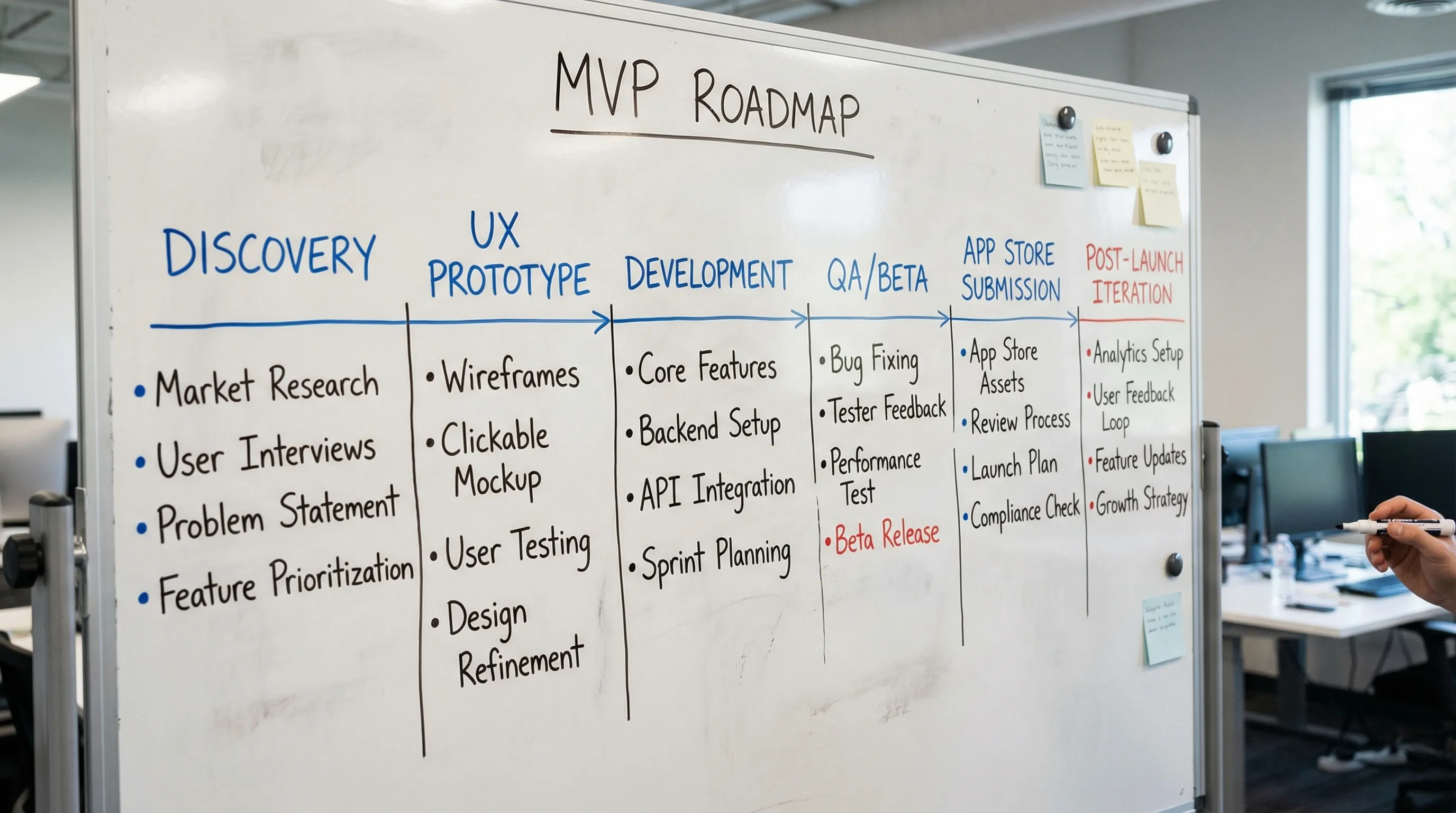
A realistic timeline: MVP to App Store
Every product differs, but most funded startups benefit from a plan with explicit deliverables.
| Phase | Typical output | What “done” means |
|---|---|---|
| Discovery and strategy | MVP scope, success metrics, technical plan | Team agrees on the smallest testable product |
| UX design and prototyping | Interactive prototype, design system starter | Core flow validated with stakeholders or users |
| Development | Working app, backend, analytics, admin needs | Feature-complete MVP on real devices |
| QA and beta | Bug triage, performance checks, release candidate | Stable build, review-ready, testers complete core tasks |
| Store submission and launch | Store metadata, compliance docs, approved builds | Apps live, monitoring and support ready |
What to look for in a mobile app development partner
If you are handing this to an agency or technical partner, optimize for execution under uncertainty.
Look for:
- A strong product mindset (helping you cut scope, not just add features)
- Proven engineering practices (test discipline, CI/CD, observability)
- Store submission experience (review notes, compliance planning)
- Ability to scale (backend architecture and performance)
For complex apps, evidence matters. For example, apps that rely on battery-efficient background behavior, anti-fraud patterns, or real-time fan experiences require more than “standard CRUD.” Case studies like Appzay’s work on OnMyWay and the Dallas Mavericks app illustrate the kinds of engineering challenges that often show up after MVP.
Frequently Asked Questions
How long does mobile app development take from MVP to App Store? A focused MVP commonly takes weeks to a few months, depending on scope, integrations, and compliance needs. The biggest schedule drivers are unclear requirements, complex permissions (like background location), and lack of release automation.
Should I build native iOS and Android apps or use a cross-platform framework? Choose based on your product’s performance needs, device integrations, and iteration speed. Many startups start cross-platform for speed, then add native modules or go fully native as requirements mature.
What causes App Store or Google Play rejections most often? The most common issues are unclear permission usage, privacy disclosure mismatches, unstable builds, and missing reviewer instructions. Planning store requirements early prevents last-minute delays.
What is the minimum I need for an MVP in 2026? A narrow core flow, stable performance, analytics and crash reporting, privacy disclosures, and a release process. Without these, you can ship, but you cannot learn reliably.
Build your MVP and launch with Appzay
If you are a funded founder who needs to go from concept to App Store without sacrificing quality, Appzay partners end-to-end across product strategy, UX design, engineering, CI/CD, and launch.
Explore how Appzay works at Appzay, or review recent builds in the portfolio.