7/5/2026
How to Build a Application Without Costly Mistakes
Learn how to build an application without costly mistakes, from MVP scope and UX to architecture, testing, launch, and support.
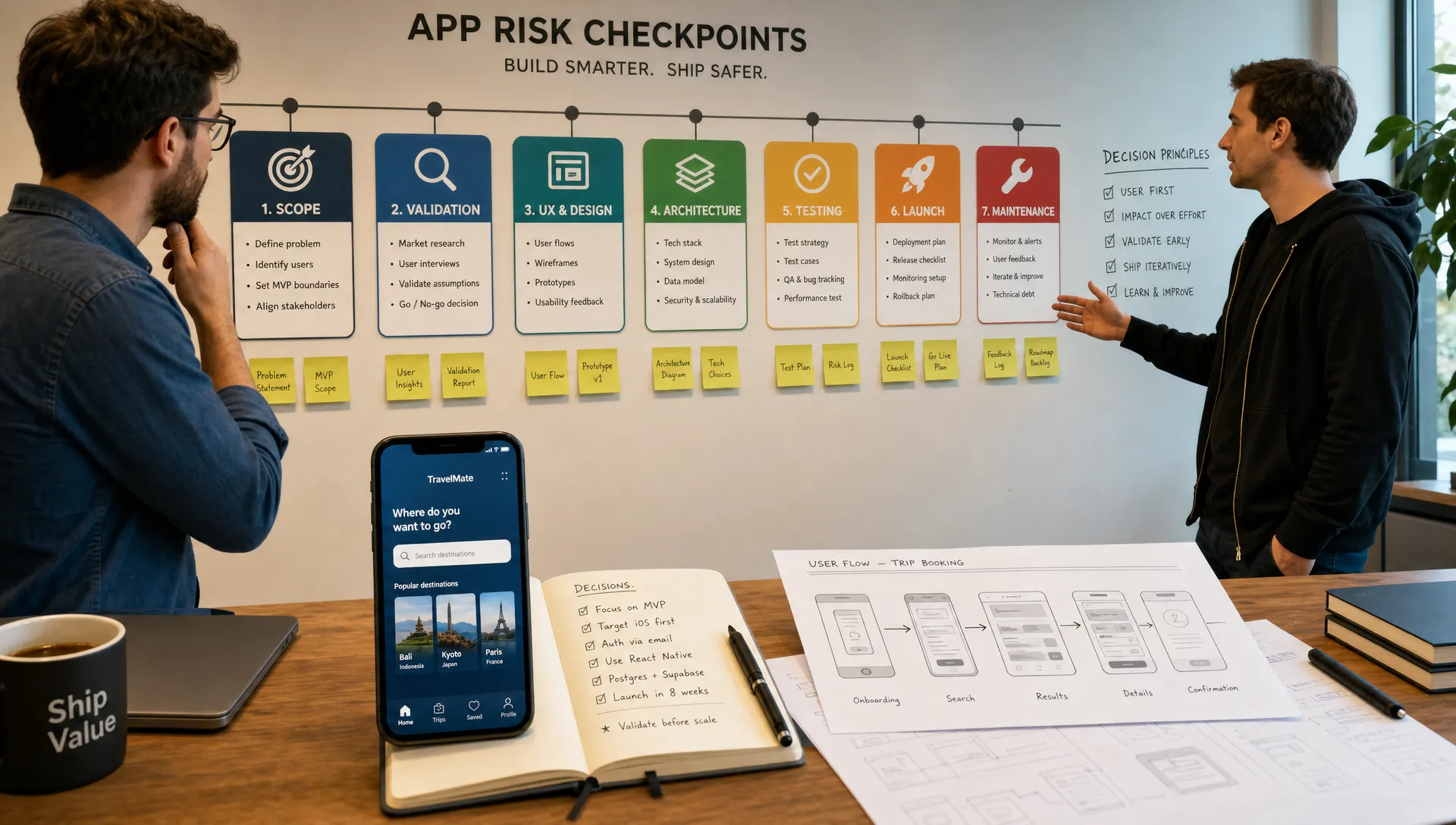
The most expensive app mistakes rarely come from a single bad line of code. They usually happen earlier, when a founder rushes into development with unclear scope, untested assumptions, weak UX decisions, or an architecture that cannot support the product once users arrive.
If you want to build an application without burning runway, the goal is not to move slowly. The goal is to make the right decisions in the right order, so every design sprint, engineering sprint, and launch activity reduces risk instead of adding rework.
For funded startups, this matters even more. Your first release is not just a product milestone. It is proof to customers, investors, and your team that the idea can become a real business. Here is how to build with fewer costly surprises.
Start With the Business Risk, Not the Feature List
A feature list can make an idea feel concrete, but it can also hide the real uncertainty. Before you decide what to build, define what must become true for the app to deserve more investment.
That usually means answering four questions:
- Who is the first user segment this app must serve?
- What painful or valuable problem are they trying to solve?
- What action must they complete in the first session to experience value?
- What metric will prove the first version is working?
This step prevents a common mistake: building an app that is technically functional but strategically unfocused. A social feature, dashboard, marketplace flow, rewards system, or AI component may all sound useful. But if they do not support the first core behavior, they can wait.
A strong pre-build strategy separates the “must prove now” from the “nice to add later.” If budget discipline is your immediate concern, Appzay’s guide on building apps without wasting your first budget is a helpful companion to this planning stage.
Validate the Core Use Case Before You Build Too Much
Validation is not about asking people if they like your idea. Most people are polite, optimistic, or vague when there is nothing at stake. Useful validation tests whether your target users will take a meaningful action.
Depending on your product, that action might be joining a waitlist, paying for early access, completing a prototype task, scheduling a demo, sharing sensitive workflow details, or switching from an existing tool.
This matters because “no market need” has been one of the most cited reasons startups fail in CB Insights’ analysis of startup postmortems. You do not need perfect certainty before development, but you do need evidence that the pain is real and the first solution path is worth testing.
Good validation methods include customer interviews, clickable prototypes, landing pages, concierge tests, and manual versions of the workflow. The point is to learn where users hesitate, what they misunderstand, what they value, and what they would actually use.
Define the MVP Around One Repeatable Loop
A costly MVP mistake is treating “minimum” as “cheap” instead of “focused.” A minimum viable product should be the smallest version that proves your core loop can work.
A core loop is the repeatable sequence that creates value for the user and, eventually, value for the business. For a fitness app, it might be set goal, complete workout, track progress, return tomorrow. For a marketplace, it might be search, compare, book, review. For a productivity app, it might be capture task, prioritize, complete, measure improvement.
Once the loop is clear, every feature can be judged by whether it strengthens that loop.
| Costly assumption | Safer decision | Why it saves money |
|---|---|---|
| Build every feature users might request | Build only what supports the first core loop | Reduces scope creep and accelerates learning |
| Support every user type from day one | Prioritize the highest-value first segment | Simplifies UX, logic, permissions, and testing |
| Create custom systems for everything | Use reliable managed services where appropriate | Avoids unnecessary backend complexity |
| Build for massive scale before traction | Design a scalable foundation, then scale with demand | Prevents overengineering while avoiding dead ends |
| Leave analytics until after launch | Define key events before development | Makes user behavior measurable from the first release |
This is where many founders struggle emotionally. Saying “not yet” to features can feel like weakening the product. In reality, it often makes the product stronger because it gives users a clearer path to value.
Design the App Before You Write Code
Design is not decoration. It is where you expose hidden complexity before engineers spend weeks implementing it.
A proper design phase should define user flows, screen hierarchy, interaction states, error states, onboarding, empty states, permissions, and the content users need at each step. It should also identify moments where the user may feel confused, unsafe, or unmotivated.
Skipping this stage creates expensive downstream problems. Engineers end up making product decisions mid-sprint. Founders request changes after seeing the first build. Screens look polished individually but feel disjointed as a full experience.
Before development begins, a founder should be able to walk through the primary app flow in a prototype and explain why each screen exists. If that is not possible, the product is not ready for full build.
For a deeper breakdown of this phase, see Appzay’s article on how to design the app before you write code. It covers how design decisions reduce ambiguity before engineering starts.
Make Technical Decisions That Match the Product’s Future
Technology choices can either protect your roadmap or create painful rebuilds. The right decision is not always the trendiest stack or the cheapest first build. It is the stack that fits your product requirements, team capabilities, performance needs, security expectations, and likely roadmap.
For mobile apps, early technical decisions often include:
- Native versus cross-platform development
- Authentication and user account structure
- Backend architecture and API design
- Database model and data ownership
- Payment, messaging, mapping, or third-party integrations
- Analytics, crash reporting, and observability
- Release workflow for App Store and Google Play updates
The hidden cost is not just building the first version. It is changing foundational choices after real users, data, integrations, and app store dependencies are already in place.
For example, weak API contracts can slow every future feature. Poor data modeling can make reporting unreliable. Choosing a shortcut authentication flow can create security and account migration issues. Ignoring release orchestration can turn every update into a stressful manual process.
If you are making these decisions now, Appzay’s guide to technical mobile decisions that prevent costly rework is especially relevant.
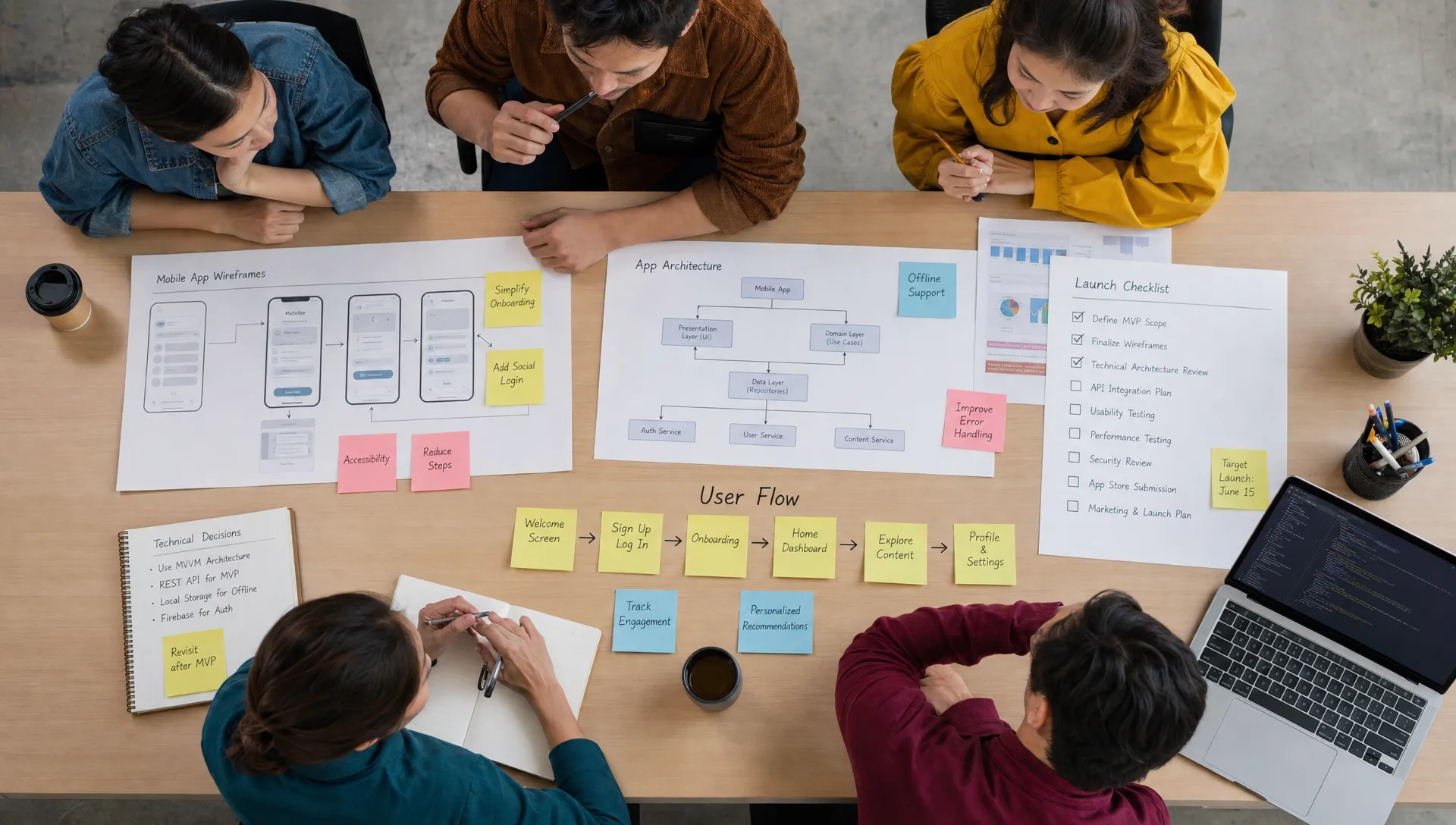
Build Quality Controls Into the Process
Quality is not something you “add” at the end. It has to be part of how the app is built.
A disciplined development process should include clear acceptance criteria, code review, automated testing where appropriate, real-device testing, continuous integration, staged releases, and a repeatable method for handling bugs. The more complex the app, the more important this becomes.
The definition of done should be specific. A feature is not done simply because it appears on a screen. It should work across expected states, handle errors gracefully, preserve data correctly, track the right events, and behave consistently on supported devices.
This is where agile, test-driven engineering and CI/CD practices can save money. They reduce the risk of late surprises, make releases more predictable, and help teams fix issues before they compound.
Avoid the Most Common Costly Mistakes
Some mistakes appear again and again in mobile app projects. They are avoidable if you know what to watch for.
Hiring only for the lowest hourly rate
A low hourly rate can become expensive if the team lacks product judgment, mobile experience, architecture discipline, or launch expertise. Rework, missed deadlines, poor UX, and unstable releases often cost more than a stronger team would have from the start.
You are not just buying development hours. You are buying decisions. A strong team helps you avoid building the wrong thing, not just build faster.
Starting development without a product brief
A product brief does not need to be a hundred-page document. It should define the audience, problem, user journeys, MVP scope, success metrics, technical assumptions, integrations, and launch requirements.
Without it, every stakeholder carries a different version of the product in their head. That misalignment becomes scope creep, redesign, delayed QA, and frustrated decision-making.
Treating app store launch as an afterthought
The App Store and Google Play are not just upload destinations. They have review guidelines, privacy requirements, metadata expectations, screenshot assets, rating prompts, and policy considerations.
Founders should review the Apple App Review Guidelines and the Google Play Policy Center early, especially if the app involves subscriptions, user-generated content, health claims, financial activity, location tracking, or sensitive data.
Waiting until the end can delay launch or force last-minute changes.
Building without analytics
If you do not instrument the app properly, your launch will produce opinions instead of evidence. Analytics should answer practical questions: Where do users drop off? Which onboarding step creates friction? Are users completing the core action? Which features are used repeatedly?
Analytics should be planned before development because event naming, user properties, funnels, and attribution logic affect implementation.
Forgetting maintenance and support
A mobile app is not finished at launch. Operating systems change, devices change, dependencies change, store policies change, and user expectations evolve. Maintenance is not optional if the app is tied to your business.
Plan for bug fixes, performance improvements, OS updates, security patches, customer feedback, and roadmap iteration. Otherwise, your first release can degrade quickly even if the launch goes well.
Build Your Budget Around Decisions, Not Hope
Founders often ask, “How much will it cost to build an application?” The honest answer is that cost depends on product scope, design complexity, platforms, backend requirements, integrations, security needs, and launch expectations.
Instead of starting with a vague budget and hoping it fits, build the budget around decision gates. Each gate should reduce uncertainty before the next larger investment.
| Phase | Main decision | Costly mistake to avoid |
|---|---|---|
| Discovery | Is this problem and audience worth pursuing? | Funding development before validating demand |
| Product strategy | What must the first version prove? | Defining MVP as a long feature list |
| UX and prototyping | Can users understand and complete the core flow? | Discovering usability problems after coding |
| Engineering | What architecture supports the first release and roadmap? | Choosing short-term shortcuts that require a rebuild |
| QA and release | Is the app stable, compliant, and ready for users? | Treating testing and store submission as final-week tasks |
| Post-launch | What does behavior data tell us to improve next? | Building the roadmap from opinions instead of evidence |
This structure gives you more control. You can pause, adjust, or narrow scope before spending heavily on the wrong direction.
Launch as a Learning System
A strong launch is not a single event. It is a system for learning quickly from real users.
Before launch, define your success metrics and your response plan. If activation is low, what will you inspect first? If retention is weak, what user interviews will you run? If crashes spike on a specific device or OS version, who owns the fix? If app store conversion is poor, what screenshots, positioning, or keywords will you test?
This is also where App Store Optimization matters. Your app listing should clearly communicate the value proposition, show the core experience through screenshots, and align with the language your audience already uses. ASO will not fix a weak product, but it can improve discoverability and conversion for a product that solves a real problem.
Post-launch, prioritize improvements based on evidence. Early users will request many things. Some requests reveal critical friction. Others are distractions. Your job is to distinguish between the two.
A Practical Pre-Build Checklist
Before you commit to full development, make sure the foundation is clear. You do not need perfection, but you do need enough clarity to prevent avoidable rework.
Use this checklist as a final readiness test:
- The target user segment is specific, not “everyone.”
- The core problem has been validated through real user behavior or high-quality research.
- The MVP is defined around one repeatable value loop.
- The primary user flows are mapped and prototyped.
- The app’s technical requirements are documented.
- Key integrations, data structures, and platform constraints are known.
- Analytics events are planned before development.
- App Store and Google Play requirements have been reviewed.
- QA, release, and maintenance responsibilities are assigned.
- The roadmap separates launch-critical features from later enhancements.
If several of these are missing, it does not mean the idea is bad. It means the project needs more definition before expensive execution begins.
Frequently Asked Questions
How much does it cost to build an application? The cost depends on scope, platforms, design complexity, backend architecture, integrations, security needs, and launch requirements. A simple MVP costs far less than a multi-role, data-heavy product with custom infrastructure. The safest approach is to define the MVP and technical requirements before estimating.
What is the biggest mistake founders make when building an app? The biggest mistake is starting development before validating the core use case and defining the MVP clearly. This leads to scope creep, redesign, technical shortcuts, and features that do not support the product’s main value.
Should I build for iOS and Android at the same time? It depends on your audience, budget, timeline, and product requirements. If your target users are concentrated on one platform, starting there may reduce risk. If both platforms are essential for launch, plan engineering, QA, and release workflows accordingly.
Do I need a technical co-founder to build an application? Not always, but you do need strong technical leadership. Non-technical founders should work with a team that can guide architecture, product tradeoffs, app store launch, and long-term maintainability, not just write code from a specification.
How do I know if my MVP is too big? If a feature does not help users complete the core value loop or help the business validate a critical assumption, it may not belong in the first release. A strong MVP is focused enough to launch quickly and complete enough to create measurable learning.
Build With Fewer Surprises
To build an application without costly mistakes, treat the process as a sequence of risk-reducing decisions. Validate the problem, narrow the MVP, design before coding, choose a durable technical foundation, test continuously, and launch with a learning plan.
Appzay partners with funded founders to design, build, and launch premium iOS and Android apps from concept to App Store. If you need an end-to-end technical partner for product strategy, UX, engineering, deployment, App Store optimization, and ongoing support, explore how Appzay helps startups turn app ideas into launched products.