6/4/2026
How to Build Apps Without Wasting Your First Budget
Learn how to build apps without burning your first budget: scope the right MVP, avoid rework, choose the right stack, and launch with control.
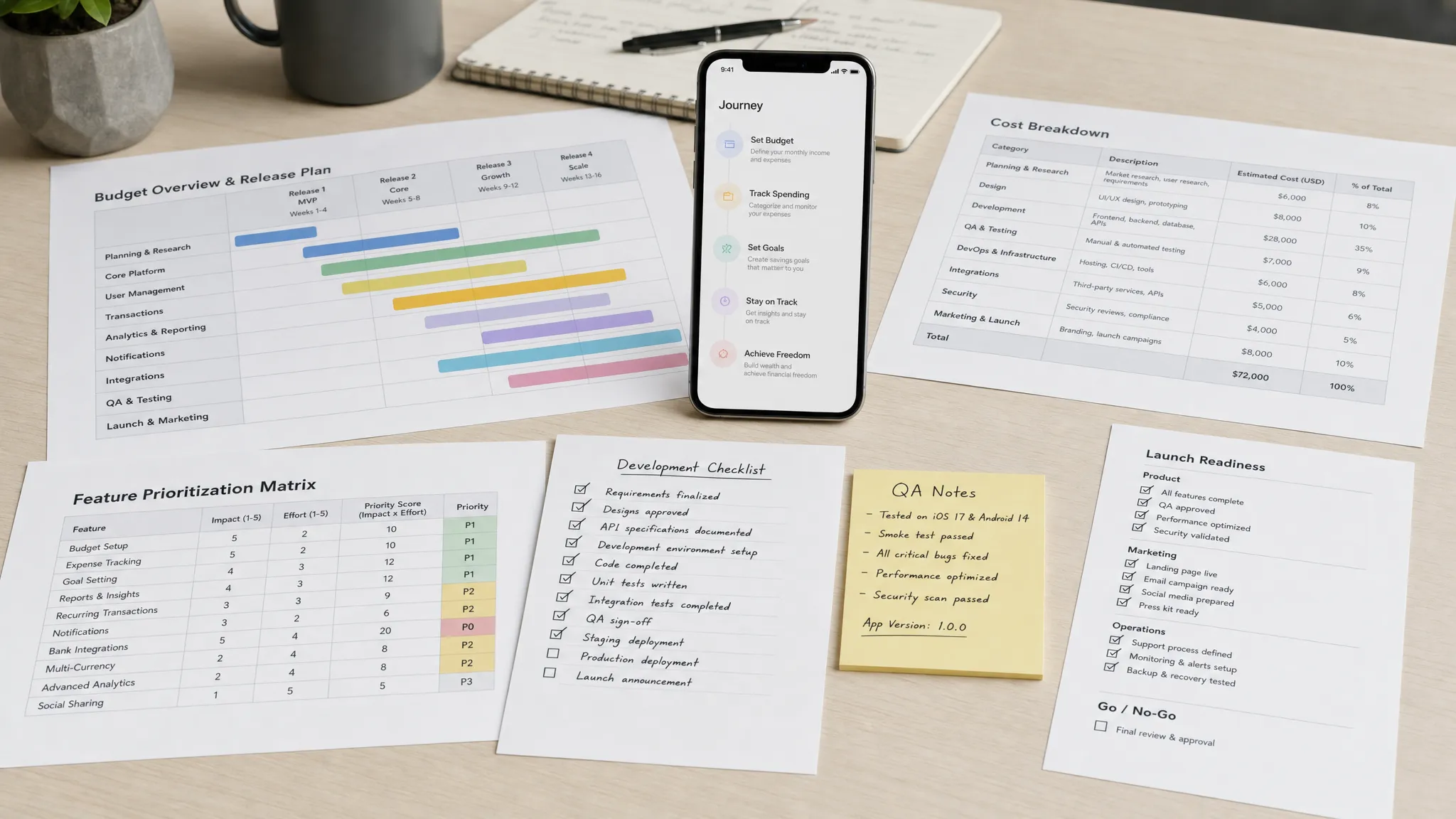
Most first app budgets are not wasted in one dramatic mistake. They leak through small decisions that feel reasonable at the time: one extra feature, one skipped prototype, one unclear integration, one rushed QA cycle, one cheap build that has to be rebuilt.
If you want to build apps without burning through your first budget, the goal is not to spend as little as possible. The goal is to spend in the right order, on the few things that reduce risk, prove demand, and get a reliable V1 into users’ hands.
For funded startups, that first budget has a specific job: create a credible product that can validate a market, support early customers, and give investors or stakeholders a reason to fund the next stage. It is not meant to buy every feature in the vision deck.
Start With What the First Budget Must Prove
Before discussing screens, frameworks, or timelines, define what your first version must prove. A strong first budget is tied to a clear learning objective, not a vague product wish list.
Ask: what will be true after this app launches that is not true today?
For many startups, the answer should be one of these:
- Users can complete the core action without human support.
- A specific customer segment shows repeat usage.
- A monetization model can be tested with real behavior.
- A workflow becomes faster, cheaper, or more reliable than the current alternative.
- A technical risk, such as AI accuracy, payments, location, offline sync, or device integration, is proven in production-like conditions.
That focus protects your budget because it gives every feature a standard to meet. If a feature does not help prove the first milestone, it probably belongs in the backlog.
This is where founders often get trapped. They try to build the app that represents the full company vision instead of the app that proves the next investment decision. The first version should be narrow, complete, and trustworthy.
Budget for a Complete Loop, Not a Feature Pile
The leanest successful app is not the one with the fewest screens. It is the one that lets a user complete one meaningful journey from start to finish.
A marketplace app does not need advanced recommendations on day one, but it does need discovery, booking or purchase, payment handling, status updates, and support for failure cases. A fitness app may not need community features immediately, but it does need onboarding, plan selection, session tracking, and a reason to return.
If you reduce scope by cutting random features, you risk shipping something that feels unfinished. If you reduce scope by protecting the core loop, you can ship something small that still feels valuable.
| App type | Core loop to protect | Common V1 features to defer |
|---|---|---|
| Delivery app | Place order, assign courier, track status, confirm completion | Loyalty program, complex promotions, multi-city dispatch optimization |
| Mobile CRM | Capture lead, update activity, sync with CRM, surface next action | AI scoring, advanced dashboards, custom reporting |
| Marketplace | Search, view offer, transact or request, receive confirmation | Social feeds, referral systems, dynamic pricing |
| AI companion app | Capture input, process response, save output, let user correct or reuse it | Multi-agent workflows, broad prompt libraries, enterprise admin console |
| Booking app | Choose service, select time, confirm booking, receive reminders | Membership tiers, gift cards, advanced staff scheduling |
A useful rule: if removing a feature prevents the user from reaching the promised outcome, keep it. If removing it only makes the product feel more impressive, defer it.
For a deeper approach to shaping a lean but credible first release, see Appzay’s guide to building a mobile app MVP that can still win.
Spend in the Right Sequence
Budget waste usually comes from doing expensive work before cheap questions have been answered. Code is not the first thing you should buy. Clarity is.
A disciplined budget sequence looks like this:
| Phase | What it should produce | Budget risk it reduces |
|---|---|---|
| Validation | Proof that the problem, audience, and mobile use case are real | Building for the wrong user or weak demand |
| Product blueprint | Clear V1 promise, user flows, feature scope, acceptance criteria | Misalignment between founder, designer, and engineers |
| Prototype | Clickable flows for the riskiest user moments | Expensive redesign after engineering starts |
| Technical spike | Evidence that risky integrations or platform choices are feasible | Committing to the wrong architecture or stack |
| MVP build | A reliable, testable app that completes the core loop | Shipping an incomplete or fragile product |
| Launch reserve | QA, store submission, monitoring, fixes, and first iteration | Running out of money before real users arrive |
A common mistake is allocating nearly the entire first budget to initial development, then treating QA, launch, analytics, store assets, and post-launch fixes as afterthoughts. That creates a dangerous moment: the app technically exists, but the team cannot afford to make it launch-ready.
A healthier plan reserves budget for the last mile. Your first users will expose bugs, unclear flows, missing edge cases, and unexpected support needs. If you have no launch reserve, every early lesson becomes a financial emergency.
Design Before You Write Code
Skipping design feels faster, but it usually moves cost into engineering. Developers then have to interpret vague requirements, make product decisions mid-build, and rebuild flows when founders finally see the product working.
Good pre-code design is not just polished UI. It should answer practical build questions:
- What is the primary user journey?
- What screens are needed for the happy path?
- What happens when data is loading, empty, unavailable, or invalid?
- Which permissions are requested, and when?
- What information must come from the backend?
- Which events need to be tracked for product decisions?
- What does success look like for each key screen?
This is similar to any high-stakes build project. Whether you are transforming a home with an experienced renovation team like Revo Craft Renovations or building software, the expensive problems usually appear when scope, materials, sequencing, and expectations are unclear before work begins.
For mobile apps, developer-ready design prevents the most common budget leak: rework. If the team has annotated flows, acceptance criteria, and edge states before development starts, engineering time goes toward implementation rather than interpretation.
Appzay covers this planning process in more detail in How to Design the App Before You Write Code.
Choose the Stack Based on the Next 12 Months
Founders often waste budget by choosing technology for the company they hope to become in five years, or by choosing the cheapest path for the next five weeks. Both can be expensive.
The right stack depends on your product constraints, team, timeline, performance needs, and roadmap. Native iOS and Android can be the right call for performance-heavy, hardware-adjacent, or platform-specific experiences. React Native or Flutter can make sense when you need strong cross-platform speed and the product does not depend heavily on deep native capabilities.
The key is to choose for the next 12 months of product reality, not abstract preferences.
| Decision factor | What to ask | Budget impact |
|---|---|---|
| Platform priority | Are iOS and Android equally important at launch? | Prevents duplicate effort or premature parity work |
| Performance risk | Does the app depend on real-time, media, maps, sensors, or heavy animation? | Avoids late rewrites caused by stack limitations |
| Team capability | Who will maintain the app after V1? | Reduces handover and hiring friction |
| Integration complexity | Are payments, CRM, AI, auth, or enterprise systems central to the product? | Shapes backend architecture and testing needs |
| Roadmap certainty | Are future features predictable or still exploratory? | Helps avoid over-engineering too early |
If the stack decision is unclear, pay for a short technical spike before committing the whole build. A spike can test the riskiest integration, performance constraint, or workflow in days instead of discovering the issue halfway through development.
For a structured comparison, Appzay’s guide to native app vs React Native can help frame the decision.
Avoid the Five Biggest First-Budget Leaks
Some budget leaks are predictable enough that you can plan around them from day one.
1. Building every stakeholder request
Stakeholders often ask for features that sound small but create hidden cost. Filters need data models. Admin tools need permissions. Push notifications need event logic. Analytics need naming discipline. Every feature has design, engineering, testing, and maintenance cost.
Use a simple test: does this feature directly support the first launch objective? If not, document it, estimate it later, and keep the V1 focused.
2. Treating backend work as an afterthought
Mobile apps are rarely just screens. They often need authentication, APIs, databases, storage, notifications, background jobs, admin workflows, and third-party integrations. If backend architecture is rushed, the app may work in demos but fail under real usage.
Budget for the invisible system behind the app. It is often what determines whether the product can scale, recover, and be maintained.
3. Underestimating edge cases
Users do not behave like demos. They lose connection, deny permissions, abandon checkout, enter invalid data, switch devices, forget passwords, and update the app mid-session.
Edge cases do not need to be perfect in V1, but they do need intentional handling. A small app with clear empty, loading, error, and recovery states feels more premium than a large app that breaks whenever the happy path fails.
4. Saving money by skipping QA
Skipping QA does not remove cost. It transfers the cost to users, support, App Store reviews, and emergency fixes.
At minimum, a first launch should include real-device testing, regression checks for the core loop, network variation testing, account and authentication testing, payment or subscription validation if relevant, and store-review readiness. QA should be part of the build plan, not a final panic.
5. Launching without analytics or monitoring
If you do not instrument the app, you cannot tell whether users are activating, where they drop off, or which release introduced a problem. This makes iteration slower and more expensive.
Basic analytics, crash reporting, performance monitoring, and release tracking are budget protectors. They help you fix the right problems in the right order.
Make Scope Decisions With a Budget Gate
A budget gate is a decision point where you intentionally decide whether to continue, adjust, or stop. It prevents the team from drifting into a bigger build without conscious approval.
For a first app budget, useful gates include:
- Discovery gate: Are the user, problem, and V1 success metric clear enough to design?
- Design gate: Are the core flows, edge states, and acceptance criteria clear enough to estimate?
- Architecture gate: Are the stack, integrations, backend responsibilities, and security assumptions clear enough to build?
- Beta gate: Is the product stable enough for external users?
- Launch gate: Are store assets, QA results, analytics, monitoring, and support workflows ready?
Each gate should produce a decision, not just a meeting. If the answer is no, the cheapest move is usually to fix the gap now. Pushing uncertainty forward makes it more expensive.
Keep the First Release Small, But Not Fragile
A lean budget does not justify fragile engineering. Some foundations should not be cut because they protect every future release.
These include secure authentication, maintainable code structure, environment separation, basic automated testing, CI/CD for repeatable builds, crash reporting, analytics, privacy-conscious data handling, and store-compliant permission flows.
You can cut advanced personalization. You can cut elaborate admin reporting. You can cut complex referral mechanics. But cutting release discipline, security basics, and observability often creates debt you pay back with interest.
The best first versions are intentionally simple on the surface and disciplined underneath.
Plan the Launch Before the App Is Finished
Another common budget mistake is thinking launch begins after development ends. In reality, launch readiness should shape the build from the start.
Apple App Store and Google Play submission requirements can affect account flows, privacy disclosures, permission prompts, payment models, content moderation, and metadata. If those decisions are postponed until submission week, your team may face avoidable rework.
Launch planning should include:
- Store listing copy, screenshots, preview assets, and category choices.
- Privacy policy, terms, and data disclosure alignment.
- TestFlight or internal testing workflows.
- Release notes and reviewer instructions.
- Support process for early users.
- Monitoring for crashes, performance, and key user journeys.
- A first-week fix plan and ownership model.
If your first budget ends the day the build is submitted, you are exposed. The safer plan is to budget through the first production learning cycle, not just the first upload.
Appzay’s app launch checklist for a smooth first release offers a practical breakdown of launch readiness items.
How to Evaluate an App Partner Without Burning Budget
The wrong development partner can drain a first budget faster than the wrong feature. A low quote is not always cheap if it excludes strategy, UX, architecture, QA, deployment, or post-launch support.
When evaluating an agency or technical partner, ask for evidence of how they reduce risk, not just examples of attractive screens.
Strong signals include:
- A discovery process that challenges scope instead of accepting every feature.
- Product strategy and UX work before engineering begins.
- Clear technical ownership for backend, integrations, and deployment.
- A testing approach that includes real devices and core journey validation.
- CI/CD and release processes for predictable builds.
- App Store and Google Play submission experience.
- Post-launch support expectations defined before the project starts.
Weak signals include vague timelines, no written assumptions, no acceptance criteria, no plan for edge cases, no mention of analytics, and proposals that treat launch as someone else’s problem.
If you are comparing vendors, use a paid discovery sprint or technical blueprint before committing the full budget. It is better to spend a small amount validating fit than to spend most of your budget discovering misalignment.
A Practical First-Budget Checklist
Before you start development, make sure you can answer these questions clearly:
- What single user outcome must V1 deliver?
- Which user segment is the first release for?
- What is the smallest complete product loop?
- Which features are explicitly out of scope for V1?
- Which assumptions have been validated with users or prototypes?
- Which technical risks need a spike before full build?
- What stack fits the next 12 months of the roadmap?
- What backend, integrations, and admin workflows are required?
- What analytics events will prove activation and retention?
- What budget is reserved for QA, launch, fixes, and iteration?
- Who owns product decisions when tradeoffs appear?
- What happens after the first release ships?
If these answers are fuzzy, development will be fuzzy too. The fastest way to protect your budget is to clarify the product before the burn rate increases.
Frequently Asked Questions
How much should I spend on my first app? There is no universal number because cost depends on scope, platform, integrations, design complexity, and quality expectations. Instead of starting with a price, define the smallest complete product loop, identify technical risks, and reserve budget for QA, launch, and post-launch iteration.
Is it cheaper to build only for iOS or Android first? Sometimes. If your early users are concentrated on one platform, launching there first can reduce scope and speed up learning. If your market requires both platforms from day one, a cross-platform approach may be efficient, but only if it fits your product’s performance and integration needs.
What is the biggest cause of wasted app development budget? The biggest cause is usually unclear scope before engineering starts. When user flows, edge cases, data requirements, and acceptance criteria are vague, teams spend expensive development time making and reversing product decisions.
Should I hire freelancers, an agency, or an in-house team for a first app? It depends on your internal capability and risk profile. Freelancers can work for narrow tasks, in-house teams offer long-term control, and an end-to-end agency can help when you need strategy, design, engineering, launch, and support coordinated from the start.
What should never be cut from a first app budget? Do not cut core user experience, security basics, real-device QA, crash reporting, analytics, release discipline, and store-readiness work. These foundations protect your launch and make future iteration cheaper.
Build the Right First Version With Appzay
Your first app budget should buy momentum, not rework. That means shaping a focused MVP, validating risky assumptions early, designing before code, choosing the right stack, and launching with enough operational discipline to learn from real users.
Appzay partners with funded startups to design, build, launch, and support premium iOS and Android apps from concept to App Store. If you need an end-to-end technical partner for product strategy, UX design, native engineering, cloud integration, CI/CD, release orchestration, App Store optimization, and post-launch support, talk to Appzay about turning your first budget into a launch-ready product.