6/6/2026
App Development Process Explained for Startup Founders
Learn the app development process startup founders need, from discovery and UX to engineering, testing, launch, and post-launch iteration.
A startup app rarely fails because the team could not write enough code. It fails because the wrong thing was built, the core workflow was unclear, the technical foundation could not support the roadmap, or launch readiness was treated as a last-minute task.
That is why the app development process matters. For founders, it is not just a production sequence. It is a risk-reduction system that turns an idea into a usable, scalable, review-ready mobile product without burning months on avoidable rework.
If you are leading a funded startup, your job is not to manage every ticket. Your job is to make the few decisions that keep the product focused, financeable, and launchable. The process below shows what should happen from first concept to App Store and Google Play launch, what deliverables you should expect, and where founder input has the most leverage.
The app development process at a glance
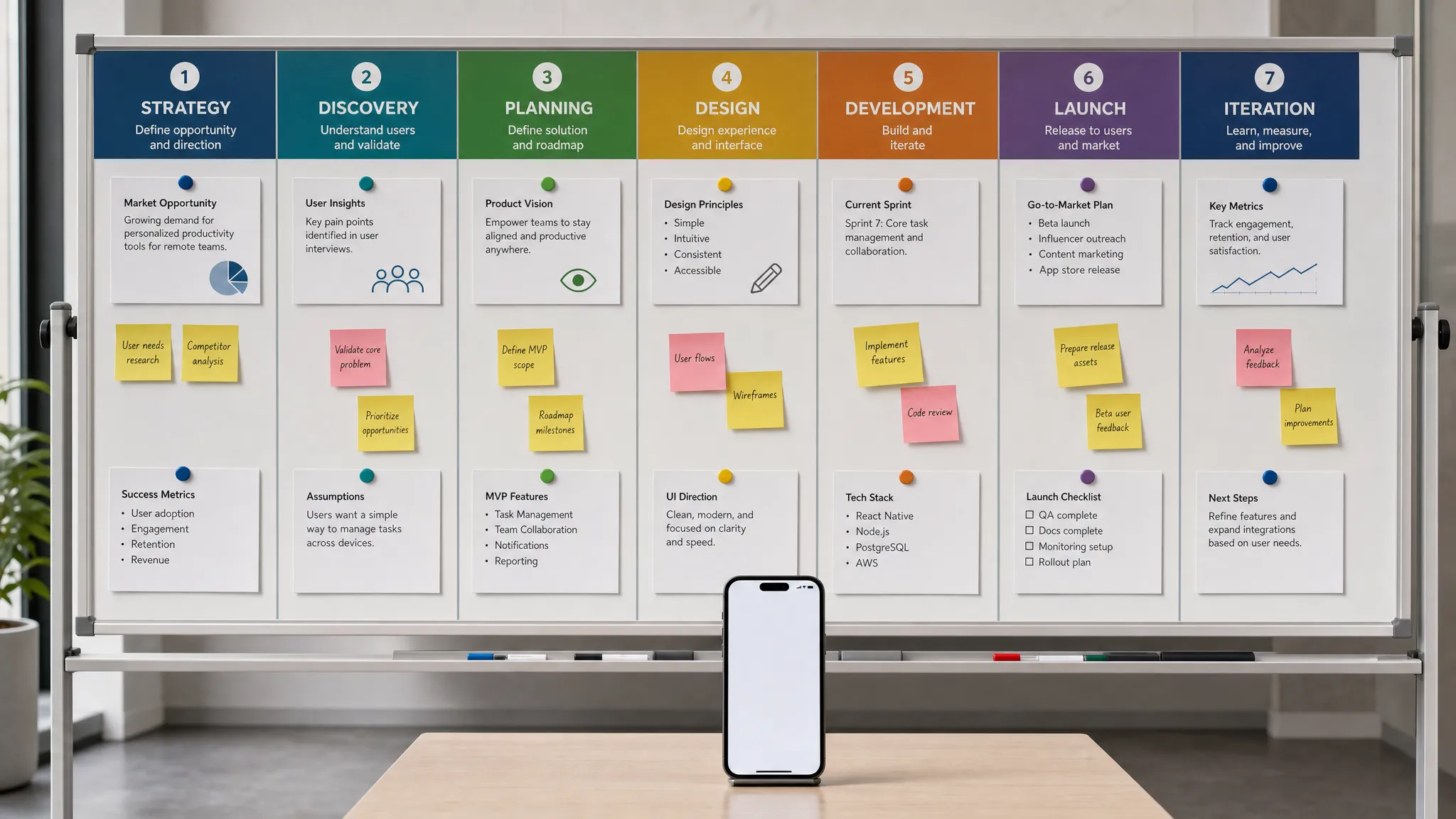
A strong mobile build moves through seven connected phases. The phases may overlap, especially in agile teams, but skipping them usually creates expensive surprises later.
| Phase | Main goal | Key founder decision |
|---|---|---|
| Strategy and validation | Confirm the app is worth building | Who is the first user, and what problem must be solved? |
| Product scope | Define the smallest credible version | What belongs in V1, and what can wait? |
| UX and prototyping | Make the experience tangible before code | Does the core flow feel obvious and valuable? |
| Technical architecture | Choose the stack, backend, integrations, and release model | What must scale, integrate, or perform from day one? |
| Engineering | Build tested vertical slices of the product | Are we protecting quality while moving fast? |
| QA, beta, and store readiness | Prove the app works in real launch conditions | Are we ready for real users and app review? |
| Launch and iteration | Release, monitor, learn, and improve | Which data drives the next sprint? |
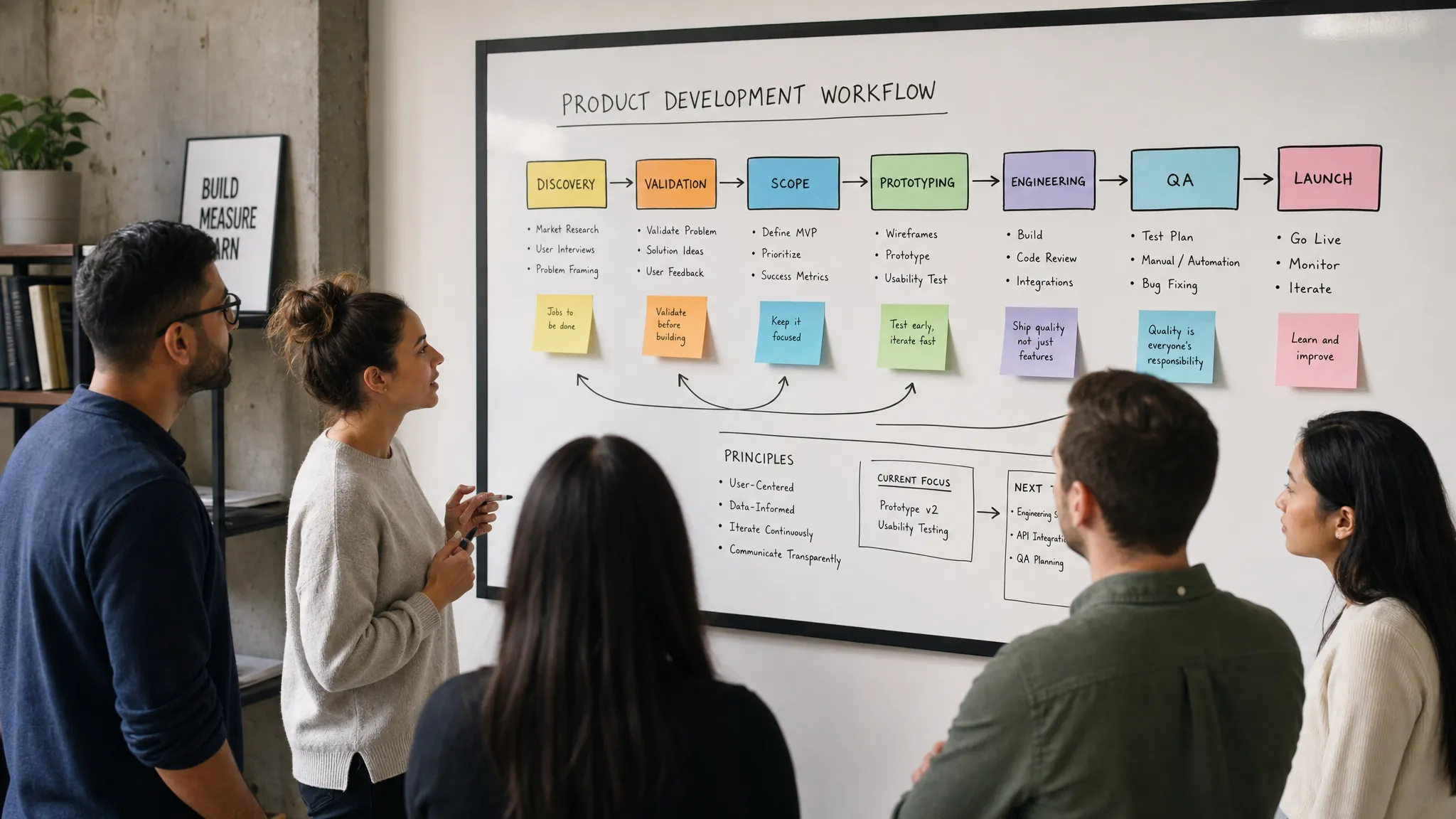
The biggest mistake is treating these as isolated handoffs. Product strategy affects UX. UX affects architecture. Architecture affects testing. Testing affects launch confidence. A premium mobile team connects these decisions from the beginning.
Phase 1: Strategy and validation
The first phase is not about features. It is about the business case for the app.
Before design or development begins, the team should define the product promise in plain language: who the app is for, what job it helps them complete, and why mobile is the right channel. A founder may believe the value is obvious, but users decide based on friction, urgency, and trust.
For example, “a wellness app with AI recommendations” is too vague. “A mobile coach that helps new runners choose safe daily workouts in under 30 seconds” is clearer. It identifies a user, a job, a speed expectation, and a product direction.
At this stage, useful work includes customer interviews, competitor review, pricing assumptions, workflow mapping, and risk identification. If your startup has not validated demand yet, start with structured research before committing to engineering. Appzay has a deeper guide on app market research before you build that can help frame this step.
The output should be a short product brief, not a 60-page specification. It should capture the target audience, core use case, success metrics, constraints, and open risks. The goal is alignment, not bureaucracy.
Phase 2: Define the MVP scope
A startup MVP is not a rough version of a big app. It is the smallest complete product that can create a real user win.
This distinction matters. Many founders cut the wrong things. They remove onboarding, analytics, error states, performance work, or support tooling, then wonder why the product feels untrustworthy. A lean MVP should reduce feature count, not product integrity.
The best way to scope V1 is to define the core loop. A core loop is the repeated sequence that creates value for the user and learning for the business. In a delivery app, that might be request, assign, track, complete, pay. In a CRM companion app, it might be capture meeting notes, enrich contact, sync to CRM, follow up.
Once the core loop is clear, every proposed feature can be tested against one question: does this help the first user complete the first meaningful outcome? If yes, it may belong in V1. If it only supports a later growth motion, admin convenience, or investor demo polish, it probably belongs in the backlog.
A practical MVP scope usually includes:
- A primary user journey that works end to end
- Account creation or access logic appropriate to the product
- The minimum backend, data model, and integrations needed for real use
- Basic analytics for activation, retention, and failures
- Security, privacy, and permission handling from the start
- Store-ready quality, including loading, empty, and error states
If you need a more detailed framework for prioritizing features, review Appzay’s guide to custom mobile app development scoping.
Phase 3: UX design and interactive prototyping
Design is where the app becomes real enough to critique before engineering effort is spent.
For founders, this phase is often misunderstood. The goal is not just beautiful screens. The goal is to make user decisions, data dependencies, platform constraints, and edge cases visible. A strong design process saves engineering time because it reveals ambiguity early.
The UX team should start with flows, then move into wireframes, then higher-fidelity UI. Each screen should exist because it supports a user action or system state. For mobile apps, special attention should go to onboarding, permissions, navigation, offline or poor-network behavior, payment moments, trust cues, and repeat actions.
Interactive prototypes are especially useful for testing risky moments. Can users understand the first action? Do they know what happens after granting a permission? Does the app explain empty states clearly? Is the primary action reachable with one hand? These questions are cheaper to answer in design than in code.
A development-ready design handoff should include annotated screens, component states, user flows, acceptance criteria, asset requirements, and notes for analytics events. If your current design file only shows happy-path screens, it is not ready for full build.
For more detail on this phase, see Appzay’s article on how to design the app before you write code.
Phase 4: Technical architecture and build planning
Architecture is where the product strategy becomes a system.
The team must decide how the mobile app, backend, database, cloud services, third-party integrations, analytics, authentication, notifications, and release pipeline will work together. These decisions should be based on product risk, not developer preference.
A simple content app may not need complex infrastructure. A marketplace, AI workflow, real-time collaboration tool, health-adjacent product, location-based service, or CRM-integrated app needs more careful planning. The wrong architecture can slow every future sprint, increase cloud costs, or force a rewrite just as traction begins.
Key architecture questions include:
- Should the app be native iOS and Android, React Native, Flutter, or another approach?
- Which features require backend ownership rather than client-side logic?
- What data must sync offline or recover from network failure?
- Which integrations are launch-critical, and which can be abstracted for later?
- What events must be tracked to understand activation and retention?
- How will CI/CD, testing, staged releases, and rollback planning work?
This is also the right time to think about ownership and legal readiness. Founders should make sure code, designs, accounts, domains, brand assets, and contracts are handled properly. If your product involves trademarks, design protection, patents, licensing, or international contracts, working with specialist intellectual property counsel such as Studio Legale Coviello for IP and business contract support can help you protect the assets around the app, not just the app itself.
The output of this phase should be a technical plan that engineers can execute and founders can understand. It does not need to predict the next five years in detail, but it should avoid decisions that obviously block the next two funding or growth milestones.
Phase 5: Engineering in vertical slices
Once strategy, design, and architecture are aligned, development begins. The healthiest teams build in vertical slices rather than isolated layers.
A vertical slice is a small piece of the product that cuts through the real user experience, mobile UI, backend, data, integrations, and analytics. Instead of spending weeks building a backend nobody can use yet, the team ships a thin but functional version of a real workflow. This makes progress easier to inspect and risks easier to find.
For example, a fintech app might build one complete “connect account and view balance” slice before expanding into insights, alerts, or transfers. A logistics app might build “create delivery request and assign courier” before optimizing route logic. Each slice should be demonstrable on a real device, not just in a development environment.
High-quality engineering also includes test coverage, code review, performance checks, secure handling of secrets, environment separation, and continuous integration. These practices may sound technical, but they directly affect founder outcomes: fewer launch surprises, faster iteration, and more reliable investor or customer demos.
At Appzay, end-to-end app development typically connects product strategy, UX, native iOS and Android engineering, cloud integration, CI/CD, release orchestration, and post-launch support. The point is not to add process for its own sake. It is to keep the product moving without letting quality debt quietly accumulate.
Phase 6: QA, beta testing, and store readiness
Quality assurance should not be a final bug hunt. It should be a release gate.
Mobile apps operate in messy real-world conditions: different devices, OS versions, screen sizes, network speeds, permission states, notification settings, and user behaviors. A feature that works perfectly on one developer’s phone may fail in a beta group within minutes.
A serious QA phase tests the core user journeys, edge cases, platform-specific behavior, analytics events, crash reporting, performance, accessibility basics, and recovery flows. For apps with payments, location, camera, microphone, health data, AI outputs, or user-generated content, the test plan should include policy and trust considerations too.
Beta testing then exposes the product to a controlled audience. The goal is not to collect random opinions. It is to verify whether real users can reach the intended outcome, whether the product breaks under realistic use, and whether the team has enough telemetry to understand what happened.
Store readiness should happen in parallel. Apple and Google review more than code. They look at metadata, permissions, privacy disclosures, account access, payment rules, content policies, and whether the app behaves as described. Waiting until the end to think about store review can delay launch by days or weeks.
Phase 7: Launch, monitor, and iterate
Launch is not the finish line. It is the first time the product faces users, devices, networks, stores, support requests, and acquisition channels at the same time.
A launch-ready startup should have a rollout plan, release owner, support path, incident response process, analytics dashboard, crash monitoring, and first-week decision cadence. Even a small launch benefits from structure. Without it, teams can mistake noisy feedback for strategy or miss critical failures hidden inside aggregate metrics.
In the first 72 hours, the priority is stability. Watch crashes, failed signups, API errors, payment issues, notification failures, review feedback, and support tickets. In the first 30 days, the priority expands to activation, retention, conversion, and qualitative learning.
A useful post-launch loop looks like this: measure what happened, identify the largest bottleneck, design a small improvement, ship safely, and compare results. This is where the development process becomes a growth engine rather than a one-time build.
For launch-specific preparation, Appzay’s app launch checklist for 2026 covers the operational details founders should not leave until submission week.
What founders should personally own
A good agency or engineering team can run the process, but founders cannot outsource the business judgment. The founder’s role is to keep the team aligned around the customer, the market, and the company’s runway.
You should personally own the product promise, target user, V1 success metric, budget boundaries, launch risk tolerance, and stakeholder decisions. You do not need to dictate database structure or component naming. You do need to decide whether the product is optimizing for learning, revenue, enterprise readiness, retention, or fundraising proof.
The best founder feedback is specific and outcome-based. “This screen is bad” is hard to act on. “A first-time user will not understand why we need calendar access before seeing value” is useful. Similarly, “add social features” is vague. “We need one sharing action that helps users invite a teammate after completing the core workflow” is product direction.
When founders stay at the right altitude, teams move faster and make better tradeoffs.
Common process mistakes that cost startups time
The app development process breaks down when teams confuse motion with progress. These are the issues that most often create rework:
- Starting development before the core user loop is clear
- Designing only happy paths and ignoring empty, loading, error, and permission states
- Treating backend architecture as an afterthought
- Adding features to satisfy every stakeholder instead of protecting the V1 promise
- Skipping analytics until after launch
- Leaving App Store and Google Play requirements to the final week
- Testing only on ideal devices and strong Wi-Fi
- Launching without a monitoring and support plan
None of these mistakes are unusual. The problem is that they compound. A vague scope creates vague UX. Vague UX creates engineering assumptions. Engineering assumptions create QA failures. QA failures create launch delays.
A disciplined process prevents that chain reaction.
Frequently Asked Questions
How long does the app development process take for a startup MVP? Many funded startup MVPs take roughly 8 to 16 weeks, depending on scope, platforms, integrations, design complexity, compliance needs, and team readiness. A narrow, well-defined product can move faster than a broad app with unclear workflows.
Should we build iOS first, Android first, or both at once? It depends on your audience, market, budget, and product risk. If early users are concentrated on one platform, a single-platform launch can reduce complexity. If parity matters for sales, operations, or investor commitments, building both may be the right call.
When should we choose native development over cross-platform? Native development is often better for performance-sensitive apps, deep platform integration, advanced camera or sensor use, complex animations, or premium platform-specific UX. Cross-platform can be a strong fit when speed, shared code, and a focused MVP matter more than platform-specific depth.
What should be finished before developers start coding? You should have a clear product brief, MVP scope, core user flows, developer-ready designs, technical architecture plan, integration decisions, analytics plan, and release approach. Some details can evolve, but the main product and technical risks should be visible.
Do we need App Store optimization before launch? Yes, at least the basics. Your app name, subtitle, description, screenshots, keywords, privacy information, and review positioning affect trust and conversion. ASO should align with the real product experience, not overpromise features the app does not deliver.
Build with a process that protects your runway
The right app development process gives founders more than a finished build. It gives you sharper decisions, fewer surprises, better launch readiness, and a product foundation that can improve after real users arrive.
Appzay partners with funded startups to design, engineer, launch, and support premium iOS and Android apps end to end. If you are preparing to turn a startup idea into a store-ready product, contact Appzay to plan the process before you commit your next build budget.