6/30/2026
Smartphone App Development From Idea to Launch
A founder-friendly guide to smartphone app development, from validating your idea and designing the MVP to engineering, testing, launch, and growth.
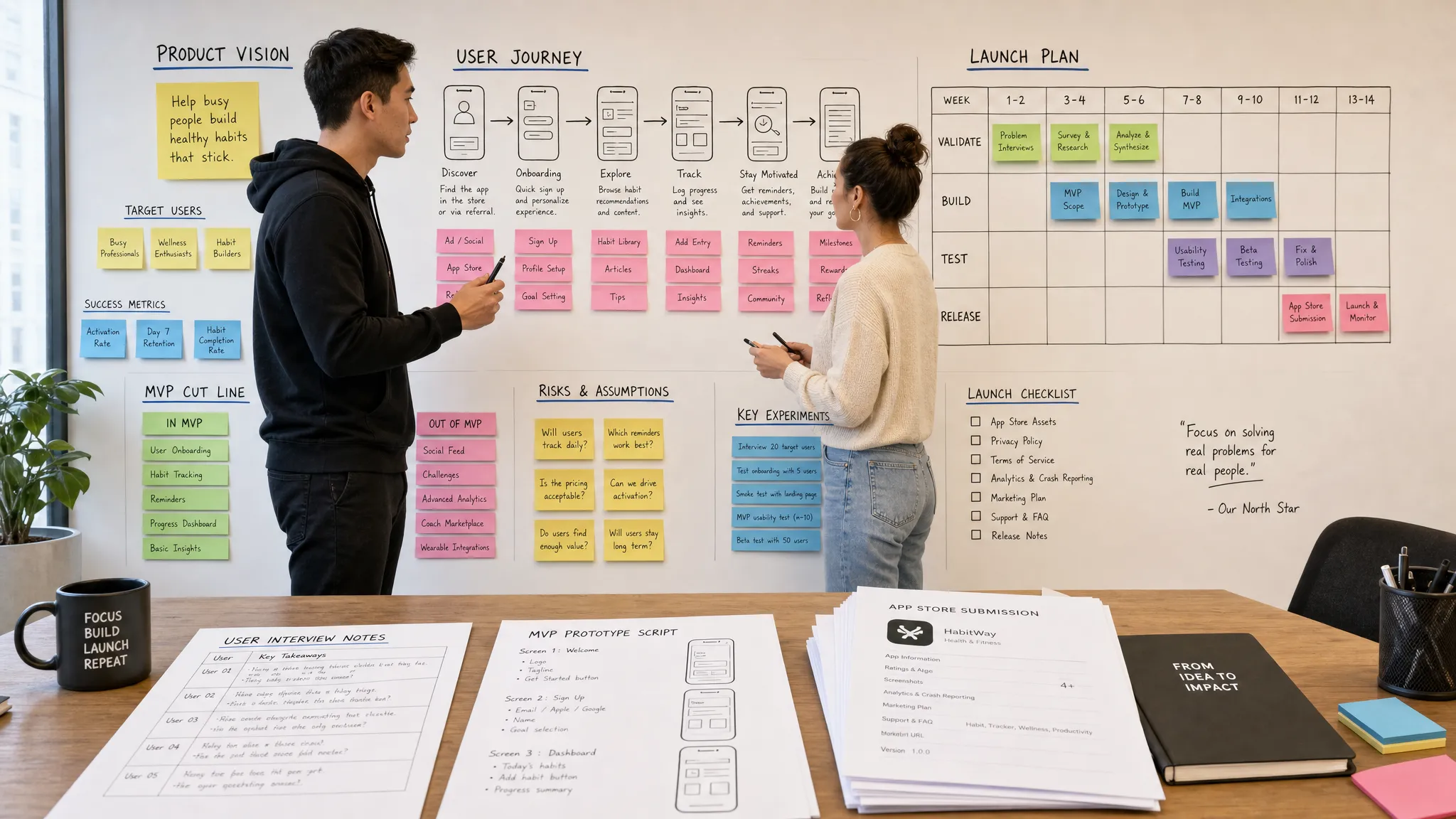
A strong app idea can feel real as soon as you can explain it in one sentence. But smartphone app development from idea to launch is not just a sequence of design files, code commits, and store submissions. It is a business process that turns uncertainty into product decisions.
For startup founders, the biggest risk is rarely that an app cannot be built. It is that the wrong version gets built first, takes too long, and reaches the market without a clear reason for users to care. The right process protects momentum. It helps you validate demand, define a focused MVP, design the user journey, engineer for reliability, and launch with enough confidence to learn quickly after release.
This guide walks through the full lifecycle, from the first product hypothesis to App Store and Google Play launch, with a founder-friendly lens on the decisions that matter most.
Start With the Launch Outcome, Not the Feature List
Most app ideas begin as a list of features. Users can create a profile. Users can message each other. Users can pay. Users can track progress. Those details matter later, but they are not the best starting point.
The first question is simpler: what must a user accomplish for the first launch to be successful?
A launch outcome gives your team a shared target. It defines the primary user, the problem they need solved, the action they must complete, and the business signal you want to observe. Without that clarity, the product can become a collection of screens instead of a focused experience.
Before you brief designers or engineers, write down:
- The specific user segment you want to serve first
- The painful or expensive problem your app solves for them
- The core action a user should complete in the first session
- The measurable signal that proves the product is worth continuing
For example, a marketplace app might not need advanced messaging, loyalty rewards, and social sharing in version one. Its launch outcome may simply be that a buyer can find a relevant provider, submit a request, and receive a confirmed response. That core flow becomes the spine of the product.
This is also where founders should separate the product vision from the first release. The vision can be ambitious. The launch version should be precise.
Validate Demand Before You Invest in Build
Validation is not about proving that everyone likes your idea. It is about finding evidence that a specific group of people will change behavior because your app exists.
Early validation can happen without a full product. Founder interviews, waitlists, clickable prototypes, concierge workflows, and paid landing page tests can reveal whether the problem is urgent enough. The goal is to learn what users already do, what frustrates them, what they have tried, and what would make switching worth it.
If your app depends on users finding you before they ever search an app store, your web presence matters too. A clear landing page, booking flow, or sales page can help capture demand before launch, and small service-led businesses may find inspiration in conversion-focused booking and sales page design that turns interest into action.
Good validation should influence the build. If users care more about speed than personalization, the MVP should reflect that. If trust is the barrier, onboarding, reviews, identity, support, or guarantees may matter more than additional functionality.
At this stage, avoid asking users if they would use the app. Ask what they did last time the problem occurred. Actual behavior is a stronger signal than polite enthusiasm.
Define the MVP Around the Core Loop
An MVP is not the cheapest possible app. It is the smallest complete version that can deliver the product promise and generate useful learning.
The key is the core loop. A core loop is the repeatable sequence that creates value for the user and the business. In a fitness app, it may be choose workout, complete session, see progress, return tomorrow. In a delivery app, it may be search, order, track, receive, reorder. In a fintech app, it may be connect account, view insight, take action, monitor result.
Once the loop is clear, every feature should earn its place. If a feature does not help users enter, complete, or repeat the loop, it probably belongs after launch.
| MVP decision | Founder question | Practical output |
|---|---|---|
| User segment | Who is the first user we must win? | A narrow launch persona and use case |
| Core loop | What action creates repeat value? | A prioritized flow from entry to outcome |
| Must-have trust | What would stop users from completing the flow? | Security, support, proof, or policy requirements |
| Learning goal | What do we need to know after launch? | Metrics, analytics events, and feedback prompts |
| Cut line | What can wait until version two? | A backlog that protects launch speed |
This stage is where founders often need disciplined product strategy. Appzay has a deeper breakdown of how to create a mobile app development strategy for faster launches, especially when you need to move quickly without letting quality slip.
Design the App Before Writing Code
Design is not decoration. In smartphone app development, design is how the team discovers whether the product can be understood, trusted, and used by real people.
The design phase should begin with user flows, not polished screens. Map the path from entry point to successful outcome. Identify decisions, dead ends, permissions, empty states, error states, and recovery paths. Many of the hardest product problems appear between screens, where users hesitate, misunderstand, or abandon the flow.
A clickable prototype is especially useful because it lets founders test the product logic before engineering begins. You can observe whether users understand the value proposition, move through onboarding, interpret labels correctly, and complete the main action without guidance.
Visual design then adds hierarchy, brand, accessibility, and platform familiarity. iOS and Android users bring different expectations around navigation, gestures, permissions, and system patterns. A premium app should feel native to the device, not like a generic web experience squeezed onto a phone.
If you are still shaping the product before development, this guide on how to design the app before you write code pairs well with the strategy phase.
Make Architecture Decisions Early
Once the MVP is defined, the technical plan should answer a practical question: what must be true for this app to work reliably at launch and scale after traction?
Founders do not need to make every engineering decision personally, but they do need to understand the tradeoffs. Native iOS and Android engineering can be valuable when the product depends on performance, platform-specific experiences, camera features, location, offline behavior, Bluetooth, health data, or complex interactions. Other products may prioritize shared logic and speed, depending on the use case and team.
Architecture also includes the backend, integrations, analytics, authentication, payments, notifications, admin tools, and infrastructure. These decisions affect cost, security, release speed, and future hiring.
A common mistake is treating architecture as something to fix later. Some shortcuts are healthy for an MVP. Others create expensive rework, especially around data models, identity, payments, and compliance. The goal is not to overbuild. The goal is to make lightweight decisions that do not trap the product.
Build With Release Discipline From the First Sprint
Development should not be a black box where the founder waits months for a reveal. A strong build process gives stakeholders working software early and often, even if the first builds are rough.
Agile, test-driven engineering helps the team ship in increments. Continuous integration and delivery practices keep builds reproducible. Release orchestration keeps iOS, Android, backend, and store requirements aligned instead of turning launch week into a scramble.
For funded startups, this discipline matters because investor updates, customer pilots, and launch commitments often depend on predictable progress. Weekly demos, visible backlog priorities, and clear acceptance criteria help everyone understand what is done, what changed, and what is still risky.
The best development teams also instrument the app before launch. Analytics events, crash reporting, performance monitoring, and operational alerts are not post-launch luxuries. They are how you learn whether users are succeeding once the product is in the wild.
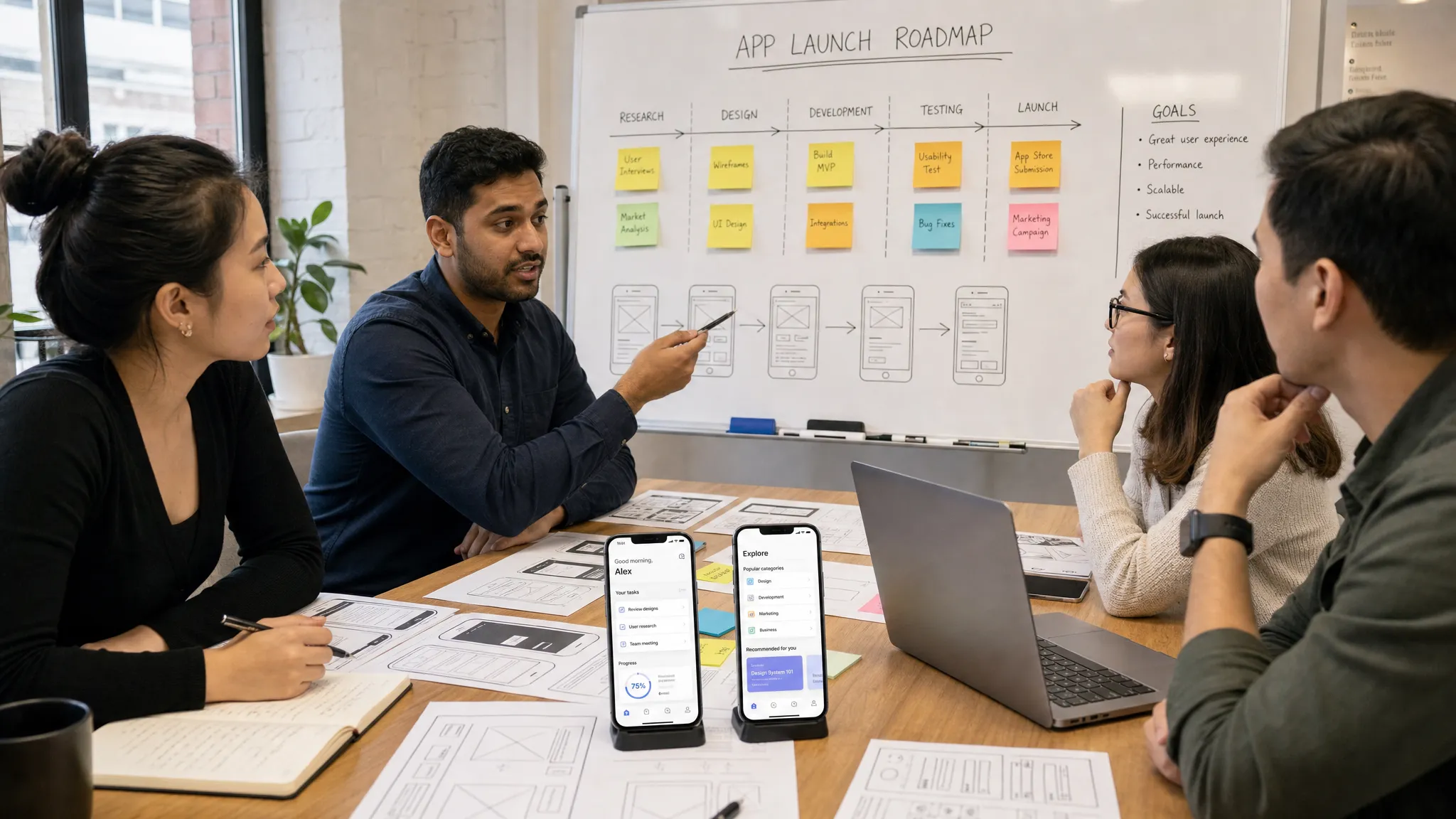
Prepare Store Requirements Before the App Is Finished
App Store and Google Play launch work should begin well before the final build. Store approval is not only about uploading an app binary. It involves policy compliance, privacy disclosures, screenshots, descriptions, age ratings, account setup, support links, and sometimes demo credentials for reviewers.
Apple publishes detailed App Review Guidelines covering safety, performance, business models, design, legal requirements, and more. Google Play also maintains a Developer Policy Center that outlines content, privacy, monetization, and user data expectations.
Founders should treat these requirements as product constraints, not paperwork. If your app collects personal data, uses location, enables user-generated content, supports payments, or includes subscriptions, the relevant policy decisions may affect UX and engineering. Waiting until submission can cause avoidable delays.
App Store optimization also starts here. Your app name, subtitle, short description, screenshots, preview video decisions, category, and keywords all influence how users understand the value of the app. ASO cannot save a weak product, but it can improve the conversion rate from store visit to install.
Test Like the First Users Will Not Be Patient
By the time an app reaches beta, the team has seen the product too many times. Founders and builders know where to tap, what the labels mean, and which rough edges to ignore. New users do not.
Quality assurance should cover more than happy paths. A launch-ready app needs testing across devices, OS versions, network conditions, account states, permission choices, and failure scenarios. If your app involves payments, bookings, messaging, uploads, or time-sensitive actions, test the uncomfortable cases carefully.
Beta testing adds another layer of reality. Testers can reveal onboarding confusion, performance issues, unclear copy, missing notifications, or moments where the product promise breaks down. The best beta programs are structured around specific tasks, not vague feedback requests.
Before release, define launch gates. These are the minimum conditions the product must meet before going live. They might include critical bug thresholds, crash-free session targets, successful purchase tests, approved store listings, support workflows, analytics validation, and rollback plans.
For a practical pre-release structure, Appzay's app launch checklist for a smooth first release can help founders make sure product, engineering, QA, store, and monitoring details are covered.
Launch in a Way That Lets You Learn
A successful launch is not always a huge public announcement on day one. For many startups, the smartest release is controlled. You might invite a pilot group, release by geography, roll out to a waitlist, or launch with a focused audience before spending heavily on acquisition.
The launch plan should match the risk profile of the product. If the app manages sensitive user data, transactions, marketplace liquidity, or operational fulfillment, a staged rollout can protect users and the brand. If the app is simpler and the team has strong confidence, a broader launch may be appropriate.
On launch day, monitor the basics closely: installs, activation, account creation, core action completion, crashes, support tickets, payment success, retention, and user feedback. These signals tell you whether the app is functioning technically and whether the value proposition is landing.
It is also important to prepare the human side of launch. Support responses, founder communications, investor updates, social posts, release notes, and customer success workflows all shape the first impression. A polished app can still feel unreliable if users do not know where to get help.
Improve the Product After Launch
The first release is the start of the real learning cycle. Once users are interacting with the app outside controlled demos, the team can see what actually happens.
Post-launch work should focus on three streams: stability, activation, and retention. Stability means reducing crashes, fixing bugs, improving performance, and resolving operational issues. Activation means helping more new users reach the first meaningful outcome. Retention means understanding why users come back, why they disappear, and what would make the product more valuable over time.
Avoid reacting to every feature request immediately. Early feedback is valuable, but it can be noisy. Look for patterns across analytics, support conversations, interviews, and behavioral data. The right next feature is usually the one that strengthens the core loop, removes friction, or increases trust.
This is where proactive maintenance and support become strategic. Mobile platforms change. Dependencies need updates. Store policies evolve. Devices and operating systems shift. A serious app needs ongoing care after launch, not just a handoff of code.
Common Mistakes That Slow Down Smartphone App Development
Even strong startup teams can lose months to avoidable mistakes. The most common ones are usually process problems, not technical impossibilities.
One mistake is building the full vision before testing the core behavior. This increases cost and delays learning. Another is designing beautiful screens without validating the underlying user journey. A third is treating iOS, Android, backend, and store launch as separate workstreams that only come together at the end.
Founders also underestimate non-product requirements. Privacy policies, support flows, analytics, app review notes, screenshots, test accounts, and production monitoring can all create friction if they are handled too late.
The solution is not to slow down. It is to sequence the work correctly. Validate before building, prototype before coding, architect before scaling, test before launching, and learn before expanding.
Frequently Asked Questions
How long does smartphone app development take from idea to launch? The timeline depends on scope, complexity, integrations, design depth, compliance needs, and team capacity. A focused MVP with a clear core loop can move much faster than a broad first release with many user roles and edge cases.
Should a startup build for iOS, Android, or both first? It depends on your audience, market, budget, and launch strategy. If your first users are concentrated on one platform, starting there may help you learn faster. If platform coverage is essential to the business model, plan both from the beginning so product and backend decisions stay aligned.
What should be included in the first version of a mobile app? The first version should include the minimum set of features needed to deliver the product promise, complete the core user loop, earn trust, and measure meaningful behavior. Everything else should be evaluated against launch speed and learning value.
When should App Store optimization begin? ASO should begin before submission, not after approval. Your app name, screenshots, description, keywords, category, and value proposition should be developed alongside the launch plan so the store listing accurately reflects the product.
Do non-technical founders need a technical co-founder to launch an app? Not always. What they need is technical leadership, reliable engineering, and a process that translates business goals into product decisions. Some founders hire in-house, while others partner with an experienced mobile app development agency.
Turn Your App Idea Into a Launch-Ready Product
Smartphone app development is most successful when strategy, UX, engineering, launch planning, and post-launch support work together from the start. The right partner will not only write code. They will help you decide what to build first, how to build it well, and how to get it into users' hands with confidence.
Appzay partners with funded founders to design, build, and launch premium iOS and Android apps end to end, from product strategy and UX to native engineering, CI/CD, App Store optimization, and ongoing support. If you are ready to turn a validated idea into a serious mobile product, the next step is building with launch in mind from day one.