6/2/2026
Native App or React: Which Stack Fits Your Product?
Native app or React? Learn how to choose the right mobile stack for your product, from native iOS/Android to React Native and PWA paths.
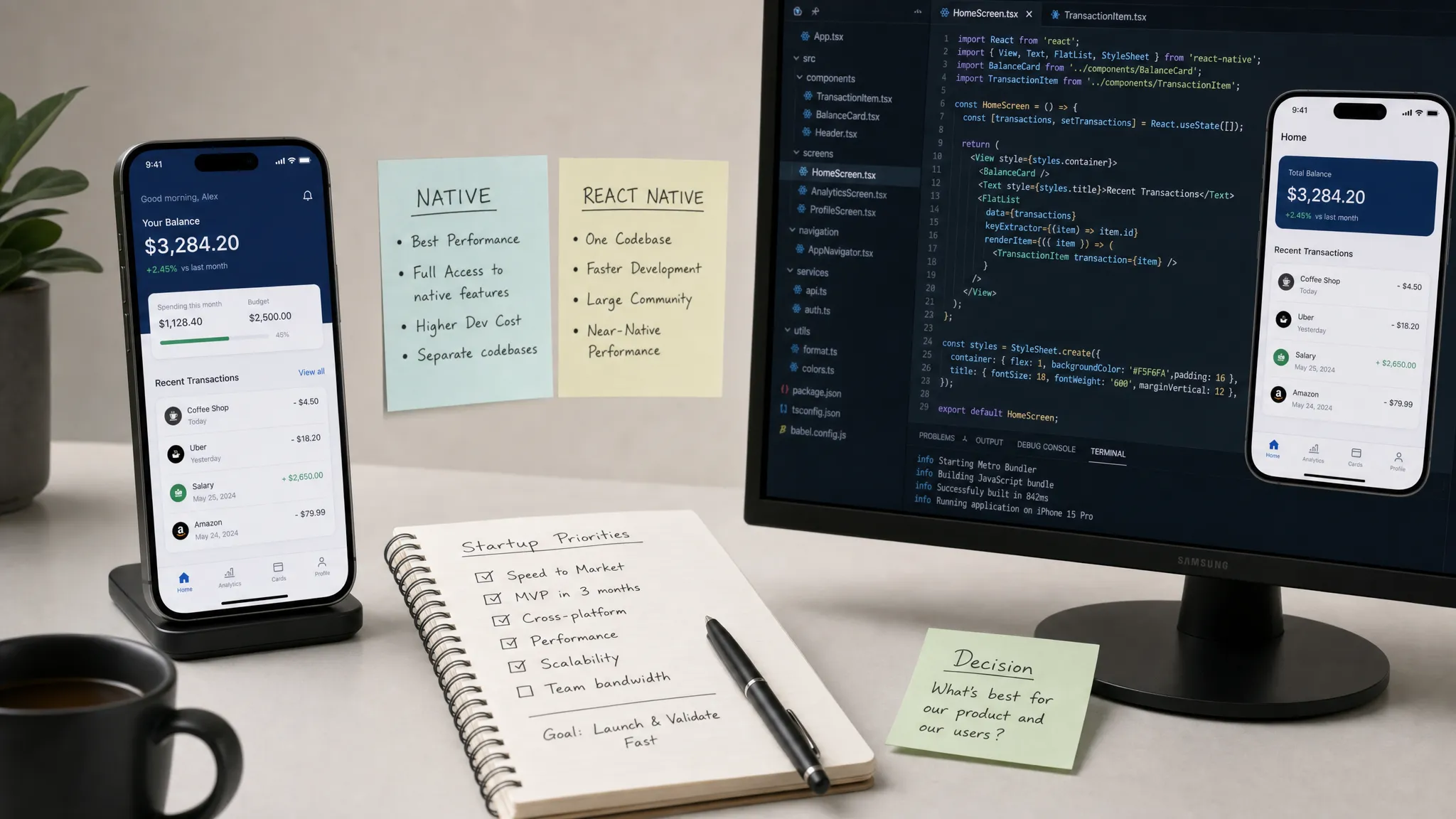
Choosing a mobile stack is one of those decisions that feels technical on the surface and strategic underneath. Pick too heavy a stack and your MVP slows down before users can validate it. Pick too light a stack and you may spend the next year fighting performance, platform limitations, or a painful rewrite.
The better question is not whether native app development or React is universally better. The better question is: which stack best protects the product promise you are making to users over the next 12 to 18 months?
For funded startups, that distinction matters. Investors, early customers, and internal teams do not care which framework won the debate. They care whether the app feels polished, works reliably, ships fast enough, and can evolve without breaking every release.
First, clarify what you mean by React
In mobile product conversations, React can mean a few different things. Confusion here leads to bad estimates and even worse roadmap decisions.
Native app development usually means building directly for each platform, commonly with Swift or SwiftUI for iOS and Kotlin or Jetpack Compose for Android. You get direct access to platform APIs, operating system conventions, performance tooling, and the latest device capabilities.
React Native uses React patterns and JavaScript or TypeScript to build mobile apps that render native interface components. It is not the same as a web app in a wrapper. A strong React Native implementation can feel highly polished, but it still requires mobile engineering discipline, native modules, testing, and release operations.
React web or a PWA means building a browser-based product, possibly installable on a phone, but still constrained by the browser and platform support. It can be excellent for validation, acquisition, dashboards, content, and lightweight workflows, but it should not be treated as equivalent to a full native mobile app.
This article focuses mainly on native app vs React Native, with a short note on when React web should come first.
Start with the product promise, not the framework
A stack decision becomes clearer when you identify the highest-risk moment in the app. Every serious mobile product has one interaction that must feel effortless for the product to be credible.
For a delivery app, it may be assigning and tracking an order in real time. For a mobile CRM, it may be capturing a meeting note offline and syncing it cleanly later. For a fitness device, it may be reliable Bluetooth pairing. For an AI assistant, it may be turning an uncertain user request into a trustworthy result.
Before comparing frameworks, ask five product questions:
- What must feel instant, even on older devices or weak networks?
- Which device capabilities are central to the product experience?
- What has to work offline, in the background, or during interruptions?
- How much does the app need to follow iOS and Android platform conventions?
- How important is launching both platforms at the same time?
If you are building an AI product, add another question: what will make users trust the output enough to come back? Stack choice matters, but adoption design can matter even more. Tools like the AI Product Adoption Deck can help teams pressure-test trust gaps, empty prompt problems, and retention risks before committing months of engineering effort.
When native app development is the better fit
Native is usually the right call when the mobile experience itself is the product advantage. If users are paying for speed, reliability, deep device integration, or a premium platform feel, direct native development gives your team the most control.
This is especially true for products with demanding camera, audio, video, Bluetooth, NFC, GPS, augmented reality, on-device machine learning, background processing, widgets, wearables, or platform-specific security requirements. These features may be possible in React Native, but the question is whether they are central enough to justify reducing abstraction risk from the beginning.
Native also fits when your roadmap depends on adopting new Apple or Android capabilities quickly. If being first with a platform feature matters to your positioning, waiting for community libraries or bridging work can become a product risk.
A native approach can be more expensive at the start because you are often building and maintaining two codebases. But for certain products, that cost buys predictable access to the operating system, stronger platform-specific UX, and fewer compromises around the most sensitive interactions.
Choose native when:
- The riskiest feature depends heavily on device APIs or sensors.
- Performance, animation smoothness, latency, or battery efficiency is a core differentiator.
- Your target users expect premium platform-specific behavior.
- The app will be a long-term flagship product, not just a validation surface.
- You can support separate iOS and Android engineering tracks, or you are intentionally launching one platform first.
If you are leaning this way, Appzay’s guide to native mobile app development goes deeper into the scenarios where native beats cross-platform.
When React Native is the better fit
React Native is often the strongest option when your product needs a high-quality iOS and Android app quickly, but the core experience is mostly driven by screens, workflows, APIs, data, and business logic rather than unusually deep device integration.
Think marketplaces, booking apps, fintech workflows, social products, internal tools, companion apps, mobile CRM products, productivity apps, and many AI-assisted workflows. In these cases, shipping one coherent product across platforms can be more valuable than optimizing every platform detail separately on day one.
React Native also fits teams with existing React or TypeScript expertise. That does not eliminate the need for mobile specialists, but it can reduce the gap between product, frontend, and mobile implementation. Shared components, shared validation logic, and shared patterns can speed up iteration when handled carefully.
Modern React Native has also improved significantly, including architectural changes designed to improve performance and interoperability. The official React Native architecture documentation is worth reviewing if your team is making a serious technical bet. Still, React Native is not a shortcut around architecture. Poor state management, oversized bundles, unprofiled lists, dependency sprawl, and weak release processes can make a React Native app feel just as fragile as any poorly built native app.
Choose React Native when:
- You need both iOS and Android early.
- The app is mostly workflow, content, data, or API-driven.
- Your team can work effectively in TypeScript and still handle native modules when needed.
- Time to learning matters more than perfect platform specialization.
- You are willing to profile performance and treat mobile QA as a first-class discipline.
A good React Native plan also identifies where native modules may be needed before development starts. That could include media capture, secure storage, background tasks, health integrations, or device-specific SDKs.
When React web or a PWA should come first
Sometimes the best mobile stack is not an app stack yet.
If your biggest uncertainty is demand, not mobile execution, a React web app or PWA may help you learn faster. This is common when the product is content-heavy, SEO-driven, used infrequently, or does not require push notifications, background behavior, offline reliability, App Store distribution, or device APIs.
A React web MVP can be useful for testing positioning, onboarding, pricing, account creation, dashboards, or a concierge workflow. It can also support early sales while you design the full mobile product with more evidence.
The risk is overextending it. If users expect a home-screen product with reliable notifications, biometric login, offline access, camera workflows, or app-store credibility, a PWA may validate only part of the experience. Treat web-first as a deliberate learning path, not a way to avoid the real mobile decision forever.
Stack fit by product signal
Use this table as a starting point, not a rulebook. The right answer depends on your product constraints, team, budget, and launch sequence.
| Product signal | Likely best first choice | Why it fits | Watch-out |
|---|---|---|---|
| Background audio, video, or sensor-heavy capture | Native, or React Native with native modules | Direct platform control improves reliability | Battery, permissions, and OS background limits need early testing |
| API-driven marketplace or booking flow | React Native | Shared product logic can speed up two-platform delivery | Complex lists and checkout flows still need performance profiling |
| AI assistant with chat, summaries, or workflow automation | React Native or native | Choice depends on latency, privacy, and device integration | Trust UX, empty states, and output explainability matter as much as stack |
| Bluetooth, wearables, health devices, or hardware companion | Native | SDK access and platform behavior are central | Parallel iOS and Android builds need careful roadmap control |
| Mobile CRM or field workflow | React Native | Cross-platform consistency and offline sync can be built efficiently | Sync conflicts and permissions should be designed early |
| Public content, acquisition, or lightweight self-serve tool | React web or PWA | Faster validation and better web distribution | Limited native capabilities may cap retention |
| iOS-first premium consumer app | Native iOS first | Deep platform polish can strengthen differentiation | Android timing must be planned honestly |
The hidden costs founders often miss
Founders often compare stack options only by initial build cost. That is understandable, but incomplete. The real cost shows up across the product lifecycle.
Native may cost more upfront when you need feature parity across iOS and Android. But if your app depends on platform-specific capabilities, native can reduce the cost of debugging around abstractions later.
React Native can reduce duplicated UI and business logic, especially for teams already fluent in React. But it introduces dependency management, bridge or native module decisions, framework upgrade planning, and the need to understand both platforms anyway.
React web can be the fastest way to validate an idea. But if your product truly needs native mobile behavior, the later transition can feel like rebuilding the real product after validating only a partial version.
No stack removes the need for product strategy, UX design, backend architecture, analytics, CI/CD, QA, privacy planning, and store readiness. Those disciplines are what turn a framework into a shippable product. If you want a broader view of the full journey, read Appzay’s guide to mobile app creation from concept to store launch.
A practical decision model for founders
Instead of asking your team to vote on a framework, score the decision against four dimensions.
Product constraints: Does the app rely on hardware, background execution, offline behavior, real-time media, on-device processing, or platform-specific UX? The more hard constraints you have, the more native deserves serious weight.
Learning speed: Do you need to validate pricing, retention, onboarding, or the core workflow on both platforms quickly? If the app is mostly API-driven and the team can execute well, React Native may create the best learning velocity.
Team capability: Who will maintain the product after launch? A stack is only as good as the team that can debug, extend, test, and release it. A React-heavy team may move faster in React Native, while a mobile-native team may deliver better results in Swift and Kotlin.
Differentiation: Is the mobile experience itself your moat, or is the app primarily a delivery channel for a service, network, marketplace, or AI workflow? The more the experience depends on platform polish, the more native becomes strategically attractive.
A useful rule of thumb: if two or more hard native constraints are central to the user promise, start native or run a serious native spike. If the app is mostly cross-platform workflows and speed to learning matters most, React Native is often the pragmatic choice. If demand is still unproven and native capabilities are not required yet, start with React web and design the mobile path intentionally.
Run a stack-fit sprint before committing
When the answer is unclear, do not debate for a month. Run a short stack-fit sprint focused on the riskiest product moment.
A good sprint should produce:
- A clickable prototype of the core user journey.
- A technical proof of concept for the riskiest interaction.
- A basic backend or API integration test.
- A device test on representative iOS and Android hardware.
- A written recommendation with trade-offs, not just a preference.
For example, if you are building a voice-based AI companion, the spike should test audio capture, interruption handling, upload behavior, latency, and battery impact. If you are building a field sales app, test offline data entry, sync conflict handling, CRM integration, and push notification timing.
The goal is not to build the MVP during the sprint. The goal is to remove enough uncertainty that the MVP build starts with confidence.
The best stack is the one your product can grow into
A startup stack should not be chosen for perfection. It should be chosen for fit.
Native gives you the most platform control. React Native can give you strong cross-platform velocity. React web can help validate before mobile investment. Each can be the right decision when aligned with the product promise, team capability, and launch strategy.
The mistake is choosing based on hype, fear, or a single cost estimate. The better path is to identify the user moment that cannot fail, test the technical assumptions around it, and choose the stack that lets your team ship a credible first version while preserving room to scale.
Frequently Asked Questions
Is React Native the same as React? No. React is a JavaScript library for building user interfaces, most commonly on the web. React Native uses React concepts to build iOS and Android apps with native UI components. A React web app, a PWA, and a React Native app are different product and technical choices.
Is a native app always faster than React Native? Native gives the most direct access to platform APIs and performance tooling, so it is often the safer choice for demanding interactions. But a well-built React Native app can be fast and polished for many API-driven products. Architecture, profiling, and QA matter more than the label alone.
Can we start with React Native and move to native later? Yes, but migration has a cost. If you think native may be required later, design clean API contracts, isolate business logic, document native dependencies, and avoid building a tangled codebase that makes replacement painful.
Should AI mobile apps be native or React Native? It depends on the interaction. AI chat, summaries, recommendations, and workflow automation can fit React Native well. Apps relying on real-time audio, on-device models, privacy-sensitive processing, or deep OS integrations may benefit from native development.
What if we only have budget for one platform? Choose the platform where your highest-value users are most likely to adopt first. For some startups, that means native iOS first. For others, React Native may still make sense if cross-platform reach is essential and the scope is controlled.
Need help choosing the right stack?
Appzay helps funded startups turn app ideas into launch-ready iOS and Android products, from product strategy and UX design to engineering, cloud integration, CI/CD, App Store optimization, and post-launch support.
If you are deciding between native app development, React Native, or a phased web-to-mobile path, share your product concept with Appzay. We can help you identify the riskiest user moments, choose the right stack, and build toward a reliable first release.