5/19/2026
Mobile App Creation: Go From Idea to Store Launch Without Rework
A mobile app creation guide for founders: validate, design, build, test, and launch iOS and Android apps without costly rework.

Turning an app idea into a live product is not a single development task. It is a sequence of decisions, prototypes, technical foundations, quality gates, and store-readiness work that either compounds into a smooth launch or creates expensive rework later.
For funded startups, mobile app creation should be treated like product company formation in miniature. You are not just designing screens. You are defining a market promise, proving the riskiest assumptions, building a reliable system, preparing for Apple and Google review, and setting up the team to iterate after launch.
This guide walks through the full path from concept to App Store and Google Play launch, with the key outputs, risks, and decision gates founders should expect at each stage.
Start with a concept that can become a product, not just an app
Most app ideas start as a feature: “an AI coach,” “a marketplace,” “a booking app,” “a companion for our hardware,” or “a mobile CRM workflow.” That is useful, but it is not enough to start building.
Before design or engineering, the concept needs to become a product thesis. A strong thesis answers four questions:
- Who is the app for?
- What urgent job will they use it to complete?
- Why is mobile the right surface for that job?
- What outcome proves the first version is working?
The mobile-fit question is especially important. A mobile app is strongest when it uses immediacy, location, camera, biometrics, push notifications, offline access, sensors, or repeat daily behavior. If the experience is mostly long-form admin work, a web product may be a better first surface.
At this stage, your goal is not to write a 60-page specification. It is to reduce ambiguity enough that design, engineering, and go-to-market decisions point in the same direction.
If you are still comparing ideas, Appzay’s guide on choosing app ideas for an MVP offers a practical scoring framework before you commit budget to a build.
Validate demand before you commit to the build
The most expensive mobile app is not the one with the highest development cost. It is the one that launches and discovers the market does not care.
Validation does not need to take months. For most funded startup teams, a focused validation sprint can clarify whether the problem is painful, whether the target user understands the value proposition, and whether the first product loop is credible.
Useful validation methods include founder-led interviews, clickable prototypes, landing pages, concierge tests, competitor review mining, and pricing conversations. The key is to test the risky assumption, not the easiest one.
For example, if your app depends on users sharing sensitive data, the biggest risk may be trust. If it depends on daily usage, the risk may be repeat behavior. If it depends on integrations, the risk may be workflow fit.
| Concept risk | What to test | Useful validation method |
|---|---|---|
| Users do not feel the problem urgently | Problem intensity and current workarounds | Interviews and competitor review analysis |
| Mobile may not be the right channel | Context of use and frequency | Journey mapping and prototype testing |
| Users may not trust the app | Data sensitivity and permission comfort | Trust-focused prototype and messaging tests |
| Monetization is unclear | Willingness to pay or business value | Pricing interviews and concierge offers |
| Core workflow is too complex | Completion rate and confusion points | Clickable prototype tests |
A validated concept does not guarantee success, but it gives the team a sharper starting point. For a deeper process, see Appzay’s guide to app market research before you build.
Define the smallest complete product loop
A common mistake in mobile app creation is scoping a thin slice of many features instead of a complete loop of value.
A useful MVP is not “a little bit of everything.” It is the smallest version of the product that lets a real user complete the core job, experience the promised value, and give you measurable feedback.
For a fitness app, the loop might be: set goal, complete workout, track progress, return tomorrow. For a marketplace, it might be: search, evaluate, book, pay, receive confirmation. For a B2B workflow app, it might be: capture field data, sync to the backend, notify the next stakeholder, confirm completion.
The best MVP scope protects the promise while cutting everything that does not help prove it. You can often postpone advanced personalization, complex admin tooling, secondary onboarding paths, social features, and deep reporting. You should be much more careful about cutting security, analytics, error states, account recovery, performance work, or store compliance.
Appzay’s article on building a mobile app MVP that can still win covers this tradeoff in more detail.
Turn the product loop into build-ready UX
Once the core loop is clear, design should move from broad concept to developer-ready UX. This is where many teams either save weeks or create hidden rework.
Good mobile UX deliverables include a screen map, user flows, wireframes, state variants, interactive prototypes, and notes for edge cases. These artifacts help founders make product decisions before engineers are blocked by missing details.
Developer-ready UX should answer questions like:
- What happens when the user has no data yet?
- What happens if the network fails?
- Which actions require confirmation?
- Which permissions are requested, and when?
- What does the user see while content is loading?
- How does the app behave when the user returns after a week?
Mobile design also needs to respect platform expectations. iOS and Android users have different mental models for navigation, permissions, gestures, settings, subscriptions, and notifications. Even when using a cross-platform framework, the experience should feel native where it matters.
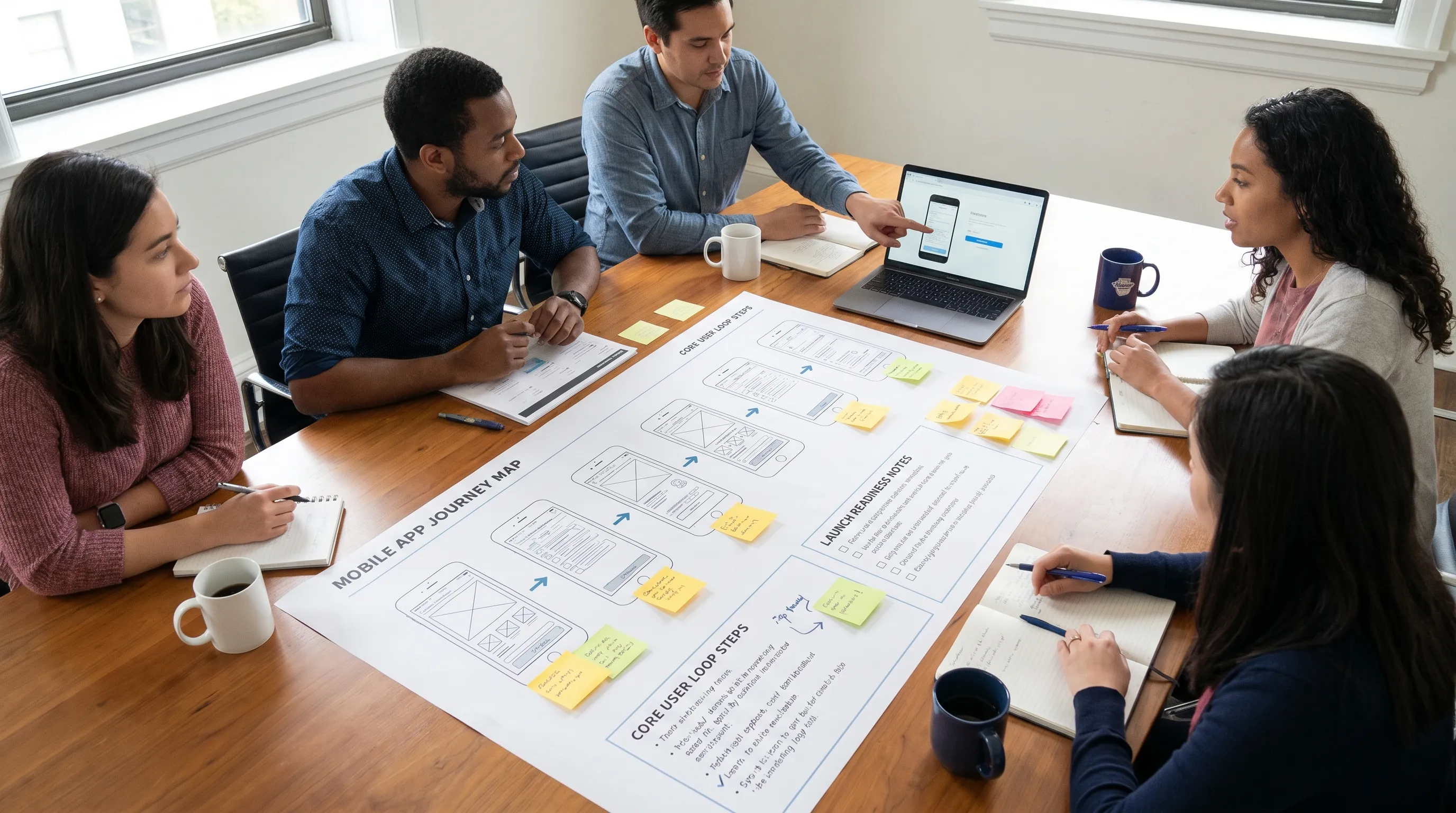
For founders preparing handoff to engineering, Appzay’s guide on app screens planning and wireframes explains what needs to be decided before development starts.
Choose the right technical approach for the first version and the roadmap
Technology choices should follow product constraints, not trends. The right stack depends on performance needs, device features, budget, timeline, team capabilities, and long-term roadmap.
Native iOS and Android development can be the right call when the app depends on high performance, deep platform integration, complex hardware access, advanced animations, or premium platform-specific UX. React Native or Flutter can make sense when speed, shared logic, and consistent cross-platform delivery are more important than deep native specialization.
The decision should be made with a sober look at the riskiest part of the product. If the riskiest interaction is camera processing, Bluetooth, real-time audio, maps, or background execution, run a technical spike before committing. If the riskiest part is market adoption, a faster cross-platform MVP may be the smarter path.
| Product need | Often favors | Why it matters |
|---|---|---|
| Deep Apple or Android ecosystem features | Native | Better access to platform APIs and conventions |
| Fast MVP across iOS and Android | Cross-platform | Shared code can reduce initial delivery time |
| Heavy animations or real-time performance | Native or carefully optimized cross-platform | Performance needs should be proven early |
| Content, forms, dashboards, and standard workflows | Cross-platform | Many screens can share logic and components |
| Hardware, sensors, audio, or background tasks | Case-by-case | Requires early feasibility testing |
Architecture matters as much as framework choice. Even an MVP should have clean API boundaries, secure authentication, reliable data handling, crash reporting, analytics, and a release process. These are not “enterprise extras.” They are the foundation that prevents a successful launch from turning into a maintenance crisis.
If you are weighing options, Appzay’s guide to native app vs React Native can help frame the tradeoffs.
Build with quality gates, not a final QA scramble
The best mobile teams do not wait until the end to ask whether the app works. They build quality into the process.
For startup teams, this usually means working in short implementation cycles with demos, acceptance criteria, test coverage for critical paths, and continuous integration. Each major feature should be reviewed against the product promise, UX design, technical acceptance criteria, and analytics plan.
Quality gates should cover more than “does the happy path work?” They should include authentication flows, permissions, offline and poor-network behavior, empty states, error recovery, performance on older devices, app lifecycle events, and upgrade paths.
A healthy development rhythm includes:
- Weekly product demos with real builds, not only design updates
- Acceptance criteria tied to user outcomes and edge cases
- Continuous integration checks before code is merged
- Automated tests for business-critical flows
- Crash reporting and analytics added before beta
- Regular review of scope, risks, and technical debt
This is where an experienced mobile app creation partner can add real leverage. A premium team should not simply convert designs into code. It should flag product risk, protect launch quality, and make technical tradeoffs visible before they become surprises.
Prepare integrations, backend systems, and cloud infrastructure early
Many mobile app delays are integration delays in disguise. Payments, maps, analytics, authentication, push notifications, AI services, CRM sync, scheduling, and internal APIs all introduce dependencies.
The safest approach is to map integrations to user moments. For example, payment is not just “add Stripe” or “add in-app purchases.” It includes pricing display, checkout, receipt handling, subscription state, refunds, failed payments, entitlements, support workflows, and store policy compliance.
The same is true for analytics. Adding an SDK is easy. Designing events that answer product questions is harder. Before launch, your team should know which events define activation, retention, conversion, and failure.
Backend architecture should also account for secrets, rate limits, retries, audit logs, permissions, and data privacy. Client apps should not own sensitive business logic that belongs on the server.
For a deeper planning checklist, see Appzay’s app integration guide.
Run beta testing with real devices and real users
Beta testing is not just a bug hunt. It is a rehearsal for launch.
On iOS, TestFlight lets teams distribute beta builds before App Store release. On Android, Google Play offers internal, closed, and open testing tracks. These channels help teams test installation, onboarding, permissions, device compatibility, analytics, crash reporting, and user comprehension before the public launch.
Apple’s App Review Guidelines and Google Play’s Policy Center should be reviewed before beta, not after the final build is ready. Store compliance affects product design, data handling, account flows, payments, user-generated content, health claims, AI features, and metadata.
A strong beta plan answers three questions: what must be proven, who will test it, and what changes are allowed before launch. Without those boundaries, beta feedback can turn into uncontrolled scope expansion.
Useful beta signals include crash-free sessions, activation rate, task completion, onboarding drop-off, permission acceptance, support requests, and qualitative confusion points. The goal is not perfection. The goal is confidence that the product is stable, understandable, and safe to submit.
Treat App Store and Google Play launch as a product workstream
Store launch is not an upload button. It is a workstream that includes compliance, metadata, screenshots, privacy disclosures, age ratings, reviewer notes, test accounts, and release sequencing.
Apple and Google evaluate different things in different ways, but both expect the app to be functional, transparent, policy-compliant, and accurately represented. Inconsistent privacy disclosures, broken login flows, misleading screenshots, placeholder content, incorrect payment handling, and crashes are common causes of delay.
Before submission, prepare the launch packet:
- Final build number and release notes
- App name, subtitle or short description, and full description
- Screenshots for required device sizes
- Privacy policy and data disclosure details
- Demo account credentials if login is required
- Reviewer notes for paid features, hidden flows, or special setup
- Support contact and marketing URL if required
- Confirmation that payments and subscriptions follow platform rules
A store-ready product also needs App Store Optimization (ASO). ASO is not only about keywords. Your screenshots, positioning, ratings strategy, onboarding promise, and product quality all affect conversion and long-term growth.
Appzay has a dedicated App Store submission checklist if you want a more detailed pre-submission review.
Launch with monitoring, support, and iteration already in place
The first public release is the beginning of the learning cycle, not the end of the project.
A mature launch plan includes monitoring dashboards, crash alerts, analytics review, support workflows, rollback or hotfix plans, and a prioritized post-launch backlog. Teams should watch both technical and product signals in the first days after release.
Important launch metrics include:
- Crash-free users and sessions
- Cold start time and key screen load times
- Activation rate
- Day 1, Day 7, and Day 30 retention
- Account creation completion
- Conversion or core action completion
- Support ticket themes
- Store listing conversion rate
The most useful post-launch roadmap is usually not a list of founder preferences. It is a response to evidence. If users fail to activate, improve onboarding or first value. If users activate but do not return, examine reminders, habit loops, and recurring value. If crashes or performance issues appear, stabilize before adding complexity.
A practical mobile app creation timeline
Timelines vary by scope, platform, integrations, compliance needs, and team capacity. Still, most funded startup MVPs follow a recognizable pattern.
| Phase | Typical focus | Example outputs |
|---|---|---|
| Concept and validation | Problem, audience, mobile fit, business case | Product thesis, research notes, MVP success metrics |
| UX and prototyping | Core loop, flows, screens, edge states | Wireframes, prototype, design system basics |
| Architecture and planning | Stack, integrations, data model, release process | Technical plan, backlog, risk register |
| Build and internal QA | Feature implementation and quality gates | Working builds, tests, analytics, CI/CD pipeline |
| Beta and store readiness | Real-device testing and compliance | Beta feedback, submission assets, privacy details |
| Launch and iteration | Public release and improvement cycle | Store launch, monitoring, roadmap updates |
For many focused MVPs, this can fit into a roughly 8 to 16 week window. More complex apps involving regulated workflows, hardware, AI processing, real-time systems, or multiple third-party integrations may require more time. The right question is not “how fast can we build?” It is “what can we launch confidently without compromising the product promise?”
What to expect from an end-to-end mobile app creation partner
An end-to-end partner should help you move from ambiguity to launch without forcing you to manage disconnected vendors for strategy, design, engineering, DevOps, QA, and store submission.
For a funded startup, that partner should be able to challenge scope, prototype quickly, engineer for iOS and Android, design scalable architecture, run CI/CD, prepare App Store and Google Play submissions, and support the product after release.
Appzay works with founders as a premium mobile app development agency, helping teams design, build, and launch high-quality iOS and Android apps from concept to App Store. That includes product strategy, UX design, native mobile engineering, distributed systems architecture, release orchestration, App Store optimization, and proactive maintenance.
The strongest agency relationships feel less like task outsourcing and more like a technical co-founder function: clear tradeoffs, visible progress, disciplined quality, and shared ownership of launch outcomes.
Frequently Asked Questions
How much planning is needed before mobile app development starts? Enough to define the target user, core product loop, MVP scope, technical risks, and launch success metrics. You do not need every future feature specified, but you do need enough clarity to avoid redesigning the product during development.
Should a startup build iOS, Android, or both first? It depends on your audience, budget, and learning goals. If your market is concentrated on one platform, launching there first can reduce cost and speed up learning. If cross-platform reach is essential to the value proposition, building both may be justified from V1.
What is the difference between a prototype and an MVP? A prototype demonstrates the experience and helps validate flows before engineering. An MVP is a working product that real users can install, use, and evaluate in the market.
When should App Store requirements be considered? From the beginning. Privacy, payments, account deletion, permissions, user-generated content, and metadata can affect product decisions. Treating store compliance as a final checklist often causes avoidable launch delays.
What happens after the first app launch? The team should monitor stability, activation, retention, conversion, support issues, and store performance. The next roadmap should be based on user behavior and technical signals, not assumptions.
Build your app with launch in mind from day one
Mobile app creation works best when strategy, design, engineering, and store launch are connected from the start. A polished interface is not enough if the product loop is weak, the architecture cannot scale, or the app is not ready for review.
If you are a funded founder preparing to turn a concept into a launch-ready iOS and Android product, Appzay can help you move from idea to App Store with an end-to-end team covering product strategy, UX, engineering, deployment, and post-launch support.