7/9/2026
Mobile App Release Checklist for Safer Launch Days
Use this mobile app release checklist to reduce launch-day risk with QA gates, store prep, rollout controls, monitoring, and rollback planning.
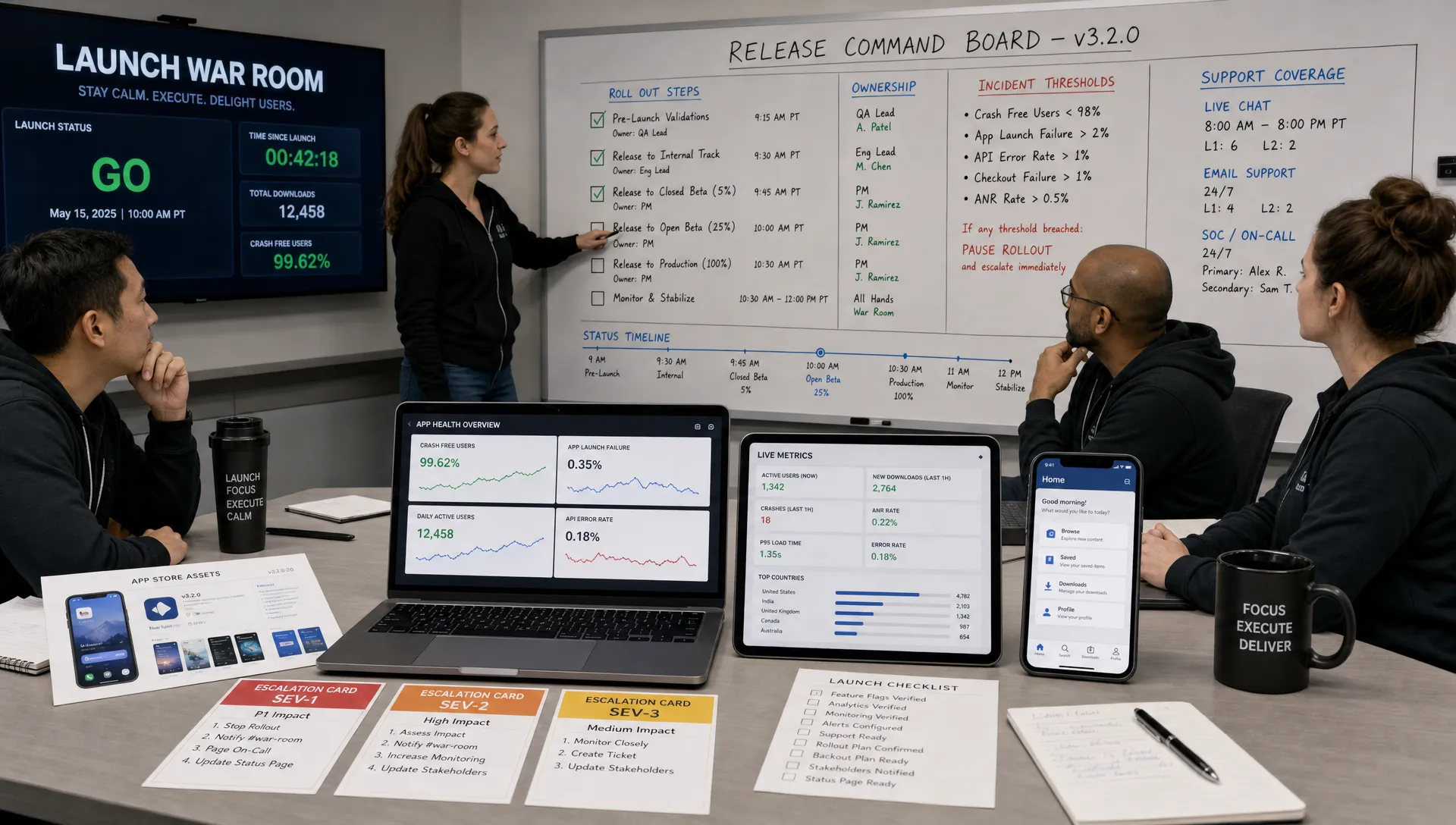
A mobile app release is rarely dangerous because of one big mistake. It becomes risky when small gaps stack up: an untested payment edge case, a missing App Store screenshot, a production API flag left off, a crash alert nobody owns, or a support inbox that is not staffed when the first users arrive.
For funded startups, launch day is not just a deployment event. It is a credibility moment with investors, early customers, press contacts, beta users, and internal stakeholders watching at the same time. A strong mobile app release checklist turns that pressure into an operating system: clear gates, named owners, measurable readiness, and a rollback path if something breaks.
This guide focuses on safer launch days for iOS and Android teams. It is not a broad product launch plan. Instead, it is the release-readiness layer that helps you ship with confidence when the app is already built, tested, and close to public distribution.
What makes a mobile app release “safe”?
A safe release does not mean a perfect release. Every real product launch involves unknowns. A safe release means your team has reduced preventable risk and knows how to respond when reality differs from the plan.
In practice, a safer mobile app release has four traits:
- The launch scope is controlled: The first public version solves a focused user problem and avoids last-minute feature creep.
- The build is repeatable: Your team can reproduce, sign, distribute, and verify the release without manual guesswork.
- The release is observable: Crash rates, backend errors, conversion events, and store issues are visible from day one.
- The response plan is explicit: If something goes wrong, the team knows who decides, who communicates, and what action to take.
Apple and Google both give teams distribution controls, review processes, staged releases, and production monitoring options. Those tools help, but they do not replace a checklist. The checklist is what connects product, engineering, QA, marketing, support, and leadership into one launch rhythm.
If you need a wider planning framework before the final release window, Appzay’s mobile app launch checklist and strategy for 2026 covers the broader timeline, launch scope, and go-to-market coordination.
The safer mobile app release checklist
Use this checklist as a release gate, not as a loose reminder list. Every item should have an owner, a status, and a decision. If an item is not relevant to your product, mark it intentionally as not applicable rather than ignoring it.
| Release area | What to verify | Safer launch signal |
|---|---|---|
| Scope | Final build matches the approved launch scope | No unapproved features or late changes |
| QA | Critical user journeys pass on supported devices | No open blocker or critical bugs |
| Backend | Production APIs, auth, payments, and notifications are validated | Successful end-to-end production smoke test |
| Stores | App Store and Google Play metadata are complete | Ready for review, approval, or scheduled release |
| Observability | Crash, analytics, logs, and alerts are active | Team can detect issues within minutes |
| Rollout | Release method and staged rollout rules are defined | Clear go, hold, and rollback criteria |
| Support | Support scripts, FAQs, and escalation paths are ready | Users have a reliable help path |
| Marketing | Launch assets and acquisition channels are aligned | No traffic surge without product readiness |
| Legal | Privacy, permissions, terms, and compliance are checked | No unresolved policy risk |
| Post-launch | First 24 to 72 hours are staffed and monitored | Owners are assigned by time window |
1. Freeze the release scope before the final build
The safest launch-day decision often happens before launch day: stop adding features.
A release candidate should represent a stable product promise. If the team is still debating core flows, onboarding steps, monetization rules, or permissions during the final build window, the release is not ready. Last-minute changes are especially risky in mobile because fixes may require a new store submission, review delay, or phased rollout adjustment.
Create a short release scope document that answers three questions:
- What user outcome must this version deliver? Define the main job the app needs to complete successfully.
- What is intentionally excluded? List deferred features so stakeholders do not reopen the roadmap during QA.
- What would block launch? Separate true launch blockers from issues that can safely wait for version 1.0.1.
This is where founders need discipline. A smaller first release with excellent reliability is usually stronger than a wider release that creates avoidable support debt. If your team is still shaping the build itself, the mobile app build checklist for funded startups can help you define earlier product, UX, and engineering gates before release readiness.
2. Validate the real production user journey
Many app releases pass QA in staging, then fail in production because one external dependency behaves differently. That is why a safe mobile app release checklist must include production smoke testing.
Before launch, verify the complete journey a real user will take. For many apps, that includes install, account creation, login, onboarding, permission prompts, core action, transaction or subscription, push notification, email confirmation, account recovery, and logout.
Do not test only the happy path. Test realistic friction points: weak network conditions, expired sessions, declined payments, denied permissions, duplicate accounts, old OS versions, and users switching between Wi-Fi and cellular data.
For iOS and Android, confirm that platform-specific behaviors are acceptable. Permission prompts, background activity, push notification handling, in-app purchase flows, and deep links can differ across platforms. A launch-day surprise on one platform can quickly become a review, support, and reputation problem.
3. Lock build, signing, and release artifacts
A release candidate should be traceable. Your team should know exactly what code, configuration, dependencies, assets, and environment variables are inside the build being submitted or released.
At minimum, confirm:
- Versioning is correct: App version, build number, release notes, and platform labels match the launch plan.
- Signing is controlled: Certificates, provisioning profiles, keystores, and access permissions are current and secure.
- Configuration is production-safe: API endpoints, feature flags, analytics keys, payment settings, and notification credentials point to the intended environments.
- Artifacts are stored: The final build, symbols, mapping files, and release notes are archived for debugging.
This is also where CI/CD matters. Manual build steps invite inconsistency, especially when the team is under pressure. A repeatable pipeline lets you know that the tested build and the released build are the same product. For a deeper technical view, Appzay’s app deployment guide for CI/CD, testing, and safe rollouts explains how to structure mobile deployment gates.
4. Complete store readiness before you need it
Store submission is not paperwork. It is part of the product experience and a potential launch blocker.
Apple’s App Review Guidelines and Google Play’s policies evolve, so teams should review platform requirements before submission rather than after rejection. Pay particular attention to privacy disclosures, account deletion requirements, payment rules, user-generated content, medical or financial claims, children’s data, location permissions, and background tracking.
Your store checklist should include app name, subtitle or short description, full description, keywords where applicable, screenshots, preview video if used, category, age rating, privacy details, support URL, marketing URL, contact information, release notes, and review credentials for gated apps.
A practical rule: submit earlier than feels comfortable if the build is stable. Store review time is not fully under your control. Even if your team plans a coordinated launch date, you need buffer for rejection, metadata changes, or clarification requests.
5. Prepare observability before traffic arrives
If the first sign of a launch problem is a user complaint on social media, your monitoring is too late.
A safe mobile app release needs live visibility into both the app and its backend systems. Crash reporting is essential, but it is not enough. You also need to understand whether users can complete the actions that matter.
Track a small set of launch-critical metrics:
| Metric | Why it matters | Example launch threshold |
|---|---|---|
| Crash-free sessions | Indicates app stability across devices | Investigate if the rate drops suddenly |
| Login success rate | Reveals auth, backend, or onboarding failures | Alert on abnormal failure spikes |
| Core action completion | Shows whether the app delivers its main value | Compare against beta baseline |
| Payment or subscription success | Detects monetization or store purchase issues | Escalate failed transaction patterns |
| API error rate and latency | Connects mobile symptoms to backend health | Alert by endpoint and region |
| Support ticket volume | Surfaces confusion or broken flows | Tag by issue type from hour one |
Avoid creating a dashboard with 40 charts nobody watches. For launch day, fewer metrics with clear owners are better than complete data without accountability.
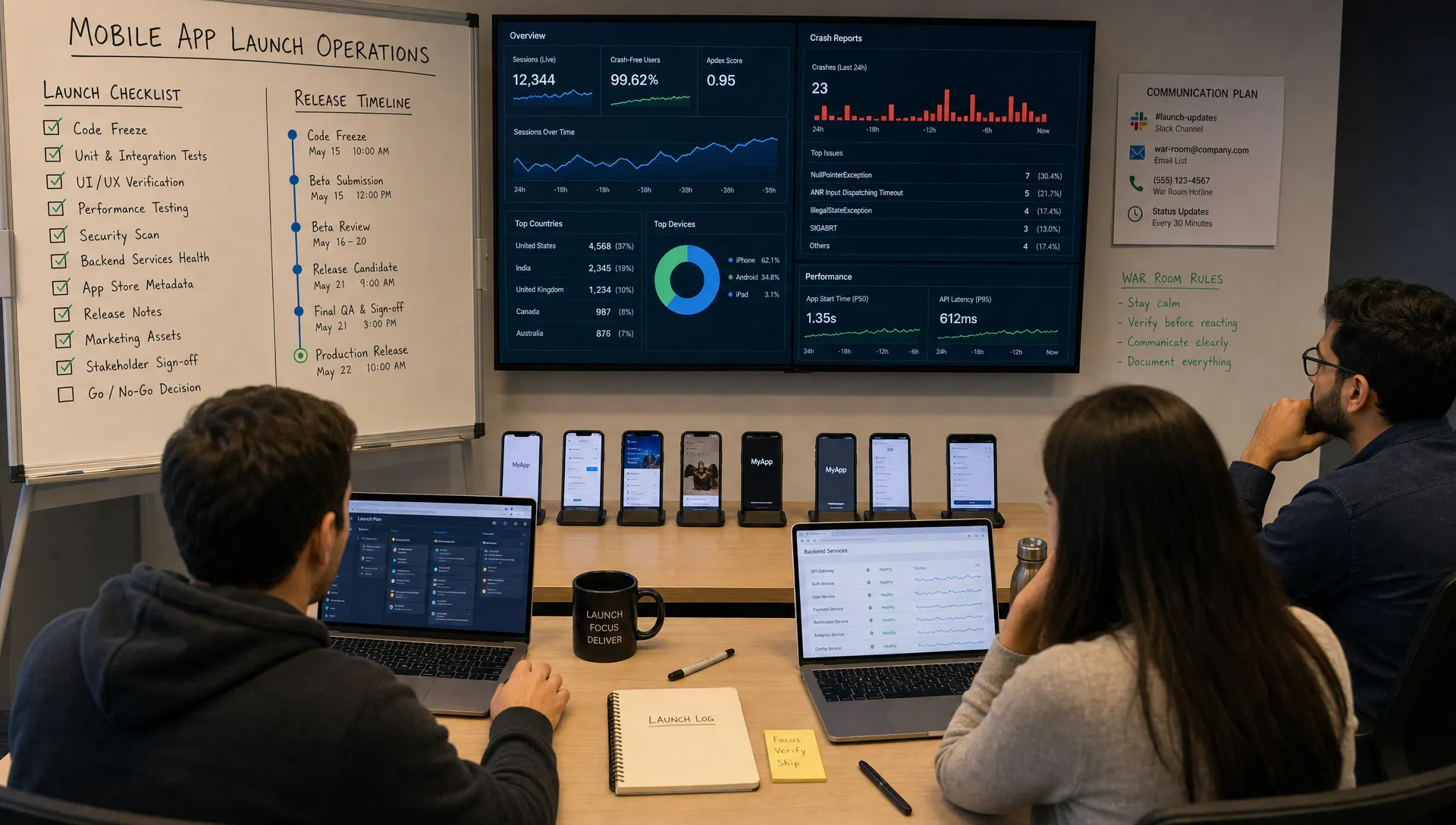
6. Define staged rollout and rollback rules
Mobile rollback is not as instant as web rollback. Once users install a broken app, your ability to reverse the issue depends on the platform, the release method, feature flags, backend compatibility, and whether the bug can be mitigated remotely.
That is why staged rollout planning is a core part of a safer mobile app release checklist.
Google Play supports staged rollouts, and Apple offers phased release options for automatic updates. These controls can reduce blast radius, but only if your team defines what to watch and when to pause.
Before release, document:
- Initial rollout percentage: Decide whether you release to everyone, a small percentage, a geography, or a beta cohort first.
- Promotion criteria: Define the stability and conversion signals required before expanding the rollout.
- Pause criteria: Decide what crash rate, API error, payment issue, or support trend triggers a hold.
- Mitigation options: Identify what can be disabled with feature flags, server-side rules, or remote configuration.
- Rollback communication: Clarify who informs leadership, support, users, and external partners.
A common mistake is treating rollback as a purely engineering decision. In reality, rollback can affect marketing campaigns, sales demos, investor updates, customer promises, and app store visibility. The decision owner should be named before launch.
7. Make backend and cloud systems launch-ready
The mobile app is only one part of the release. Most modern apps depend on authentication, databases, third-party APIs, payment processors, push notification services, analytics pipelines, and cloud infrastructure.
Launch-day incidents often come from assumptions about load, rate limits, queue processing, or third-party behavior. Even if your first user cohort is small, marketing attention, press, influencers, or paid acquisition can create uneven traffic spikes.
Review backend readiness through a mobile lens. Can the API handle duplicate requests from retry logic? Are old app versions compatible with new backend changes? Do push notifications degrade gracefully? Are background jobs idempotent? Are secrets rotated and production credentials protected? Are database migrations reversible or at least well tested?
If you are launching with paid acquisition or a SaaS-style funnel, make sure the traffic plan matches the product’s operational capacity. For teams still deciding who to target and which channel to prioritize after launch, a tool like Acquisition SaaS can help clarify the ideal customer profile, acquisition channel, and first 60 to 90 days of action before you scale traffic into a new product.
8. Check privacy, permissions, and user trust
Users are increasingly sensitive to how apps request data. Apple and Google are also stricter about privacy labels, permission usage, tracking disclosures, and account deletion flows.
A safer release treats trust as part of quality. Before launch, confirm that every permission request is necessary, timed appropriately, and explained in plain language. Users are more likely to accept a permission when they understand why it matters at the moment it is requested.
Review these areas carefully:
- Privacy policy and terms: Make sure they match the app’s actual data collection and usage.
- Account deletion: Confirm users can understand and access the required deletion process.
- Tracking consent: If applicable, ensure consent flows are compliant and not misleading.
- Sensitive data: Validate encryption, retention, access controls, and logging behavior.
- Third-party SDKs: Review analytics, ads, attribution, chat, and crash tools for data collection impact.
Do not let store metadata say one thing while the app does another. Privacy mismatch can lead to rejection, user distrust, or compliance issues after launch.
9. Prepare support before the first complaint
Support readiness is often underestimated by technical teams. But for first releases, users may be confused even when the app works correctly. They may not understand onboarding, pricing, login options, permissions, location settings, or device compatibility.
Create a launch support kit before release. It should include known issues, troubleshooting steps, escalation contacts, refund guidance if relevant, account recovery instructions, response templates, and a way to tag feedback by issue category.
The support team should know the difference between a usability issue, an isolated user problem, and an incident. If five users report the same onboarding error in the first hour, that is not just support volume. It may be a product or backend signal that requires launch-room attention.
Also decide where feedback will be reviewed. App Store reviews, Google Play reviews, email, in-app chat, social channels, and community spaces can fragment the picture. Assign someone to consolidate feedback into a single launch log.
10. Run a launch-day command center
A launch-day command center does not need to be dramatic. It can be a shared document, a Slack channel, a video room, and a dashboard. The point is to remove ambiguity.
Your command center should include:
- Named owners: Product, iOS, Android, backend, QA, support, marketing, and decision owner.
- Timeline: Submission status, release window, rollout steps, marketing pushes, and monitoring checkpoints.
- Incident rules: Severity levels, escalation paths, and decision rights.
- Live notes: What changed, when it changed, who approved it, and what happened afterward.
- User feedback feed: Store reviews, support tickets, analytics anomalies, and social mentions.
The first 24 hours matter, but so do the next 48. Some issues appear only after users return, subscriptions renew, notifications send, or traffic arrives from a second campaign. Schedule monitoring coverage beyond the first celebratory launch post.
11. Decide what “good enough to expand” means
A safer launch is not complete when the app appears in the store. It is complete when the team has enough evidence to continue, expand, pause, or patch.
For a staged rollout, define expansion checkpoints. For example, the team may review crash-free sessions, onboarding completion, payment success, API latency, support ticket themes, and app review sentiment after the first 2 hours, 12 hours, 24 hours, and 72 hours.
Avoid relying on a single metric. A low crash rate can hide a broken signup flow. Strong download numbers can hide poor activation. Good early ratings can hide backend strain. The safest release decisions combine technical health, user behavior, and qualitative feedback.
Common launch-day risks and how to reduce them
Some risks appear again and again across mobile releases. Use this table as a final pre-launch review.
| Risk | Why it happens | Prevention |
|---|---|---|
| Store rejection delays launch | Metadata, privacy, payment, or policy issue | Submit with buffer and review platform rules early |
| Production login fails | Environment mismatch or auth configuration error | Run production smoke tests before release |
| Crash spike on specific devices | Device coverage gaps in QA | Test supported OS and device matrix before approval |
| Backend overload | Traffic exceeds assumptions or rate limits | Load test critical endpoints and monitor capacity |
| Broken analytics | Events missing from release build | Validate events in production before campaigns |
| Support backlog | No prepared response process | Staff launch windows and prepare issue templates |
| Forced hotfix | Late feature change introduces regression | Freeze scope and require release gate approval |
Final 24-hour mobile app release checklist
In the last day before launch, keep the checklist short and decision-oriented. This is not the time to redesign the product or add “one small thing.”
Confirm the final build is approved, store status is known, production smoke tests pass, monitoring is live, support is staffed, rollout rules are documented, stakeholders know the launch timeline, and the decision owner has authority to pause or proceed.
If any of those items are unclear, slow down. A delayed launch is frustrating. A preventable public failure is worse.
Frequently Asked Questions
What is a mobile app release checklist? A mobile app release checklist is a structured set of product, engineering, QA, store, monitoring, support, and rollout checks used to confirm an app is ready for public distribution on iOS and Android.
When should a startup start using a release checklist? Start using it before the final release candidate, ideally 2 to 4 weeks before launch. The checklist is most useful when it influences testing, store preparation, monitoring setup, and rollout planning before the team is under launch-day pressure.
Should we release iOS and Android on the same day? It depends on your product, audience, review status, and support capacity. A same-day launch can simplify marketing, but a staggered release can reduce risk if your team wants to validate one platform before expanding.
What is the most common mobile app launch mistake? One of the most common mistakes is treating launch as a store submission instead of an operational event. A safe launch requires production validation, monitoring, support readiness, rollback planning, and clear ownership.
How do staged rollouts make mobile releases safer? Staged rollouts limit exposure by releasing the app to a smaller audience first. If crash rates, backend errors, or support issues spike, the team can pause expansion and fix the issue before it affects everyone.
Build safer release days with the right technical partner
A strong mobile app release checklist gives your team control when launch pressure is high. But the safest launches are built long before submission, through disciplined product strategy, UX decisions, engineering architecture, QA, deployment automation, and post-launch support.
Appzay partners with funded startups to design, build, launch, and support premium iOS and Android apps end to end. If you want a technical team that can help turn your app idea into a scalable product and a calmer release day, visit Appzay to start the conversation.