5/20/2026
Scope a Mobile CRM App Your Sales Team Won't Abandon
Scope a mobile CRM app your sales team won't abandon. Get workflows, integrations, UX, security, and MVP features that drive adoption.

A sales team will not adopt a mobile CRM app because it has every field from the desktop CRM. Reps adopt it when it helps them move faster in the moments that matter: before a meeting, right after a call, between site visits, while traveling, or when a lead needs action now.
That is the core scoping challenge. A strong mobile CRM app is not a compressed database. It is a field-ready sales workflow that makes the next best action obvious, captures clean data with minimal friction, and syncs reliably with the systems the business already trusts.
For founders and product leaders, this means scope cannot start with a feature wish list. It has to start with the real sales motion, the CRM source of truth, the mobile context, and the adoption incentives that make reps come back.
First, decide what kind of mobile CRM app you are building
Before screens, stories, or estimates, clarify the app’s relationship to the CRM ecosystem. The scope is very different if you are building a companion to Salesforce or HubSpot, a vertical CRM for a niche industry, or a sales productivity layer that writes back to an existing CRM.
The most important question is simple: where is the source of truth?
| Product model | Best fit | Scope impact |
|---|---|---|
| Companion to an existing CRM | Teams already rely on Salesforce, HubSpot, Dynamics, or an internal CRM | Focus on speed, search, note capture, offline behavior, and clean sync back to the main CRM |
| New CRM of record | You are building a vertical CRM or replacing spreadsheets and legacy tools | Scope accounts, contacts, deals, activities, permissions, reporting, admin workflows, and data migration earlier |
| Sales workflow app with CRM sync | The app solves a specific sales job, such as meeting capture, route visits, lead follow-up, or field notes | Keep the workflow narrow, then define exactly which records and fields sync to the CRM |
A companion app can often launch with a smaller, sharper V1 because it does not need to own every admin workflow. A CRM of record needs more foundational work because it becomes the business system that sales, management, and operations depend on.
This decision also affects architecture, permissions, QA, App Store review materials, and integration testing. If your app touches customer data, sales activity, and revenue forecasts, the hidden complexity is rarely in the first screen. It is in sync logic, identity, data quality, and trust.
Start with sales moments, not CRM modules
Sales reps do not think in modules. They think in moments: I am walking into a meeting, I need context now. I just finished a call, I need to log the outcome before I forget. I am between visits, I need to know who to contact next.
A usable mobile CRM app should be scoped around those moments first. This keeps the product grounded in behavior instead of internal CRM categories.
| Sales moment | Rep question | Mobile feature that may matter |
|---|---|---|
| Before a meeting | What do I need to know about this account? | Fast account lookup, recent activity, open tasks, contact history, deal stage |
| During travel | Who should I visit or call next? | Priority task list, territory context, calendar integration, location-aware planning if relevant |
| Immediately after a call | How do I capture this without admin work? | One-tap outcome, note capture, next step, follow-up reminder, CRM sync |
| When a lead is assigned | What should I do first? | Push notification, lead details, call or email action, status update |
| Manager review | What changed this week? | Activity summary, overdue follow-ups, deal movement, coaching signals |
This approach prevents a common mistake: building a mobile version of every desktop page. On mobile, the best product is often a focused layer for urgent context and fast action, not a complete administrative workspace.
Salesforce’s ongoing State of Sales research consistently highlights how much sales teams balance selling time, data entry, tools, and customer expectations. Whether you use Salesforce or not, the lesson is relevant: if mobile CRM scope adds administrative friction, reps will work around it.
Define the core loop reps can finish quickly
Every mobile CRM app needs a core loop. This is the repeatable action that creates the habit and proves the product’s value.
For many sales teams, the loop looks like this: open the app, see the next priority, review context, take action, capture the result, sync the update, and receive a clear next step.
That loop should be possible without hunting through tabs, waiting on slow screens, or completing fields that do not matter in the moment. Some sales workflows are complex, but the frequent mobile loop should feel fast.
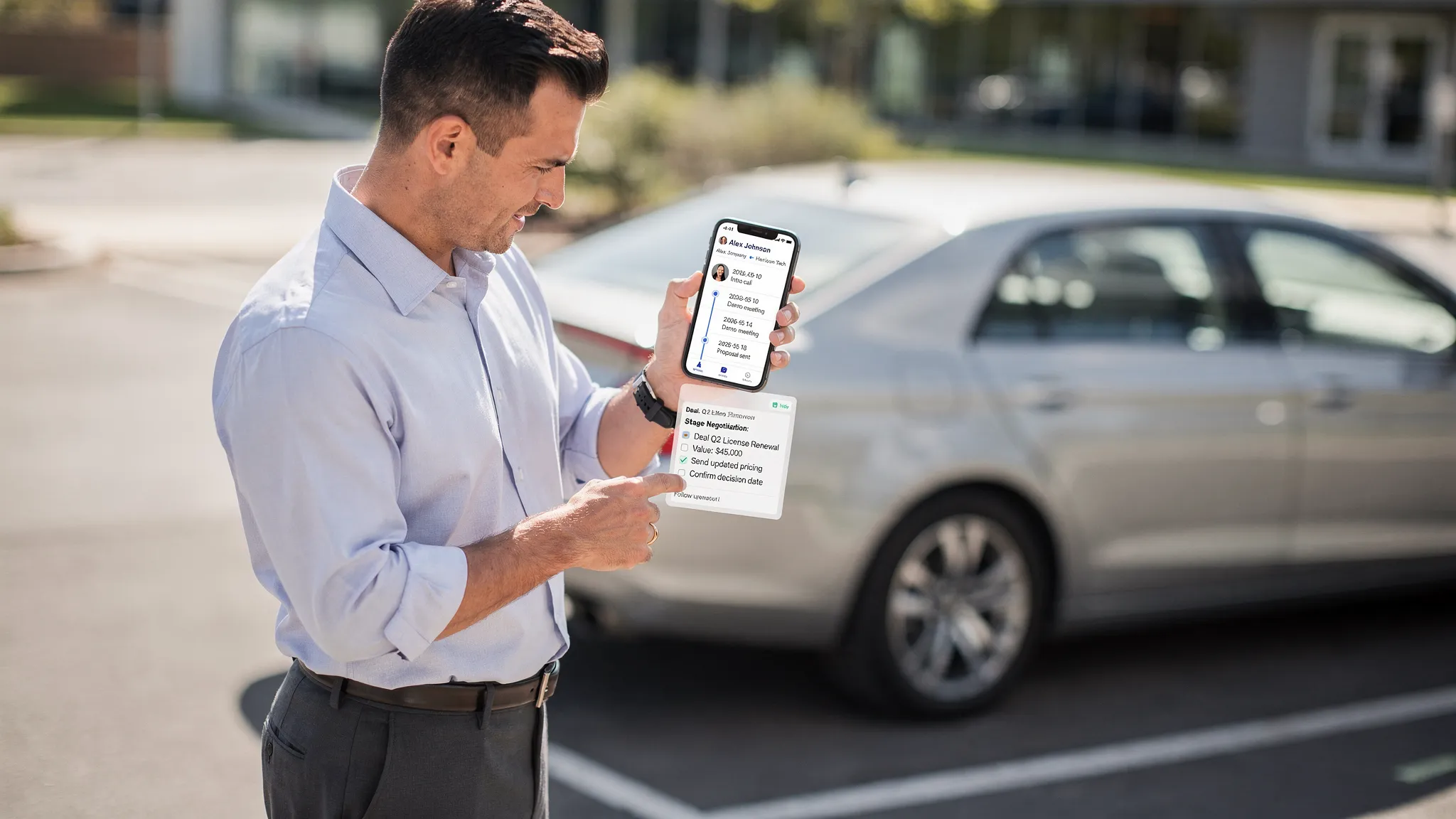
A useful scoping test is to ask: what is the smallest complete sales action the app must support? Not the smallest screen. Not the smallest database table. The smallest complete sales action.
Examples include logging a visit and creating a follow-up, accepting a new lead and calling it, updating an opportunity stage after a meeting, or reviewing account context before a customer conversation. If V1 does not complete at least one high-frequency sales action cleanly, it will struggle to become part of the team’s day.
Choose MVP features by workflow value, not executive wish lists
A mobile CRM app MVP should be narrow, but it cannot feel unfinished in the workflow it promises. The goal is the smallest credible product that sales teams can use in real conditions.
Use the table below as a starting point, then adjust it to your sales motion.
| Capability | Include in V1 when | Postpone when |
|---|---|---|
| Secure login and role-aware access | The app exposes customer, deal, or contact data | Almost never, this is foundational |
| Account and contact search | Reps need context before calls or visits | The app only captures new leads and does not use existing accounts |
| Activity logging | CRM data quality is a core business goal | The app is purely read-only, which is rare for sales adoption |
| Follow-up tasks | Sales outcomes depend on next steps | Another system already owns tasks and mobile updates are not needed |
| Opportunity or deal updates | Reps manage pipeline from the field | Managers own deal updates outside the app |
| Offline caching and sync queue | Reps work in hospitals, events, field sites, travel, or weak networks | Users are always online and the workflow is not time-sensitive |
| Push notifications | Lead speed, follow-up timing, or task urgency matters | Notifications would only repeat information users already see elsewhere |
| Manager dashboards | Sales managers are a primary mobile persona | Managers can use desktop reporting for V1 |
| Advanced forecasting | Forecasting is a differentiator and data is reliable | You have not yet solved capture, sync, and adoption |
| AI recommendations | There is clean historical data and a clear action model | AI would mask unclear workflows or poor data quality |
The MVP should usually prioritize rep adoption before manager visibility. Managers care about dashboards, but dashboards depend on accurate activity data. Accurate activity data depends on reps actually using the app. Scope the product in that order.
If your app involves meeting capture, transcription, or CRM sync, it is worth studying integration-heavy examples. Appzay’s Bliro mobile AI meeting companion case study shows how mobile capture, background resilience, offline caching, privacy, and CRM sync can become central product concerns, not add-ons.
Scope integrations before you design the final screens
CRM apps become expensive when integration decisions are delayed. A prototype may look simple, but the real product has to authenticate users, map records, handle API limits, survive weak networks, resolve conflicts, and prevent duplicate or stale data.
This is why integration planning belongs in the first scoping phase. It should not wait until engineering starts.
| Integration question | Decision to make early | Why it matters |
|---|---|---|
| What is the source of truth? | Existing CRM, new backend, or hybrid ownership | Determines sync direction, permissions, and conflict rules |
| Which objects are in scope? | Leads, accounts, contacts, opportunities, activities, tasks, notes | Prevents uncontrolled field expansion |
| Which fields are editable on mobile? | Only fields reps can update reliably in context | Protects data quality and reduces UI clutter |
| Is sync one-way or two-way? | Read-only, write-back, or bidirectional sync | Changes architecture, testing, and failure handling |
| What happens offline? | Cache only, queued writes, or full offline workflow | Impacts data models, UX states, and QA effort |
| How are conflicts handled? | Last write wins, user review, server rules, or admin review | Avoids silent data loss |
| What systems besides CRM matter? | Calendar, email, calling, maps, analytics, identity, push | Prevents late surprises in permissions and release readiness |
A maintainable mobile CRM app usually needs a backend layer between the app and third-party systems. This keeps secrets off the device, centralizes business rules, normalizes vendor differences, and gives the team better control over retries, webhooks, audit logs, and sync jobs.
For a deeper integration planning framework, see Appzay’s app integration guide. If you expect the product to grow beyond V1, also plan architecture patterns that avoid rewrites using principles from scale app architecture.
Design for the rep’s environment, not the conference room demo
Mobile CRM design has to survive real sales conditions. Reps may be walking, driving between meetings, sitting in a lobby, rushing out of a customer visit, or using the app with poor signal. A polished demo screen is not enough.
The UX should reduce cognitive load. Prioritize large tap targets, fast search, obvious primary actions, and short forms. Use smart defaults where possible. Save drafts automatically. Make sync status visible. Let reps complete partial updates when a full update would be unrealistic.
Mandatory fields deserve special attention. On desktop, a required field may be annoying. On mobile, it can kill adoption. If a field is essential for reporting, ask whether it must be captured by the rep in the moment, inferred from context, completed later, or handled by operations.
Platform conventions also matter. Apple’s Human Interface Guidelines and Google’s Material Design are not just visual references. They help teams design navigation, gestures, permissions, feedback, and accessibility in ways users already understand.
A practical rule: the app should make the next sales action easier than skipping the CRM. If a rep can send themselves a note faster than using your app, the scope is wrong.
Make notifications useful, not noisy
Notifications can drive adoption, but only if they are tied to sales commitments. Generic reminders become background noise. Useful notifications create timely action.
| Good notification trigger | Why it works | What to avoid |
|---|---|---|
| New high-priority lead assigned | Speed matters and the next action is clear | Sending every lead assignment regardless of urgency |
| Follow-up due soon | It helps the rep keep a customer promise | Repeating overdue alerts without a direct action |
| Meeting ended with no activity logged | The context is fresh and the task is small | Interrupting during the meeting or requiring long forms |
| Deal changed by another stakeholder | It affects the rep’s next conversation | Notifying every small field change |
| Customer reply or buying signal | The notification supports revenue action | Sending vague engagement summaries |
Every notification should answer three questions: why now, what changed, and what can the rep do next? If there is no direct action, consider an in-app feed or digest instead of a push notification.
Treat security and compliance as core scope
A mobile CRM app often contains names, emails, phone numbers, notes, deal values, customer history, and sometimes regulated information depending on the industry. Security cannot be added at the end.
At minimum, scope decisions should cover authentication, session management, secure storage, transport encryption, permission boundaries, data retention, logging, and device-loss scenarios. For enterprise sales tools, single sign-on, mobile device management compatibility, auditability, and role-based access may also be necessary.
| Security area | Scoping question |
|---|---|
| Authentication | Will users log in with email, SSO, magic link, biometric unlock, or a combination? |
| Authorization | Which roles can view, edit, export, or delete CRM records? |
| Local storage | What data can be cached on-device, for how long, and under what protections? |
| Audit trail | Which user actions need to be traceable for operations or compliance? |
| Privacy disclosures | What data is collected, processed, shared, or used for analytics? |
| Device risk | What happens if a rep loses a phone or leaves the company? |
The OWASP Mobile Application Security Verification Standard is a useful reference for mobile security expectations. Store compliance should also be planned early, especially around privacy labels, permissions, account deletion, and data handling. Appzay’s guide to App Store app requirements covers the platform review side of that work.
Build the roadmap as vertical slices
The safest roadmap is not a long list of disconnected features. It is a sequence of vertical slices, where each release supports a complete user outcome across UX, app logic, backend, integrations, QA, and analytics.
| Release | Product goal | Typical scope |
|---|---|---|
| V1 | Prove reps will use the mobile workflow | Login, priority list, account or lead context, activity capture, follow-up task, CRM sync, analytics, core QA |
| V1.5 | Improve repeat use and operational fit | Better search, saved filters, manager views, notification tuning, edge-case sync handling, support workflows |
| V2 | Expand intelligence and automation | Advanced reporting, AI-assisted notes or next actions, forecasting support, territory workflows, deeper integrations |
This approach keeps the product shippable. It also makes risk visible. If offline sync is essential, it belongs inside the first vertical slice, not in a later technical cleanup. If AI-assisted note capture is the differentiator, it needs to be tested early enough to prove quality, privacy, and workflow fit.
For broader MVP thinking, Appzay’s guide to the leanest mobile app MVP that can still win explains how to cut scope without cutting the product’s promise.
Define adoption metrics before launch
A mobile CRM app should not be judged only by downloads. Sales teams may install tools they never use. The better question is whether the app changes daily sales behavior and improves CRM data quality.
Choose metrics that connect product usage to sales operations outcomes.
| Metric | What it reveals | How to use it |
|---|---|---|
| Activation rate | Whether reps reach first meaningful value | Track users who complete the core loop after onboarding |
| Repeat usage | Whether the app becomes part of the sales rhythm | Measure weekly active reps by role and team |
| Mobile activity capture | Whether reps use the app for CRM updates | Compare activity logs created on mobile versus other channels |
| Time to log outcome | Whether the app reduces admin friction | Measure from meeting or call end to saved update when possible |
| Follow-up completion | Whether next steps are being created and closed | Track task creation, due dates, and completion rates |
| Sync failure rate | Whether technical issues undermine trust | Monitor failed writes, retries, conflicts, and stale data |
| Crash-free sessions | Whether the app is stable enough for field use | Treat stability as a sales productivity requirement |
Do not wait until launch to add instrumentation. Analytics events should be part of the product specification, prototype review, QA plan, and release checklist.
Prepare these artifacts before engineering starts
The best scoping work produces build-ready decisions, not just a slide deck. Before implementation, your team should have a shared understanding of the user journey, data model, technical risks, release priorities, and acceptance criteria.
Useful pre-build artifacts include:
- Sales workflow map showing the core rep and manager moments.
- MVP interaction map that defines the smallest complete sales loop.
- CRM object and field map with read, write, and sync rules.
- Integration risk register for CRM, identity, push, analytics, calendar, email, or calling.
- Interactive prototype for the highest-risk mobile workflows.
- Analytics plan tied to adoption, data quality, sync health, and stability.
- Release plan covering beta users, QA scenarios, store readiness, and post-launch support.
Developer-ready wireframes are especially important for CRM products because small missing states can create large delays. Empty accounts, duplicate contacts, failed sync, expired sessions, revoked permissions, and merge conflicts all need UX decisions. Appzay’s guide to app screens planning explains how to turn screen ideas into build-ready handoff.
Common scoping mistakes that hurt adoption
Cloning the desktop CRM
A desktop CRM is often optimized for completeness. A mobile CRM app should be optimized for speed, context, and action. If the mobile experience mirrors every tab and field from desktop, it will likely feel slow and irrelevant.
Starting with manager reporting instead of rep behavior
Manager dashboards are valuable, but they depend on rep input. If the rep workflow is painful, the reporting layer will be built on incomplete data. Scope the capture loop first, then expand visibility.
Treating offline support as a later enhancement
Offline behavior is not optional for many field teams. If reps work in hospitals, manufacturing sites, rural areas, events, basements, or airplanes, weak connectivity is part of the product environment. Retrofitting offline sync later can be costly.
Requiring too much data in the moment
Sales teams will avoid mobile forms that feel like audits. Capture what is essential now, make the next action obvious, and defer secondary data when possible.
Adding AI before the workflow is clear
AI can be valuable for summarization, note extraction, next-step suggestions, and prioritization. But it does not fix unclear workflows, messy data, or poor adoption. Scope AI only where it reduces a specific sales burden and can be evaluated reliably.
Frequently Asked Questions
How much should a mobile CRM app include in V1? A strong V1 should include one complete sales workflow, such as lead action, meeting follow-up, account visit logging, or opportunity update. It should also include secure access, essential CRM data, sync, error states, analytics, and enough UX polish for real reps to use it.
Should we build a standalone CRM or integrate with an existing CRM? If the sales team already relies on a CRM, integration is usually the better starting point. Build a standalone CRM only if replacing the current system is part of the business strategy or if you are creating a vertical CRM where the existing tools do not fit the workflow.
Is offline support necessary for a mobile CRM app? It depends on the sales environment. Office-based SDR teams may not need full offline workflows, but field sales, healthcare, events, construction, logistics, and travel-heavy teams often do. If offline usage is common, scope it from the beginning.
What is the biggest hidden cost in mobile CRM development? Integration complexity is often the biggest hidden cost. Field mapping, permissions, API limits, two-way sync, duplicate handling, conflict resolution, and failure recovery can take more effort than the visible UI.
How do we know if sales reps will actually use the app? Test the core loop with real reps before building, then measure activation, repeat usage, mobile activity capture, time to log outcomes, follow-up completion, sync health, and qualitative feedback during beta.
Scope your mobile CRM app with a product team that understands launch risk
A mobile CRM app succeeds when product strategy, UX, mobile engineering, integrations, security, and release operations work together from the start. The right scope is not the biggest feature set. It is the smallest complete workflow that sales teams trust enough to use every day.
Appzay helps funded startups design, build, and launch premium iOS and Android apps from concept to App Store. If you are planning a mobile CRM app, CRM companion, or sales productivity product, our team can help you turn the idea into a focused MVP scope, interactive prototype, scalable architecture, and launch-ready build.