5/30/2026
How App Designers Turn Startup Ideas Into Products
See how app designers turn startup ideas into usable products through strategy, UX, prototyping, engineering handoff, and launch iteration.
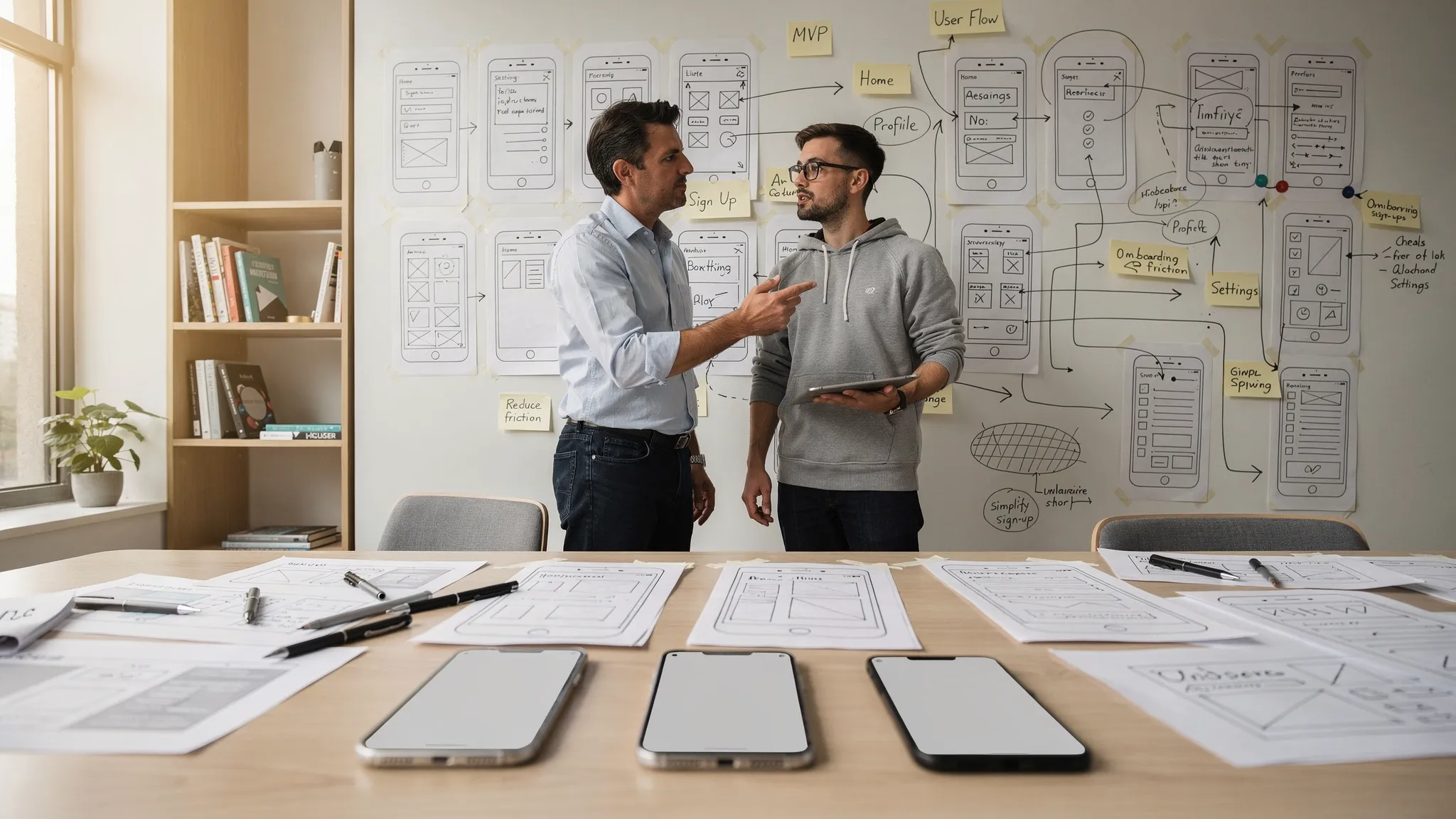
Most startup ideas sound clear in a pitch: a better way to book appointments, manage field teams, coach fitness clients, approve invoices, or capture customer data on the go. The hard part is turning that idea into a product people can open, understand, trust, and use repeatedly.
That is where app designers create leverage. Great app designers do far more than make screens look polished. They translate a founder’s vision into product decisions: who the app is for, what the first valuable action is, which features belong in the MVP, how users move through the experience, and what engineers need to build without guesswork.
For funded startups, this design work is not cosmetic. It is risk reduction. Every clear flow, tested prototype, and build-ready specification lowers the chance of expensive rework once iOS and Android engineering begins.
The real job of app designers
App designers sit between strategy, user experience, interaction design, and product execution. Their work begins before visual styling and continues after the first design handoff.
A strong designer does not ask, “What screens do you want?” They ask, “What user behavior must this product create?” That question changes everything. Instead of turning a feature list into a pretty interface, the designer helps shape a usable product system.
| Founder input | What app designers turn it into |
|---|---|
| A rough idea | A specific product promise for a specific user |
| A broad target market | Priority personas, jobs to be done, and usage context |
| A feature wishlist | A focused MVP scope and core product loop |
| Sketches or pitch deck slides | Screen maps, user flows, wireframes, and prototypes |
| Business goals | Activation, retention, revenue, or workflow success metrics |
| Technical unknowns | Feasibility questions, integration notes, and edge cases |
This translation matters because mobile products are constrained environments. Users are distracted. Screens are small. Permissions are sensitive. Performance expectations are high. A startup app has to prove value quickly, often in the first minute of use.
Start with a sharp product promise
Before designing interfaces, app designers help founders compress the idea into a clear promise. This is the practical version of the pitch: who the app helps, what it helps them do, and why the mobile experience is the right way to solve the problem.
A weak promise sounds like this: “We are building an app for personal productivity.” A stronger promise sounds like this: “We help independent consultants capture meeting notes, summarize follow-ups, and sync next steps before they leave the client’s office.”
The second version gives designers something to work with. It reveals the user, the moment, the action, the environment, and the expected outcome. From there, design can become specific.
A useful product promise usually answers five questions:
| Question | Why it matters |
|---|---|
| Who is the primary user? | Prevents designing for everyone and satisfying no one |
| What problem happens often enough? | Helps identify repeat usage potential |
| Why mobile? | Confirms the app belongs on a phone, not only on the web |
| What is the first valuable outcome? | Guides onboarding and activation |
| How will success be measured? | Connects design decisions to business goals |
This stage often feels slower than jumping into screens, but it saves time later. A vague idea produces vague designs. A sharp promise gives the team a decision filter.
Validate before you decorate
App designers should not treat the founder’s assumption as the final truth. They help test whether the idea maps to a real user need, a real workflow, and a real willingness to change behavior.
Validation does not always require months of research. For a startup MVP, it may include customer interviews, competitor teardown, app store review mining, clickable prototype tests, landing page experiments, or concierge workflows that simulate the product manually.
If the product targets businesses, design validation should also connect to commercial validation. A prototype becomes much more useful when paired with founder-led outreach, sales discovery, or a B2B customer acquisition agency that can help test whether real buyers will take calls around the problem.
The key is to validate the riskiest assumption before engineering commits. For a consumer wellness app, that might be whether users will complete onboarding and return tomorrow. For a field operations app, it might be whether workers can complete the core workflow one-handed in poor network conditions. For a fintech app, it might be whether users trust the product enough to connect accounts.
Designers turn these questions into testable artifacts. A static pitch deck says what the product could be. A prototype shows whether users understand what to do.
Shape the MVP around a complete core loop
One of the most valuable things app designers do is protect the MVP from becoming a feature dump. A mobile MVP should not be the smallest pile of features. It should be the smallest complete experience that delivers one meaningful win.
That is why designers focus on the core loop. The core loop is the repeatable sequence that creates value for the user and signals value for the business. If that loop is unclear, adding more features will not fix the product.
For example, a marketplace app might need a loop like browse, compare, message, book, review. A sales productivity app might need capture, summarize, assign follow-up, sync to CRM, remind. A health coaching app might need plan, log, receive feedback, adjust, repeat.
At this stage, app designers help founders decide what belongs in V1 and what should wait. This is closely related to building a mobile app MVP that is lean enough to launch but complete enough to win.
| MVP element | Designer’s responsibility |
|---|---|
| First-session path | Make the first valuable action obvious and fast |
| Repeat trigger | Design the reason users come back |
| Trust moments | Clarify permissions, privacy, payments, or data use |
| Empty states | Help new users understand what to do before data exists |
| Error states | Keep users oriented when something fails |
| Success states | Confirm progress and reinforce the product’s value |
A strong MVP design often looks simpler than the founder expected. That is usually a good sign. Simplicity means the team has made decisions.
Turn flows into screens users can actually navigate
Once the product promise and MVP loop are clear, designers map the user flows. A user flow is not just a diagram of screens. It is a sequence of decisions, actions, feedback, and system responses.
This is where many startup apps become real for the first time. The founder sees what happens after sign-up, what the user sees before they have data, where permission prompts appear, how payments work, what happens when a request fails, and how the app guides users back to the main action.
Good flows answer practical questions that feature lists hide. Does onboarding happen before or after the user sees value? Is account creation required immediately? What can users do offline? How does the app recover from a failed API call? What does the user see while an AI task is processing? What happens if a subscription expires?
Designers then turn those flows into screen maps, wireframes, and interaction models. At low fidelity, the goal is not beauty. The goal is clarity. Can a user understand the next step? Is the hierarchy obvious? Is the product asking for too much too soon?
For teams still early in the process, it is worth reviewing how to design the app before writing code, because the best time to solve flow problems is before implementation starts.
Prototype the risky moments before engineering starts
A prototype is where the idea starts behaving like a product. It lets founders, users, designers, and engineers experience the flow instead of imagining it.
The goal is not to prototype every possible screen. The goal is to prototype the moments that carry the most risk. That might be onboarding, search, booking, checkout, data capture, voice recording, AI summarization, map navigation, or any interaction that must feel fast and trustworthy.
Prototypes reveal issues that documents rarely catch. Users may misunderstand labels. They may skip the action the founder thought was obvious. They may hesitate at a permission prompt. They may expect feedback after tapping a button. They may need reassurance before connecting sensitive data.
When these insights appear during prototyping, they are cheap to fix. When they appear after engineering, they can trigger design revisions, backend changes, QA delays, and launch risk.
Design for mobile behavior, not desktop logic
Mobile design is not a smaller version of web design. Phones are personal, interrupt-driven, touch-based, and deeply connected to device capabilities.
App designers must account for thumb reach, gestures, haptics, biometric authentication, push notifications, camera access, location permissions, background behavior, battery impact, offline states, and platform expectations on iOS and Android.
This is also where native patterns matter. Users expect certain interactions to feel familiar on their device. A tab bar, sheet, permission prompt, date picker, or share flow should not feel strange unless there is a strong product reason. Designers need to understand when to follow platform conventions and when a custom pattern creates genuine differentiation.
The best mobile products feel obvious without feeling generic. That balance comes from respecting user habits while designing around the startup’s unique value proposition.
Collaborate with engineers before the files look final
App designers turn ideas into products most effectively when they work with engineers early. Design decisions often carry hidden technical implications.
A small visual element might require real-time sync. A “save for later” button might require offline storage and conflict handling. A personalized feed might require ranking logic. A social feature might require moderation tools. A payment flow might require specific App Store and Google Play rules. An AI feature might require latency handling, fallback states, and user trust messaging.
If designers work in isolation, the team may end up with beautiful screens that are expensive, fragile, or unrealistic for the MVP timeline. If engineers join too late, feasibility concerns become delays instead of design inputs.
At Appzay, product strategy and UX design are connected with native iOS and Android engineering, cloud integration, CI/CD, release orchestration, and launch support. That integrated approach helps founders avoid the gap between “approved design” and “buildable product.”
Make the handoff build-ready
A design handoff is not just a Figma file. For engineering teams, the handoff should remove ambiguity.
Developers need to know what each screen does, what data it needs, what happens in each state, what interactions are expected, and how success will be measured. When those details are missing, engineers have to guess. Guessing creates inconsistency, slows delivery, and often produces rework during QA.
| Build-ready artifact | What it clarifies |
|---|---|
| Annotated screens | Layout, behavior, content rules, and interaction notes |
| User flow diagrams | How users move through the product from start to finish |
| State matrix | Empty, loading, success, error, offline, and permission states |
| Component library | Reusable buttons, inputs, cards, navigation, and patterns |
| Acceptance criteria | What must be true for a feature to be considered done |
| Analytics notes | Events tied to activation, retention, conversion, or workflow success |
| Accessibility notes | Contrast, text sizing, tap targets, labels, and readable hierarchy |
This level of detail does not make engineering slower. It makes engineering more predictable. Teams can estimate better, test better, and ship with fewer surprises.
Stay involved through QA, launch, and iteration
The designer’s role should not end when development begins. Real products are shaped through implementation, QA, beta testing, store preparation, and post-launch learning.
During QA, designers help catch experience issues that automated tests will not detect. A technically working flow may still feel confusing. A success message may be unclear. A loading state may create anxiety. A permission prompt may appear too early. A key CTA may be hidden below the fold on smaller devices.
During launch, design also affects store conversion. App icons, screenshots, preview copy, onboarding screens, and permission explanations all influence whether users install and trust the app. For a deeper launch view, Appzay has a guide on application store optimization that drives more downloads.
After launch, designers use product data and user feedback to refine the experience. The first version should answer learning questions: Where do users drop off? Which action predicts retention? Which screen creates confusion? Which feature is ignored? Which message improves activation?
This is the moment when an app stops being an idea and becomes a living product.
What great app designers ask founders
The quality of a designer’s questions usually predicts the quality of the product. If the conversation stays at the level of colors, animations, and trendy interfaces, the team may miss the deeper product work.
Strong app designers ask questions like these:
- Who has the problem most urgently?
- What action must users complete in the first session?
- What can the app do better than a spreadsheet, website, or manual workflow?
- Which features are needed for trust, not just convenience?
- Which integrations are essential for the core loop?
- What metric will prove the app is working?
- What should be deliberately excluded from V1?
These questions may feel uncomfortable because they force tradeoffs. That is the point. Startups do not win by designing everything. They win by designing the right thing first.
Common founder mistakes when working with app designers
Many design problems start before design begins. Founders often hire designers too late, provide too little product context, or evaluate work only by visual polish.
| Mistake | Better approach |
|---|---|
| Asking for screens before defining the user outcome | Start with the product promise, core loop, and success metric |
| Treating design as decoration | Use design to reduce product, usability, and engineering risk |
| Adding every investor or customer request to the MVP | Prioritize the smallest complete user journey |
| Waiting too long to involve engineers | Review technical feasibility during flows and prototyping |
| Ignoring edge states | Design empty, loading, error, permission, and offline states early |
| Ending design involvement at handoff | Keep designers engaged through QA, launch, and iteration |
The highest-risk mistake is confusing “designed” with “ready to build.” A product is ready to build only when the team understands the user journey, the interaction details, the technical constraints, and the launch requirements.
How to know your idea is becoming a real product
You can tell a startup idea is turning into a product when the conversation changes.
Instead of debating abstract features, the team is discussing user moments. Instead of saying “the app should be simple,” the team can point to the exact flow that makes it simple. Instead of assuming users will understand, the team has tested a prototype. Instead of handing engineers a beautiful mockup, the team provides states, rules, metrics, and acceptance criteria.
A real product has a clear promise, a focused MVP loop, a buildable design system, a technical plan, a launch path, and a way to learn after release. App designers help create that bridge.
For funded startups, this bridge is especially important. Capital creates pressure to move fast, but speed without clarity burns runway. The right design process lets the team move quickly because the important decisions are visible before code is written.
Frequently Asked Questions
What is the difference between app designers and app developers? App designers define the user experience, flows, interface, interaction patterns, and product behavior. App developers implement the product in code, connect backend systems, manage performance, and prepare releases. The best outcomes happen when designers and developers collaborate early.
When should a startup bring in app designers? Bring in app designers after you have a rough product idea and before you commit to engineering. They are most valuable during discovery, MVP scoping, user flows, prototyping, and build-ready specification.
Do app designers only create UI screens? No. UI screens are one output, but strong app designers also work on product strategy, UX research, user flows, prototypes, design systems, edge states, and engineering handoff.
How long does app design take before development starts? It depends on product complexity, but many startup MVPs benefit from a focused discovery and design phase before full development. The goal is not to design forever. The goal is to resolve enough uncertainty to build predictably.
Can app designers help after launch? Yes. Designers can review analytics, study user feedback, improve onboarding, refine retention loops, update store assets, and help prioritize the next product iteration.
Turn your startup idea into a build-ready product
A strong mobile product is not created by jumping from idea to code. It is shaped through strategy, UX design, prototyping, technical planning, launch readiness, and iteration.
Appzay partners with founders to design, build, and launch premium iOS and Android apps end-to-end. If you have a funded startup idea and need a team that can act as a technical product partner from concept to App Store, Appzay can help turn the vision into a product users can actually open, trust, and use.