5/16/2026
Get More App Downloads in 30 Days With Smarter ASO
ASO app store optimization that drives downloads: improve visibility, conversion, screenshots, reviews, and 30-day launch momentum.

A startup launch is a narrow window. You have a new product, a limited audience, a finite budget, and a short period to prove that people will not only download the app but also keep using it. That is why ASO app store optimization should not be treated as a last-minute copywriting task. For a startup, ASO is part positioning, part conversion design, part launch operations, and part product quality.
The best launch listings do three things fast: they help the right users find the app, convince those users that the app is worth installing, and set expectations that the product can actually meet. If your metadata promises one thing and onboarding delivers another, early ratings and retention will expose the gap.
Below is a practical ASO launch playbook for funded startup teams preparing to ship on iOS, Android, or both.
Why launch ASO is different from ongoing ASO
Ongoing ASO is usually data-rich. You can compare keyword rankings, test creative, read review themes, and iterate based on conversion rates. Launch ASO is different because you are building the best possible starting position before you have much store data.
That means your first version needs to be based on research, user interviews, competitor analysis, beta feedback, and a clear product strategy. You are not trying to optimize everything. You are trying to avoid the biggest launch mistakes that make a good app look unclear, risky, or unfinished.
A launch-ready store listing should answer four questions in seconds:
- Who is this app for?
- What problem does it solve?
- Why should a user trust it?
- What will happen after the install?
Apple and Google also give teams multiple surfaces to influence these decisions, from app names and descriptions to screenshots, preview videos, privacy details, ratings, and custom listing tools. Review Apple's product page guidance and Google Play's store listing guidance early so your ASO plan matches current platform expectations.
Start with positioning before keywords
Many startup teams open an ASO tool, export keywords, and then try to fit the app around them. That usually leads to generic listings that sound like every competitor. A better sequence is to define your positioning first, then choose keywords that support it.
Your launch positioning should be specific enough that a user can self-identify. A broad productivity app for everyone is hard to understand. A field reporting app for solar installation teams is much easier to evaluate, search for, and recommend.
| Positioning question | Launch decision to make | Why it matters for ASO |
|---|---|---|
| Primary user | The exact audience you want first | Helps you choose search terms, visuals, and proof points |
| Core job | The main task the app helps users complete | Keeps screenshots and descriptions focused |
| Alternative | What users do today instead | Reveals competitor keywords and switching objections |
| First value moment | The first meaningful result after install | Shapes onboarding, reviews, and screenshot order |
| Trust requirement | What users need to believe before installing | Guides privacy, security, social proof, and support messaging |
If your positioning still feels fuzzy, pause the ASO work and validate the market. App store traffic will not fix a weak promise. For a deeper pre-build process, see Appzay's guide to app market research before you build.
Build a launch keyword plan that matches real intent
Keywords still matter, but they should not dominate the launch strategy. For startups, the goal is not to rank for the biggest possible terms on day one. It is to capture the highest-intent searches where your app can credibly compete.
Think in layers. Your brand terms help people who already heard about you. Category terms describe what the app is. Problem terms match what users are trying to solve. Use-case terms often convert best because they include context, such as a role, workflow, or specific outcome.
| Keyword layer | Example pattern | Launch priority |
|---|---|---|
| Brand | App name, company name, campaign name | Essential if you are driving press, ads, waitlist, or investor traffic |
| Category | Habit tracker, expense manager, meeting recorder | Useful, but often competitive |
| Problem | Reduce food waste, track mileage, capture field notes | Strong for clear pain points |
| Use case | CRM notes for sales reps, workouts for new runners | Often best for early conversion |
| Competitor alternative | Similar to a known tool, but for a narrower audience | Use carefully and avoid trademark misuse |
On iOS, pay attention to the app name, subtitle, keyword field, promotional text, and category. On Google Play, the app name, short description, full description, category, tags, and listing assets all contribute to how the store and users understand the app.
Avoid repeating the same phrase everywhere. Repetition can make your listing sound spammy and reduce user trust. A tighter approach is to use the app name and subtitle for the clearest promise, then use descriptions and screenshots to explain specific use cases.
Design screenshots as conversion assets, not decorations
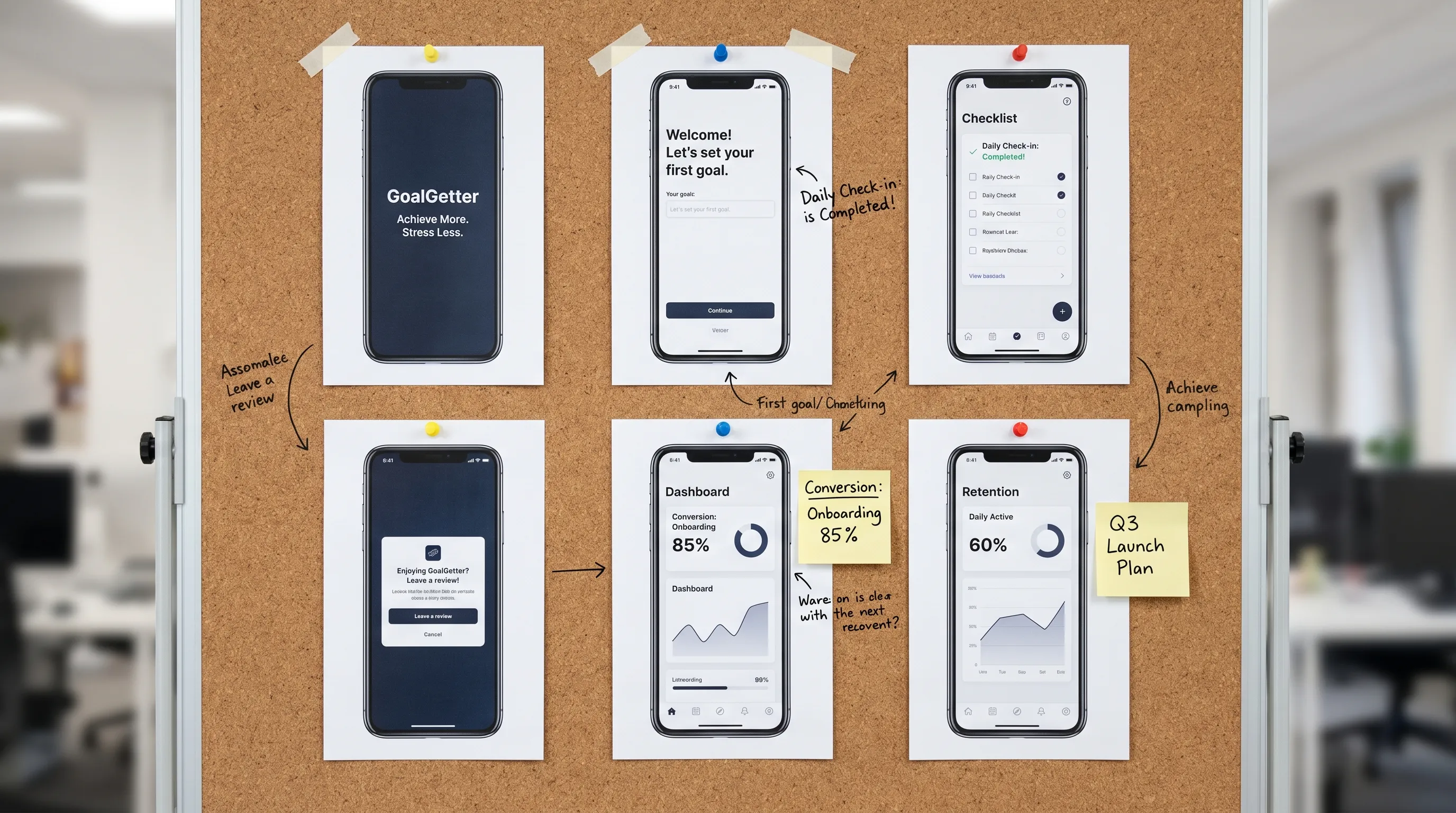
Screenshots are often the most important conversion asset in a startup launch. Users may skim the title, glance at the rating, then swipe through the first few screenshots before deciding.
The first three screenshots should tell a simple story. The first should communicate the main value. The second should show the core action. The third should reduce a trust or usability concern. Later screenshots can show secondary features, integrations, personalization, or cross-platform benefits.
| Screenshot slot | Job at launch | Common mistake |
|---|---|---|
| First | Communicate the strongest outcome | Showing a beautiful but context-free dashboard |
| Second | Show the core user action | Highlighting a secondary feature too early |
| Third | Build trust or explain the workflow | Adding vague benefit copy with no product evidence |
| Later slots | Support specific use cases | Cramming every feature into one crowded screen |
| Final slot | Reinforce credibility or next step | Ending with generic branding instead of a reason to install |
For a startup, clarity usually beats visual complexity. Use real interface moments, plain benefit-led captions, and a consistent story. If your app serves multiple audiences, consider whether separate custom listings or product pages make sense once you have enough traffic to learn from them.
Make your description useful for both users and reviewers
The long description is not just an SEO container. It is also where cautious users, store reviewers, journalists, and potential partners look for context. A good launch description explains the product without overpromising.
Open with the strongest user outcome. Follow with the problem, the core workflow, the most important features, and any trust details users need to know. For regulated categories, health, finance, childcare, AI, mobility, or user-generated content, be especially clear about limitations, data handling, and user controls.
A simple structure works well:
- One sentence that states the app's promise.
- One short paragraph describing who it is for.
- A focused feature section tied to user outcomes.
- A trust section for privacy, security, support, or compliance expectations.
- A closing line that tells the user what to do next.
Do not fill the description with roadmap promises. If a feature is not in the launch build, it should not be sold as if it is ready. Early users are quick to punish mismatched expectations in reviews.
Align your app listing with your launch website and campaigns
ASO does not happen only inside the App Store or Google Play. Your launch website, press outreach, investor updates, email list, Product Hunt page, social posts, and paid campaigns all shape store conversion.
If an ad promises one use case and the store listing opens with a different one, users hesitate. If your website describes an enterprise-grade platform but the app listing looks like a lightweight utility, buyers notice the inconsistency. Treat your messaging as one system.
Your launch website should support ASO by doing three things: capturing demand before approval, explaining the product in more depth than a store listing can, and sending high-intent visitors to the correct store page. If your team does not already have a conversion-focused web presence, a fixed-price website partner such as Altitude Design can be useful for getting a simple launch page live while your app team focuses on the mobile build.
For funded startups, this alignment is especially important when multiple channels go live in the same week. Make sure your app name, positioning statement, screenshots, privacy language, pricing claims, and support links match across every surface.
Build an ethical review plan before launch
Ratings and reviews influence conversion, but the wrong approach can create policy risk and user backlash. The goal is not to pressure users. The goal is to identify satisfied users at the right moment and make feedback easy.
The best time to request a review is usually after the user has experienced value. That might be after completing a booking, saving a report, finishing a workout, receiving a successful sync, or sharing a result. Asking during onboarding is usually too early because the user has not earned trust yet.
Do not gate features behind reviews, incentivize ratings, or ask only happy users while redirecting unhappy users elsewhere. Instead, create a product feedback route for users who need help and a compliant review prompt for users who complete meaningful actions.
For launch teams, review operations also matter. Someone should monitor reviews daily during the first few weeks, tag recurring issues, respond where appropriate, and feed product problems back into the backlog.
Localize only where you can support the user experience
Localization can expand reach, but weak localization can hurt conversion and ratings. Translating metadata while leaving onboarding, support, screenshots, pricing, or notifications in another language creates friction.
For a launch, prioritize markets where you have a clear reason to compete. That reason could be existing waitlist demand, founder network, paid campaign focus, language coverage, or category opportunity. Translate the app name, subtitle or short description, screenshots, keywords, and support materials together so the listing feels coherent.
If you are launching in one primary market, it is fine to start narrow. A focused launch with strong retention is usually more valuable than a broad launch that spreads support, measurement, and marketing too thin.
Treat product quality as an ASO factor
ASO is not only metadata. Technical quality affects ratings, reviews, word of mouth, conversion, and user retention. A slow, crash-prone, battery-draining app will eventually make even the best listing look misleading.
Startup teams should connect ASO planning to engineering quality gates. Before launch, confirm that the app performs well on representative devices, handles weak networks, explains permissions clearly, and recovers gracefully from errors. The first version does not need every feature, but it must feel reliable where it matters.
Pay special attention to:
- Cold start time and first screen responsiveness.
- Crash-free sessions and critical flow stability.
- Battery and background behavior.
- Login, account deletion, subscriptions, and payment flows.
- Empty, loading, offline, and error states.
- Analytics events for install, activation, and key retention moments.
This is where ASO and product development overlap. Appzay's guide to app optimization for speed, battery, and retention explains how performance improvements can support retention and user trust after launch.
Prepare store submission and ASO together
A common startup mistake is to finish the build, then rush store assets at the end. That creates avoidable delays because submission readiness and ASO assets depend on many of the same decisions.
Your store listing needs accurate privacy disclosures, support URLs, app categories, account flow explanations, permission descriptions, pricing details, screenshots, and reviewer notes. Your ASO team needs the same clarity to write credible metadata and design screenshots.
| Launch asset | Submission value | ASO value |
|---|---|---|
| Privacy policy | Helps satisfy review and user transparency expectations | Builds trust for sensitive categories |
| Demo credentials | Lets reviewers access protected flows | Reduces rejection delays that can disrupt campaigns |
| Accurate screenshots | Shows current app behavior | Improves conversion by matching real product value |
| Permission explanations | Clarifies why access is needed | Reduces install anxiety and negative reviews |
| Support URL | Gives users and reviewers a help path | Protects ratings by routing issues to support |
| Release notes | Explains what changed | Supports credibility during updates |
If you want a detailed review readiness process, use Appzay's App Store submission checklist before locking your launch date.
A practical ASO timeline for startup launches
ASO works best when it starts before the final sprint. You do not need a large marketing team, but you do need decisions early enough to influence product, design, analytics, and launch operations.
| Timing | ASO focus | Key output |
|---|---|---|
| 6 to 4 weeks before launch | Positioning, competitor review, keyword research | Messaging brief and keyword map |
| 4 to 3 weeks before launch | Screenshot storyboard and description draft | Store creative plan |
| 3 to 2 weeks before launch | Beta feedback and product quality checks | Updated claims, support plan, issue list |
| 2 to 1 week before launch | Final metadata, privacy details, reviewer notes | Submission-ready store package |
| Launch week | Monitor traffic, conversion, reviews, crashes | Daily launch dashboard and response plan |
| First 30 days | Test, learn, and improve | ASO iteration backlog tied to metrics |
This timeline should sit inside your broader build and release plan. If you are still shaping the product roadmap, Appzay's mobile app development from MVP to App Store guide can help connect product scope, engineering, testing, and launch readiness.
What to measure after launch
Installs matter, but they are not enough. A startup can generate downloads and still fail if the wrong users install, abandon quickly, or leave disappointed reviews. ASO measurement should connect acquisition quality to product outcomes.
| Metric | What it tells you | Startup interpretation |
|---|---|---|
| Store impressions | How often the listing is seen | Visibility is growing or campaigns are driving traffic |
| Product page views | How many users inspect the listing | Your channel traffic has enough intent to evaluate |
| Conversion rate | How many visitors install | Metadata and creative are or are not persuasive |
| Install to activation | How many installers reach first value | Store promise matches or conflicts with onboarding |
| Day 1 and Day 7 retention | Whether users return | The product solves a repeated enough problem |
| Crash and ANR trends | Technical reliability | Quality issues may be hurting reviews and retention |
| Review themes | Qualitative trust signal | Users are telling you what blocks conversion and loyalty |
Do not interpret these metrics in isolation. If conversion is high but activation is low, your listing may be overselling. If impressions are low but conversion is strong, you may need broader keyword coverage or stronger acquisition. If reviews mention bugs, fix the product before rewriting the listing.
Common ASO mistakes that hurt startup launches
The most damaging ASO mistakes are rarely about missing a clever keyword. They are usually about misalignment between the product, listing, and launch strategy.
Common problems include choosing broad keywords before proving a niche, designing screenshots too late, using feature lists instead of outcome language, launching ads to an unclear listing, ignoring Android-specific assets, and treating reviews as a marketing problem instead of a product feedback loop.
Another frequent mistake is copying a mature competitor. Larger apps can rank on brand, history, reviews, and category authority. A startup needs a sharper wedge. Be more specific, show a clearer use case, and make the first install feel less risky.
Frequently Asked Questions
How early should a startup start ASO before launch? Start ASO 4 to 6 weeks before launch if possible. That gives your team time to validate positioning, plan keywords, design screenshots, prepare privacy and support assets, and connect store messaging to product analytics.
Is ASO the same as Apple Search Ads or paid acquisition? No. ASO improves organic visibility and store conversion, while paid acquisition buys traffic. They work best together when the listing is already clear, persuasive, and aligned with the campaign promise.
How many keywords should a startup target at launch? Focus on a small set of high-intent keywords tied to your primary audience and use case. A narrow, relevant keyword plan usually performs better than chasing broad category terms with heavy competition.
Should startups launch on iOS and Android at the same time? It depends on your audience, budget, product complexity, and validation goals. If both platforms matter, plan ASO assets for each store separately because Apple App Store and Google Play users evaluate listings differently.
Can ASO fix poor retention? No. ASO can improve visibility and conversion, but it cannot compensate for a product that fails to deliver value. If users install and churn quickly, improve onboarding, performance, reliability, and the core product loop.
Launch with ASO and product quality working together
A successful startup launch is not just a polished app listing. It is a coordinated system: a clear product promise, credible store assets, reliable engineering, ethical review operations, and post-launch measurement.
If you are preparing to launch a funded startup app, Appzay can help you move from concept to App Store with end-to-end product strategy, UX design, native iOS and Android engineering, release orchestration, App Store optimization, and post-launch support. Talk to Appzay to plan a launch-ready mobile product that is built to convert, retain, and scale.