4/10/2026
App Store Submission Checklist: Avoid Rejections Fast
App Store submission checklist to prep privacy, payments, metadata, and testing so your iOS app passes review faster and ships with confidence.
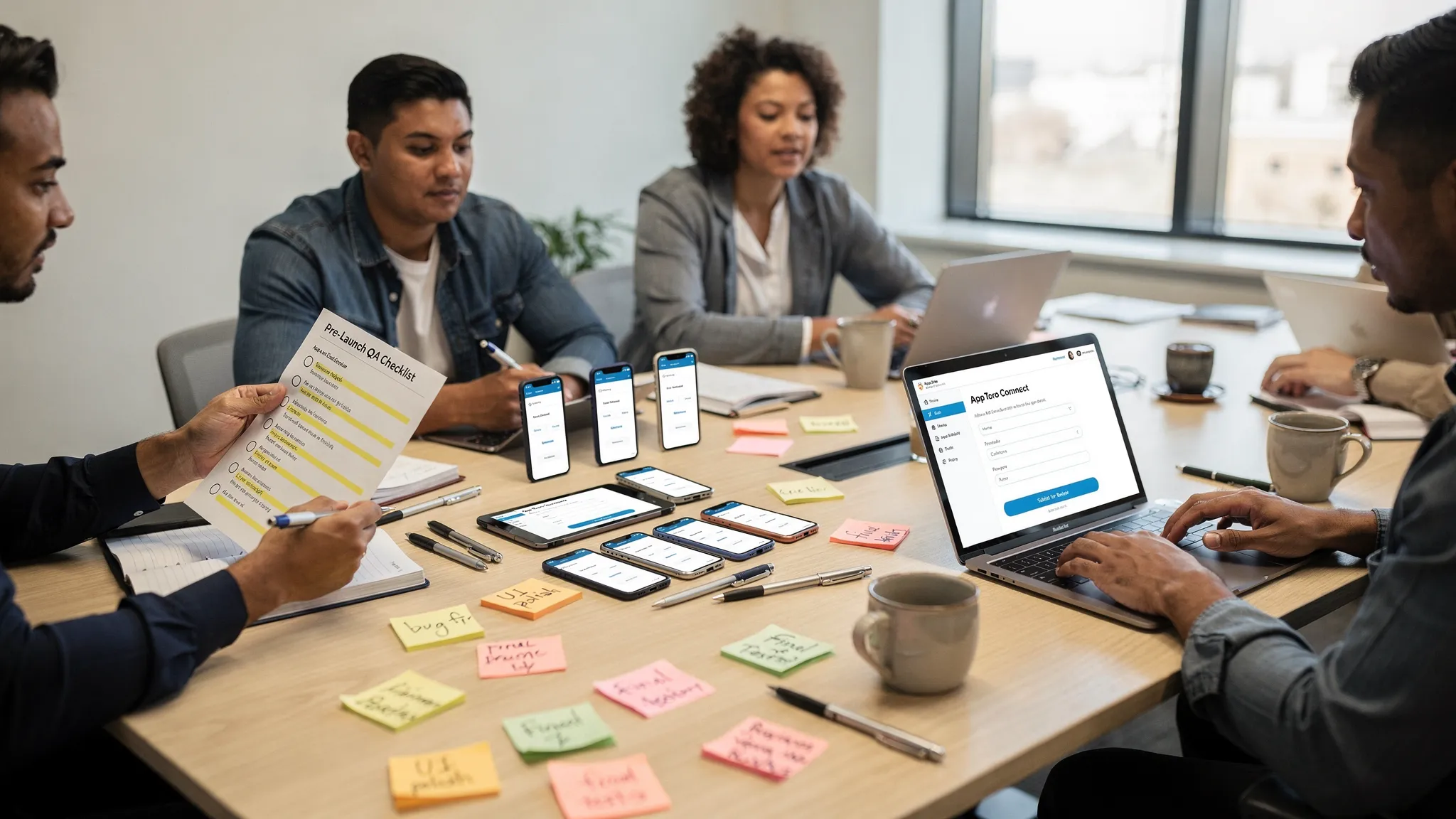
App review is rarely about “gotchas.” Most App Store rejections happen for predictable reasons: missing privacy disclosures, broken flows, unclear metadata, or payment and account rules that were easy to overlook while building.
The checklist below is designed for funded startups and product teams that want to avoid rejections fast and keep release cadence intact. It focuses on what Apple reviewers actually validate, and what you should double-check before you click “Submit for Review.”
A quick mental model: what App Review is trying to confirm
Apple’s reviewers are mainly validating four things:
- Safety and trust: privacy, data handling, user-generated content, account controls.
- Policy compliance: payments, Sign in with Apple, age rating, kids and regulated content rules.
- Product quality: no crashes, no dead ends, no placeholder content, clear value.
- Accurate representation: what your metadata and screenshots claim matches the in-app experience.
Keep the App Review Guidelines open while you run the final checks. It is the source App Review uses.
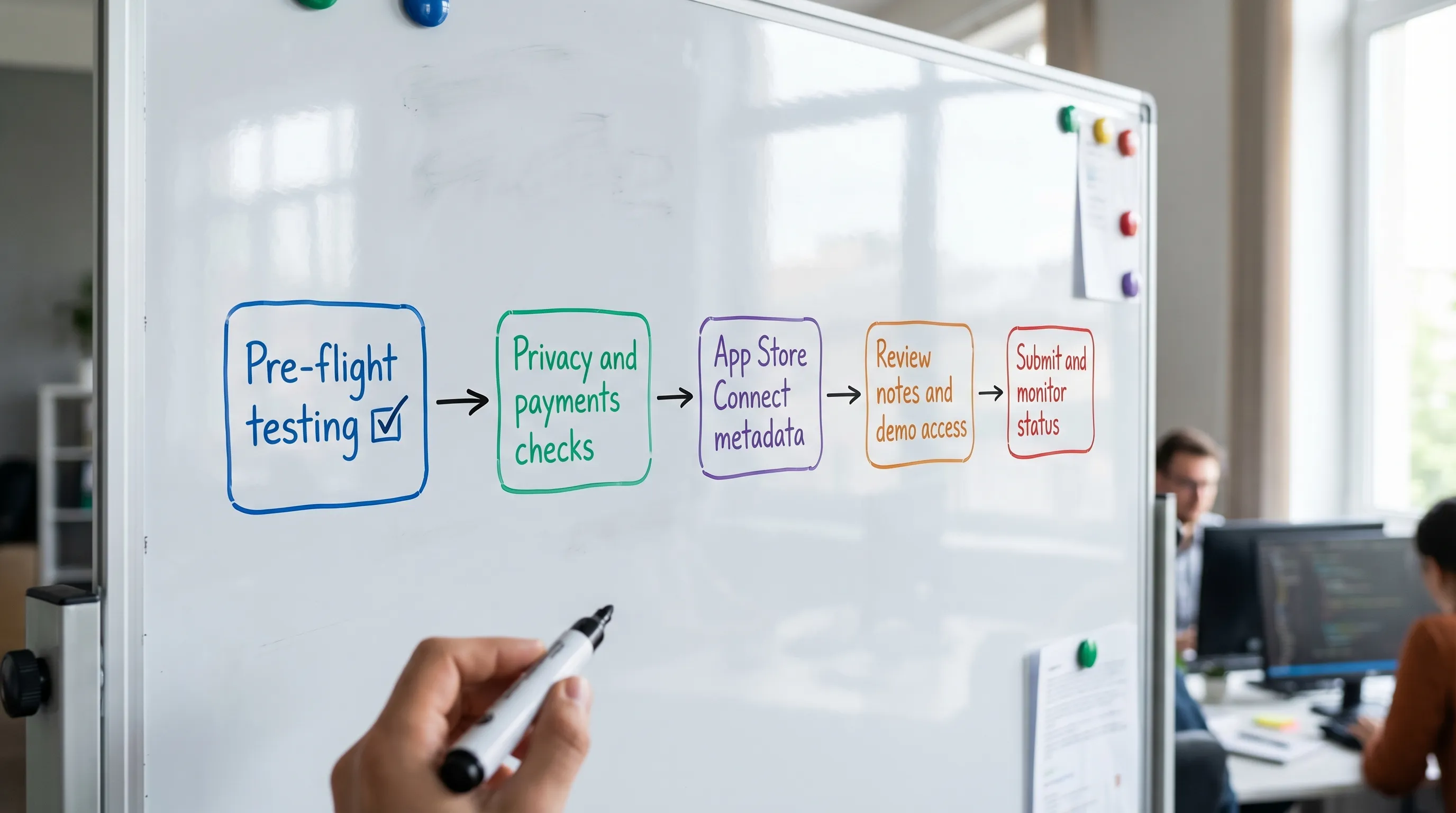
App Store submission checklist (fast scan)
Use this as a last-pass sweep, then go deeper in the sections that follow.
| Area | What commonly triggers rejection | What to verify before submitting |
|---|---|---|
| Performance | Crashes, login failures, broken onboarding | Smoke test core flows on real devices, fresh install, poor network |
| Privacy | Missing privacy policy, inaccurate App Privacy answers, missing purpose strings | Update disclosures, add required permissions strings, verify tracking/ATT behavior |
| Accounts | Missing account deletion, blocked reviewer access | Provide demo account, add account deletion path (if accounts exist) |
| Payments | Using external payment for digital goods | Use In-App Purchase for digital content, correct subscription rules |
| Metadata | Misleading screenshots, keyword stuffing, missing contact URLs | Screenshots reflect current UI, accurate description, working support URL |
| Permissions | Asking for sensitive access without clear need | Prompt only when needed, explain value in-app and in purpose strings |
| Legal | Unlicensed content, missing EULA/privacy links | Rights confirmed, policy link live, content attribution where needed |
| Compliance | Encryption/export questions answered incorrectly | Confirm crypto usage and complete export compliance in App Store Connect |
1) Build and runtime quality: the “2-minute reviewer test”
Reviewers do not explore every edge case, but they will always try the most obvious paths. Your goal is that the app feels complete within two minutes.
Pre-flight tests to run on real devices
Run these exactly as a reviewer would:
- Fresh install test: delete the app, reinstall, launch, complete onboarding.
- No-account path: if you support guest use, verify it is functional and not a disguised paywall.
- Login and password reset: confirm reset emails arrive and deep links open correctly.
- Poor network mode: test airplane mode, flaky Wi‑Fi, and timeouts. Error states must be helpful.
- Background and interruptions: lock screen, incoming call, low battery mode, app resume.
If your app relies on external services (APIs, feature flags, entitlement checks), confirm production configs are correct for the build you submit. A surprising number of rejections are simply “reviewers cannot log in” or “feature does not work in review.”
Remove anything that looks unfinished
Before you submit, eliminate:
- Placeholder text like “Lorem ipsum,” “Coming soon,” or empty states with no explanation.
- Non-functional buttons, menus, or tabs.
- Hidden debug panels and test endpoints.
Apple may interpret incomplete or locked-down builds as “minimum functionality” issues, especially for thin wrappers, templated apps, or experiences that do not offer meaningful user value.
2) Privacy essentials: disclosures, prompts, and purpose strings
Privacy is the fastest way to get rejected because it combines policy, UI, and App Store Connect configuration.
Confirm your App Privacy “nutrition label” is accurate
In App Store Connect, you must disclose what data you collect and how you use it. The key is consistency between:
- Your actual SDK and backend behavior
- Your in-app privacy explanations
- Your App Store Connect App Privacy answers
- Your public privacy policy
Apple provides the official overview here: App privacy details on the App Store.
Practical tip: if you recently added analytics, attribution, crash reporting, or ad SDKs, re-check your disclosures. Teams often forget to update App Privacy after a sprint.
Add every required permission usage description (Info.plist)
If you request sensitive permissions, iOS requires purpose strings. Missing or vague strings can lead to rejection.
Common ones include:
- Camera, Photos, Microphone
- Location (When In Use, Always)
- Contacts, Bluetooth, Motion
Make the text user-centered: what feature uses it and why it benefits the user. Also, request permissions only when the feature is about to be used, not at first launch.
If you track users, implement ATT correctly
If your app tracks users across apps and websites for advertising or measurement, you may need App Tracking Transparency (ATT). Apple’s overview is here: User privacy and data use.
Two common failure modes:
- Showing the ATT prompt too early without context, leading to a confusing experience.
- Disclosing “tracking” in App Privacy but not actually presenting the prompt where required, or vice versa.
3) Account rules: demo access, account deletion, and Sign in with Apple
Apps that include user accounts have a few recurring review pitfalls.
Provide reviewer access that works the first time
If your app requires authentication, include reviewer-ready credentials in the Review Notes section.
Make sure:
- The account is active, not behind admin approval.
- Any OTP or 2FA can be completed by the reviewer (or provide an alternate path for review).
- Geo-restricted or invite-only experiences are explained clearly.
If specific content must be reviewed (for example, a creator dashboard, paid feature, or moderation tool), guide the reviewer with short steps in Review Notes.
Add account deletion if your app has accounts
Apple requires that users can request deletion of their account within the app in many cases. Plan a clear, in-app flow that actually completes.
Apple’s reference: Offering account deletion in your app.
If you offer other social logins, check Sign in with Apple requirements
If your app supports third-party sign-in providers (for example, Google or Facebook), Apple generally requires offering Sign in with Apple as well. Apple’s guideline page: Sign in with Apple.
4) Payments and monetization: the fastest policy rejection category
Payment violations are among the most time-consuming to fix because they can require product changes, not just metadata edits.
Use In-App Purchase for digital goods and features
If you sell:
- Digital content
- Premium features
- Subscriptions
You typically must use Apple’s In-App Purchase system. Trying to route users to external payment for digital items is a common rejection.
If you sell physical goods or services (for example, food delivery, ride booking, tickets for real-world events), the rules differ, but your UI and wording still matter.
Make subscriptions clear and easy to manage
Double-check:
- Pricing and billing period are obvious before purchase.
- Trials, renewals, and cancellation terms are clearly described.
- Restore purchases works if your app supports it.
For implementation and policy alignment, Apple’s starting point is: In-App Purchase.
5) Metadata and App Store assets: don’t overpromise
Metadata rejections are painful because they feel “non-technical,” but they are also avoidable.
Screenshots must match the current app
Ensure screenshots:
- Reflect current UI and features in the submitted build.
- Do not imply capabilities that are not present (especially health, finance, or safety claims).
- Do not use competitor trademarks or misleading badges.
Description, keywords, and preview text: keep it factual
Avoid:
- “Best,” “#1,” or award claims you cannot substantiate.
- Keyword stuffing or irrelevant keywords.
- References to features behind unreleased flags.
Also confirm:
- Support URL works and contains a real way to reach you.
- Privacy policy URL is live and relevant to the app.
6) Legal and compliance checks that teams forget
These items do not appear in your UI, but they often trigger review questions.
Encryption and export compliance
If your app uses encryption (including common HTTPS/TLS networking), you may need to answer export compliance questions in App Store Connect.
Do not guess. Confirm what your app uses and answer accordingly. Apple’s overview: Export compliance.
Content rights and user-generated content safeguards
If your app includes:
- User-generated content
- Streaming media
- Third-party content, brand assets, or sports footage
Confirm you have rights and, for UGC, that you have moderation and reporting mechanisms appropriate to your category.
7) A practical “submission packet” to include with every release
Treat App Store submission like a release artifact. This reduces reviewer back-and-forth and makes approvals more consistent.
Include:
- What changed: a clean release notes summary.
- How to test: 3 to 6 steps to reach the key features.
- Demo account: credentials, region, and role.
- Edge-case notes: explain any permissions prompts or unusual flows.
- Contact path: a real person and email to respond quickly if Apple asks questions.
8) If you do get rejected: how to fix it fast
Rejections are not the end of the release, they are a feedback loop. Speed comes from responding like an engineer and a product owner at the same time.
Triage the rejection message into one of three buckets
- Metadata-only fix: screenshots, description, privacy URLs, review notes. Usually the fastest.
- Configuration fix: App Privacy answers, age rating, export compliance, missing purpose strings.
- Product fix: payment flow, account rules, broken functionality, content moderation.
Reply with clarity, not emotion
In Resolution Center, respond with:
- What you changed
- Where the reviewer can verify it
- Any test account credentials
If you believe the rejection is incorrect, cite the relevant section of the App Review Guidelines and explain exactly how your app complies.
Need an expert hand before you submit?
If you are shipping a funded startup app, the highest leverage place to reduce App Store risk is before submission, while changes are still cheap.
Appzay partners with founders end-to-end, from product strategy and UX through native iOS and Android engineering, CI/CD, release orchestration, and launch support. If you want a team to help you harden your build and submission materials for review, you can start a conversation at Appzay.