7/4/2026
App Get Started Guide for Non-Technical Founders
App get started guide for non-technical founders: validate demand, define your MVP, choose a build path, and prepare for launch with confidence.
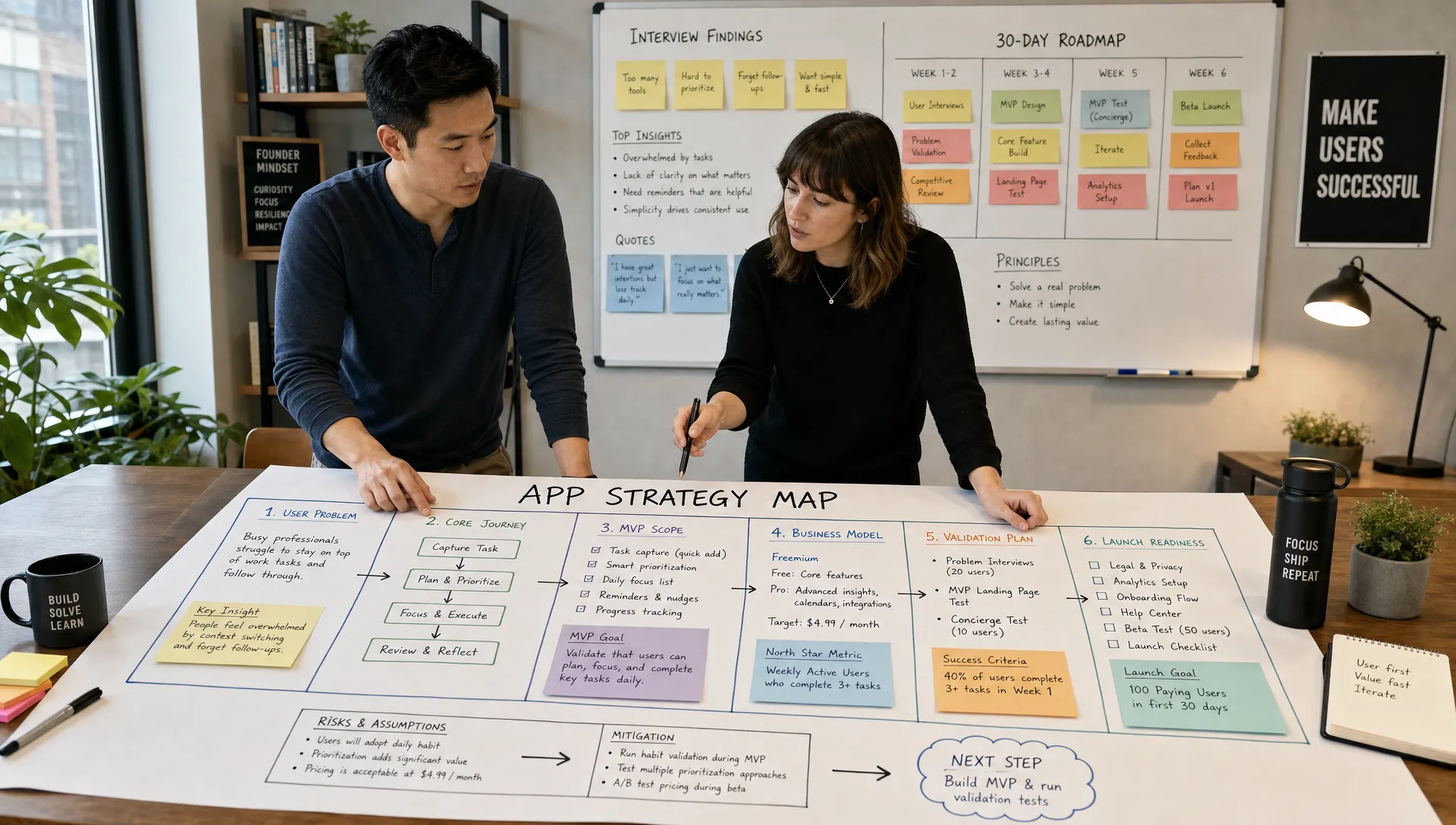
Getting an app started as a non-technical founder can feel like standing at the edge of a dozen decisions at once. Should you build an MVP? Hire a CTO? Use no-code? Design screens first? Talk to users? Raise more money? Submit to the App Store?
The right answer is usually simpler: do the smallest amount of work needed to prove you are building the right product, then build it in a way that can survive real users.
This app get started guide is written for founders who have a business idea, market insight, or funded startup plan, but do not personally write code. It will help you move from vague concept to build-ready plan without getting lost in technical jargon.
What getting started really means
Many founders think starting an app means hiring developers and asking them to build a list of features. That is risky. If the idea is unclear, the app becomes expensive guesswork.
A better first step is to define the business case, the first user journey, and the product constraints before development begins. At this stage, your goal is not to know every technical detail. Your goal is to make the app understandable enough that a product team can design, estimate, build, test, and launch it without constantly guessing what you mean.
Think of the early phase as creating alignment around five questions:
- Who is the app for?
- What painful or valuable problem does it solve?
- What must users be able to do in version one?
- How will you know the app is working?
- What needs to be true for the app to launch safely?
If you can answer those questions clearly, you are already ahead of many first-time app founders.
Start with the business outcome, not the feature list
Non-technical founders often begin with features because features feel concrete. Login, chat, payments, profiles, notifications, dashboards, maps, AI, subscriptions. But features are only useful if they support a business outcome.
Instead of saying, “I need an app with messaging and profiles,” say, “I need users to create a profile, match with a service provider, agree on a booking, and complete payment without leaving the app.”
That second version gives a product team something much more useful: the core transaction.
A simple way to frame your app idea is this:
| Question | Founder-friendly answer format |
|---|---|
| Target user | Busy parents in large cities who need vetted tutors quickly |
| Main problem | Finding trustworthy tutors takes too long and depends on word of mouth |
| Core action | Parent posts a request, reviews tutors, books a session, and pays |
| Business model | Commission, subscription, booking fee, or lead fee |
| Success metric | Completed bookings, retention, paid conversion, or repeat usage |
This is not a full product strategy, but it gives your idea shape. If you want a broader view of how this fits into the full lifecycle, Appzay’s guide to the app development process for startup founders explains how strategy, UX, engineering, QA, launch, and iteration connect.
Validate demand before you build
A beautiful app cannot rescue weak demand. Before you spend heavily on development, look for evidence that your target users already care about the problem.
Validation does not have to be complicated. You can interview potential customers, run a landing page test, analyze competitor reviews, join niche communities, or manually deliver the service before software exists. The goal is to learn whether people have the problem, how they describe it, what alternatives they use, and whether they will take action.
For a fast validation signal, monitor where your audience already talks. Founders can use tools like AI-powered monitoring for high-intent conversations on X and Reddit to find people asking for recommendations, complaining about current solutions, or describing the exact pain your app could solve.
When you validate, avoid asking, “Would you use this?” Most people will say yes to be polite. Ask behavior-based questions instead:
- How do you solve this today?
- When did this problem last happen?
- What did it cost you in time, money, or frustration?
- Have you paid for a solution before?
- What would make you switch from your current process?
You are not looking for compliments. You are looking for evidence.
Define the smallest useful version
An MVP is not a cheap, low-quality app. It is the smallest version that delivers the core value and teaches you what to build next.
The best MVPs are narrow. They serve one audience, solve one important problem, and guide users through one main loop. If your app needs ten major flows to be useful, your first version is probably too large.
For example, a marketplace app might eventually include reviews, subscriptions, advanced search, loyalty rewards, messaging, analytics, admin dashboards, and referral codes. But the first useful version may only need account creation, listing discovery, booking request, payment, and basic admin controls.
Before development begins, separate your ideas into three groups:
| Category | What belongs here | Example |
|---|---|---|
| Must-have | Required for the core user journey to work | User can book and pay for a session |
| Should-have | Valuable, but not necessary for first launch | Saved favorites or enhanced filters |
| Later | Useful after you see real usage data | Loyalty program or advanced personalization |
This exercise protects your budget and timeline. It also makes your first app easier to test, launch, and improve.
Turn the app into a product brief
Once you know the user, problem, business model, and MVP scope, create a product brief. This is not a technical specification. It is a clear operating document that helps designers, developers, and stakeholders understand what needs to be built and why.
A strong product brief usually includes:
- One-sentence app summary
- Target users and use cases
- Core user journey
- MVP feature list
- Business model and payment requirements
- User roles and permissions
- Third-party integrations, if already known
- Launch platforms, such as iOS, Android, or both
- Analytics needs
- Compliance, privacy, or security considerations
- Success metrics for the first release
The brief does not need to be perfect. It should be clear enough to start productive product strategy and UX discussions.
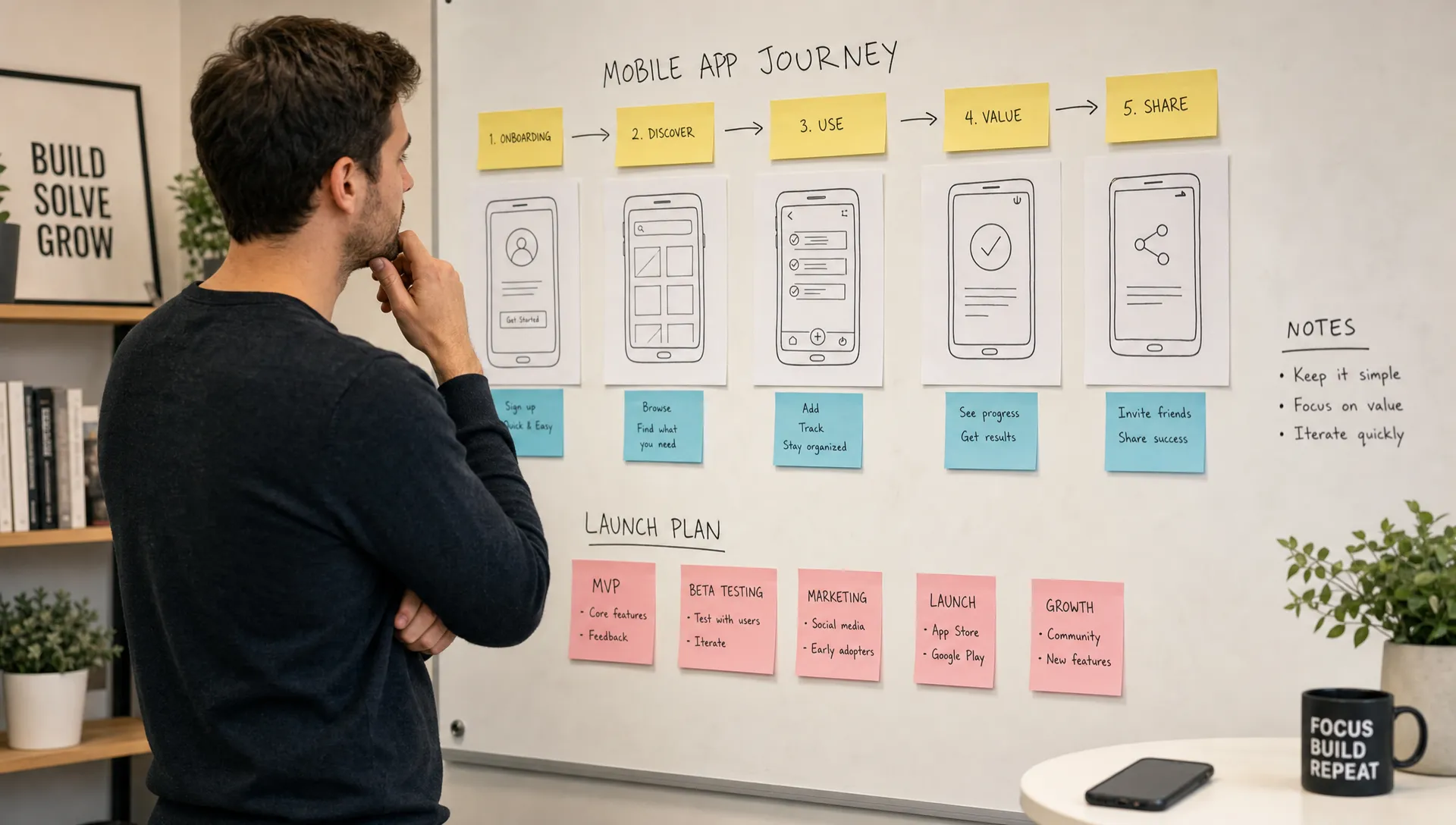
Choose the right build path
Once your idea is validated and scoped, you need to decide how to build. There is no universal best option. The right path depends on your funding, timeline, technical risk, product complexity, and need for quality.
Here are the most common routes:
| Build path | Best for | Watch out for |
|---|---|---|
| No-code or low-code | Internal tools, prototypes, simple workflows | May become limiting for complex mobile experiences |
| Freelancers | Small scoped builds with clear requirements | Requires strong project management and technical oversight |
| In-house team | Long-term product companies with hiring capacity | Slow and expensive to assemble well |
| Technical co-founder | Deep technical ownership and product partnership | Hard to find, equity trade-offs can be significant |
| App development agency | Funded startups that need strategy, design, engineering, launch, and support | Choose carefully, quality varies widely |
For many funded startups, an experienced development partner can reduce execution risk because product strategy, UX, engineering, deployment, and support are handled in one coordinated process. Appzay works with founders on end-to-end mobile app development, including product strategy, UX design, native iOS and Android engineering, launch preparation, and maintenance.
If you are already planning a funded build, the mobile app build checklist for funded startups can help you understand the gates a serious product should pass before release.
Understand the technical decisions without becoming technical
You do not need to become an engineer to lead an app company. But you do need to understand the business impact of technical decisions.
The most important technical conversations usually involve platform, architecture, data, integrations, security, analytics, and release process.
For example, platform choice affects budget, speed, user experience, and long-term maintainability. Native iOS and Android can be ideal when performance, platform quality, and polished mobile behavior matter. Cross-platform tools can sometimes be useful for speed and shared code, depending on requirements. The right answer depends on your product, not on trends.
Architecture matters because early shortcuts can become expensive later. If your app needs real-time messaging, payments, location, media uploads, or complex roles, those decisions should be planned before development is deep underway.
Release process also matters. Professional app development is not just writing code. It includes testing, build automation, version control, app signing, beta distribution, crash monitoring, store submission, and post-launch fixes.
As a founder, you can ask practical questions:
- What are the biggest technical risks in this product?
- Which features should be prototyped or tested first?
- What could make the app hard to scale later?
- How will quality be tested before launch?
- How will updates be shipped after the first release?
Good technical partners should be able to answer in business language, not hide behind jargon.
Plan your first 30 days
If you are at the beginning, a 30-day plan can help you move from idea to build-ready without rushing into development too early.
| Timeframe | Founder focus | Output |
|---|---|---|
| Days 1 to 7 | Clarify user, problem, outcome, and business model | One-page concept summary |
| Days 8 to 14 | Validate demand through interviews, community research, and competitor analysis | Evidence log and refined positioning |
| Days 15 to 21 | Define MVP scope and core user journey | Prioritized feature set and user flow |
| Days 22 to 30 | Prepare product brief and speak with build partners | Build-ready brief and estimated roadmap |
This timeline is not rigid. Some founders need two weeks. Others need two months, especially in regulated industries or complex marketplaces. The important thing is sequence: learn first, scope second, build third.
Budget for outcomes, not just screens
App budgets vary widely because apps vary widely. A simple content app is not the same as a marketplace, fintech platform, health product, logistics tool, or social network.
Instead of asking only, “How much does an app cost?” ask what needs to be true for the app to succeed. The budget must cover more than visible screens. It may need product strategy, UX design, backend development, native mobile engineering, integrations, quality assurance, release management, analytics, maintenance, and future iteration.
Cost is usually driven by factors such as:
- Number of user roles
- Complexity of the core workflow
- Backend and database requirements
- Payment, messaging, location, or media features
- Third-party integrations
- Security and compliance needs
- Native platform requirements
- Testing depth and launch support
A lower quote is not always a better quote. If it leaves out QA, architecture, app store preparation, or post-launch support, you may pay later through bugs, rebuilds, or failed launches.
Prepare for App Store and Google Play early
Many first-time founders treat store launch as the final step. In reality, App Store and Google Play requirements influence product decisions from the beginning.
You may need to think about privacy disclosures, account deletion, payment rules, permissions, moderation, subscriptions, content policies, and review guidelines before the app is submitted. If your app uses sensitive data, user-generated content, location, or in-app purchases, launch planning becomes even more important.
You should also prepare your store assets early: app name, subtitle, description, screenshots, keywords, support URL, privacy policy, and onboarding clarity. These are not cosmetic details. They affect trust, conversion, and review approval.
For a practical release readiness framework, review Appzay’s app launch checklist for a smooth first release before you submit your first build.
Common mistakes non-technical founders should avoid
The fastest way to waste time and budget is to treat development as a black box. You do not need to code, but you do need to lead the product.
One common mistake is building too much in version one. Large MVPs take longer, cost more, and delay learning. Another mistake is hiring based only on price. If a team cannot challenge your assumptions, explain trade-offs, or own quality, the initial savings can become expensive.
Founders also get into trouble when they skip user research, ignore onboarding, underestimate backend complexity, or forget that launch is only the beginning. The first release is a learning milestone, not the finish line.
The best founders stay close to the product without micromanaging technical execution. They make decisions quickly, test assumptions, protect scope, and keep the team focused on user value.
Your app get started checklist
Before you hire a team or begin development, make sure you can answer these questions:
- Can you describe the app in one sentence?
- Do you know who the first users are?
- Have you validated that the problem is real?
- Have you defined the core user journey?
- Have you separated must-have features from later features?
- Do you understand your business model?
- Do you know which platforms matter for launch?
- Have you identified major technical risks?
- Have you prepared a product brief?
- Do you have a plan for testing, launch, and iteration?
If several answers are unclear, that does not mean your idea is weak. It means you are still in the discovery phase. That is normal. The key is to resolve uncertainty before it becomes expensive code.
Frequently Asked Questions
Can I start an app without a technical co-founder? Yes. Many non-technical founders start by working with an experienced product and engineering partner. What matters is that someone owns technical strategy, architecture, quality, and release execution.
Should I build a prototype before the MVP? In many cases, yes. A clickable prototype can help you test flows, explain the concept to investors, and reduce design confusion before engineering begins.
Do I need both iOS and Android for version one? It depends on your audience, market, and budget. Some startups launch on one platform first to learn faster, while others need both from day one because their users are split across devices.
How detailed should my app idea be before contacting a development agency? You do not need a full specification, but you should understand the target user, problem, core workflow, and desired business outcome. A good agency can help refine the rest.
What is the biggest risk when getting an app started? The biggest risk is building before validating and scoping clearly. Poor alignment at the beginning often leads to rework, missed deadlines, and products that do not match user needs.
Ready to get your app started?
If you are a non-technical founder, your job is not to become a developer. Your job is to bring market insight, clear priorities, and decisive product leadership. The right technical partner can help turn that clarity into a polished, scalable mobile product.
Appzay partners with founders to design, build, launch, and support premium iOS and Android apps from concept to App Store. If you have a serious app idea and want experienced product and engineering support from day one, this is the right time to turn your plan into a build-ready roadmap.