5/7/2026
Build a Portfolio App That Wins Enterprise Clients
Learn what a portfolio app needs to impress enterprise buyers, from case studies and proof to security, UX, integrations, and launch planning.

A portfolio app can do much more than show a few polished screenshots. For enterprise buyers, it can become a mobile sales room, proof library, product catalog, and credibility engine in one focused experience.
That matters because enterprise deals are rarely won by one person browsing a website. A champion may love your work, but legal, procurement, IT, finance, leadership, and end users often need different evidence before they feel safe moving forward. A strong portfolio app helps each stakeholder answer the same core question: “Can this team or product deliver in our environment, at our standard, with acceptable risk?”
If you are building a portfolio app for a funded startup, agency, manufacturer, real estate group, construction firm, SaaS provider, or any business selling complex work to larger clients, the goal is not just to look premium. The goal is to shorten evaluation, increase trust, and make your best proof easy to access during high-stakes conversations.
What a Portfolio App Is in an Enterprise Sales Context
A portfolio app is a mobile application that presents a company’s work, products, capabilities, case studies, proof points, and next steps in a structured, interactive way. Unlike a public website, it can be designed around the sales journey, field conversations, stakeholder follow-up, offline demos, personalized content, and account-specific presentations.
For small business buyers, a beautiful gallery may be enough. Enterprise clients usually need more. They want to see evidence of scale, process maturity, security awareness, operational reliability, and business outcomes. They also need to share information internally, compare options, and document why your company is a defensible choice.
That means your portfolio app should serve three audiences at once: the executive buyer who cares about outcomes, the technical or operational evaluator who cares about feasibility, and the internal champion who needs assets to persuade everyone else.
Start With the Buyer Journey, Not the Feature List
Before deciding what screens to include, map the enterprise buying journey your app must support. A portfolio app for a creative agency will look different from one for a construction firm, a medical device company, a home manufacturer, or an enterprise SaaS startup. But the buying logic is similar: buyers move from awareness to confidence, then from confidence to internal approval.
A practical enterprise portfolio app should help prospects answer these questions quickly:
- What do you do, and for whom?
- Have you solved problems like ours before?
- What proof do you have beyond visuals?
- Can your solution scale to our requirements?
- What risks should we worry about, and how do you handle them?
- What happens after we express interest?
If the app cannot answer those questions clearly, it may feel impressive in a demo but fail to move the deal forward.
Essential Sections to Include in a Portfolio App
The best portfolio apps are not overloaded. They are carefully organized around confidence-building content. The table below shows the core sections enterprise clients expect and what each one should accomplish.
| Section | What to include | Why enterprise buyers care |
|---|---|---|
| Executive overview | Clear positioning, industries served, strongest outcomes, credibility markers | Helps senior buyers understand relevance in under a minute |
| Work or product portfolio | Curated projects, products, models, solutions, or implementations | Shows breadth without forcing buyers to search manually |
| Case studies | Problem, constraints, solution, measurable impact, timeline, role, client context | Converts visuals into business evidence |
| Capability pages | Services, technical strengths, process, delivery model, support model | Shows whether you can handle complex requirements |
| Proof and validation | Testimonials, certifications, awards, press, partner logos, references where permitted | Reduces perceived risk |
| Technical and security section | Architecture overview, data handling, integrations, compliance posture, documentation links | Supports IT, security, and procurement review |
| Interactive tools | Filters, comparisons, calculators, configurators, saved collections | Helps buyers evaluate fit and personalize the conversation |
| Contact and next steps | Meeting request, sales contact, proposal request, demo scheduling, shareable packet | Makes momentum easy after interest peaks |
This structure gives every stakeholder a reason to stay engaged. It also prevents the app from becoming a static brochure disguised as software.
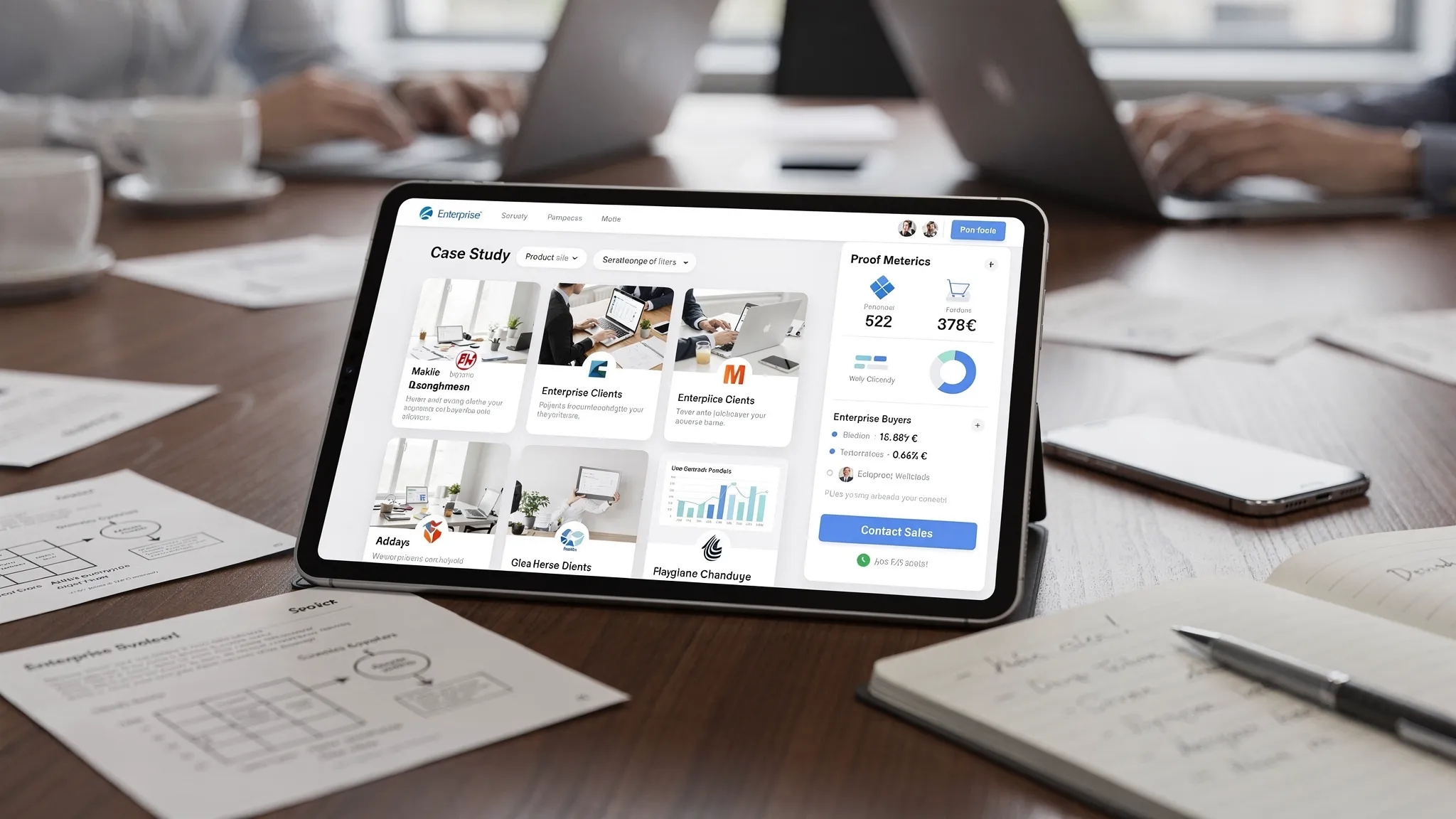
Lead With a Clear Enterprise Value Proposition
The first screen of your portfolio app should communicate focus. Enterprise clients do not want to decode vague positioning such as “innovative solutions for modern businesses.” They want to know whether your company is relevant to their industry, use case, constraints, and buying criteria.
Your opening experience should include a concise statement of who you help, what outcome you create, and why you are credible. If the app is used by sales teams, consider a role-based entry point so users can choose the path most relevant to them, such as “For healthcare teams,” “For operations leaders,” or “For technical evaluators.”
This is especially useful when your portfolio spans multiple verticals. A generic grid of projects forces the buyer to work. A guided portfolio app reduces friction by presenting the most relevant proof first.
Build Case Studies That Go Beyond Pretty Screens
Enterprise buyers are skeptical of polished visuals without context. A photo gallery, app screenshot, or product showcase may attract attention, but it rarely closes a complex deal by itself. Strong case studies need to explain what was hard, how you handled it, and what changed afterward.
Each case study in your portfolio app should include a consistent narrative:
- Client or project context, with confidentiality respected
- The business problem or opportunity
- Constraints such as timeline, integrations, compliance, budget, or operational complexity
- Your role and responsibilities
- The solution delivered
- Results, using real metrics when you are allowed to share them
- Lessons learned or implementation notes
- Relevant visuals, documents, or media
If client names are confidential, use anonymized descriptions such as “Fortune 500 logistics provider” or “regional healthcare network” only when accurate and contractually allowed. Never imply client relationships, certifications, or performance metrics you cannot substantiate.
A strong case study gives an internal champion language they can reuse in a stakeholder meeting. It also gives technical evaluators enough detail to believe your work was not accidental.
Include Product or Service Details Buyers Can Actually Compare
A portfolio app should help prospects evaluate options without creating confusion. If you sell products, include structured detail pages with specifications, use cases, availability, pricing guidance where appropriate, documents, and comparison tools. If you sell services, include packages, engagement models, typical deliverables, process stages, and decision criteria.
For high-consideration purchases, the best experiences give buyers practical information while still encouraging a conversation. For example, a dealer experience like Homes2Go San Antonio shows how product models, photos, specifications, financing information, and a buyer guide can help prospects understand their options before contacting sales. A portfolio app can bring that same clarity into a guided, mobile-first experience, especially for teams selling physical products, real estate, manufactured goods, or complex configurations.
Enterprise clients often compare vendors using internal scorecards. If your app makes comparison easier, you help your champion make the case for you.
Add Enterprise Trust Signals Without Overclaiming
Trust signals are critical, but they must be accurate. Enterprise buyers are trained to spot vague claims. Saying “enterprise-grade security” is less persuasive than explaining how authentication works, where data is stored, which compliance requirements apply, and what documentation is available during procurement.
Useful trust content may include:
- Security overview written in plain language
- Privacy policy and data handling summary
- Accessibility approach
- Compliance documentation, if applicable
- Insurance or legal documentation, if relevant to your industry
- Support process and escalation paths
- Implementation process and onboarding expectations
- Client references or testimonials, when approved
If you have certifications, show them clearly. If you do not, describe your process honestly. Credibility comes from specificity, not inflated language.
| Enterprise concern | Portfolio app content that helps | Mistake to avoid |
|---|---|---|
| Security risk | Data handling summary, authentication notes, security contact, documentation request flow | Claiming compliance you do not have |
| Vendor reliability | Process overview, support model, implementation timeline, maintenance expectations | Showing only finished visuals with no delivery context |
| Internal approval | Shareable case studies, downloadable summaries, stakeholder-specific views | Making all content trapped inside a live demo |
| Technical fit | Integration examples, architecture diagrams, API or system notes where relevant | Hiding complexity until late procurement |
| Business value | Outcomes, ROI indicators, before-and-after narratives, measurable impact | Using generic adjectives instead of evidence |
Make the App Useful During Sales Meetings
A portfolio app should be designed for real sales environments. That may mean a founder presenting in a boardroom, a sales rep meeting a procurement team, or a field representative walking a client through options on a tablet.
In those moments, speed and structure matter. The app should open quickly, navigate cleanly, and make it easy to jump from one proof point to another without awkward searching. Consider features like saved collections, recently viewed items, presentation mode, offline access for approved assets, and one-tap sharing of follow-up packets.
The goal is to help the conversation flow. If the buyer asks, “Have you done this in our industry?” the answer should be two taps away. If they ask, “Can I send this to our operations lead?” the app should make sharing easy, trackable, and professional.
Personalize Without Making the App Complicated
Personalization can make a portfolio app feel highly relevant, but it should not create a maintenance nightmare. Start with simple segmentation. Let users filter by industry, solution type, region, product category, project size, or buyer role.
For sales-led use cases, an internal mode can allow team members to assemble a custom portfolio for a specific account. For public or client-facing use, keep personalization transparent and respectful. If you collect analytics, align with your privacy policy and avoid unnecessary data capture.
Personalization works best when it reduces cognitive load. It should help a hospital buyer see healthcare examples, a logistics buyer see operational scale, or a real estate buyer see relevant properties or models. It should not bury users behind a quiz before they understand your value.
Plan for Content Operations From Day One
Many portfolio apps fail because the first version looks great, then becomes outdated. Enterprise buyers notice old screenshots, retired products, stale client logos, and expired documents. A portfolio app needs a content maintenance model before launch.
Decide who owns updates, how often content is reviewed, and what approval workflow is required. For some teams, a lightweight admin panel or CMS integration is essential. For others, a structured release process may be enough. The right choice depends on how frequently your portfolio changes and how risky outdated information would be.
At a minimum, define ownership for case studies, product data, legal language, security documentation, screenshots, testimonials, and contact information. If multiple departments contribute, assign one person or team to final content quality.
Do Not Ignore Performance, Offline Behavior, and Accessibility
Enterprise buyers may use your app in offices with strict networks, trade shows with weak Wi-Fi, field locations with spotty coverage, or boardrooms where delays feel embarrassing. Performance is part of your brand.
A portfolio app should be fast to launch, smooth to browse, and resilient when the network is unreliable. Heavy media needs compression and caching. Large PDFs should not block the core experience. Search and filters should feel instant on realistic devices, not only on a developer’s newest phone.
Accessibility also matters. Enterprise organizations increasingly expect vendors to consider inclusive design. Use readable text, strong contrast, clear tap targets, screen reader support where relevant, and logical navigation. Accessibility is not only a compliance topic. It improves usability for everyone in high-pressure buying situations.
If you are planning the screens before engineering begins, Appzay’s guide to app screens planning offers a practical way to turn portfolio ideas into developer-ready wireframes.
Include Analytics That Improve Sales, Not Vanity Metrics
A portfolio app can reveal what enterprise buyers care about, but only if analytics are planned carefully. Instead of tracking every possible interaction, focus on signals that help improve sales and content quality.
Useful metrics include which case studies are viewed most often, which filters are used, which assets are shared, where users drop off, and which calls-to-action generate qualified conversations. If sales reps use the app, track content usage by stage so your team can learn which proof points support discovery, technical validation, and procurement.
Avoid collecting sensitive or unnecessary data. Enterprise trust can be damaged if analytics feel invasive. Keep data collection proportional, documented, and aligned with privacy expectations.
Design for Shareability and Internal Champions
Enterprise deals often move forward when a champion can explain your value internally without you in the room. Your portfolio app should make that easy.
Consider including shareable summaries, downloadable one-pagers, tailored collections, email-ready links, and stakeholder-specific packets. A CFO may need business impact. An IT lead may need architecture and security details. An operations leader may need implementation steps and support expectations. A procurement team may need company information and legal documents.
When the app helps each stakeholder get the right level of detail, your champion spends less time translating your value and more time advocating for it.
MVP vs. Enterprise-Ready Portfolio App
You do not need every feature on day one. The smartest path is usually to launch a focused MVP that proves the sales workflow, then expand based on usage and feedback. The difference between a basic version and an enterprise-ready version is not just polish. It is operational maturity.
| Area | MVP version | Enterprise-ready version |
|---|---|---|
| Portfolio content | Curated projects or products with clear categories | Personalized views by industry, role, region, or account |
| Case studies | Consistent story format and approved visuals | Metrics, technical details, stakeholder-specific summaries, reference workflow |
| Search and filters | Basic category filtering | Advanced filtering, saved collections, comparison views |
| Sales support | Contact form or meeting request | Shareable packets, CRM handoff, rep tools, follow-up tracking |
| Content management | Manual updates through releases | CMS or admin workflow with approvals and version control |
| Trust content | Privacy policy, process overview, testimonials | Security documentation, implementation guides, compliance materials where applicable |
| Reliability | Fast browsing on common devices | Offline-ready assets, observability, performance budgets, release process |
If you are unsure where to draw the line, start with the smallest complete buyer journey: discover relevant proof, inspect details, save or share assets, and request a next step. That loop is often more valuable than a long list of advanced features.
Common Mistakes That Weaken Portfolio Apps
The biggest mistake is treating a portfolio app like a prettier website. Mobile gives you an opportunity to create a guided, interactive, sales-ready experience. If the app simply mirrors your existing pages, it may not justify the investment.
Another common mistake is leading with volume instead of relevance. Enterprise clients do not need to see everything you have ever done. They need to see the strongest proof that matches their situation. Curate aggressively and use filters to reveal depth when needed.
Teams also underestimate content governance. A portfolio app with outdated claims can create legal, brand, and sales problems. If you cannot maintain a section, do not include it yet.
Finally, avoid hiding the next step. If a prospect is impressed, they should know exactly what to do next, whether that means scheduling a consultation, requesting technical documentation, asking for pricing, or speaking with a specialist.
How to Scope and Build a Portfolio App
A strong portfolio app starts with strategy and content architecture before design and engineering. The recommended process looks like this:
- Define the sales goal: Decide whether the app is for lead generation, field sales, enterprise procurement support, investor credibility, product exploration, or account-based selling.
- Audit your proof: Gather case studies, visuals, metrics, testimonials, documents, product data, and technical materials. Remove anything outdated or unapproved.
- Map stakeholder needs: Identify what executives, technical evaluators, finance teams, end users, and procurement teams need to see.
- Prototype the core journey: Test navigation, filters, case study layouts, sharing flows, and calls-to-action before engineering begins.
- Choose the right technical approach: Decide whether native iOS and Android, cross-platform, or another approach best fits performance, offline access, integrations, and timeline.
- Build with maintainability in mind: Plan content updates, analytics, release orchestration, and support workflows early.
- Launch, measure, and refine: Use real sales conversations and analytics to improve content, navigation, and follow-up flows.
For funded teams moving from concept to launch, Appzay’s mobile application development roadmap explains how to structure discovery, UX, architecture, development, QA, and App Store readiness without creating unnecessary rework.
Frequently Asked Questions
What is a portfolio app? A portfolio app is a mobile application that showcases a company’s work, products, services, case studies, proof points, and next steps in an interactive format. For enterprise sales, it should help buyers evaluate credibility, technical fit, and business value.
Who needs a portfolio app? A portfolio app is useful for companies selling complex products, services, projects, or solutions where visuals alone are not enough. Agencies, manufacturers, real estate groups, construction firms, SaaS companies, and field sales teams can all benefit when enterprise buyers need guided proof.
What should a portfolio app include first? Start with a clear value proposition, curated portfolio items, strong case studies, trust signals, search or filtering, and an obvious next step. Add advanced features like personalization, offline access, CRM integration, or admin workflows once the core sales journey is proven.
Should a portfolio app work offline? Offline access is valuable if the app is used in field sales, trade shows, client facilities, or locations with unreliable connectivity. At minimum, key visuals, case studies, and sales materials should load quickly and gracefully under weak network conditions.
How is a portfolio app different from a website? A website is usually designed for broad discovery. A portfolio app can be designed for guided evaluation, sales conversations, personalized presentations, saved collections, offline demos, and stakeholder-specific follow-up.
How long does it take to build a portfolio app? Timeline depends on scope, content readiness, platforms, integrations, and review requirements. A focused MVP can often move faster than a complex enterprise-ready app with CMS, offline functionality, analytics, and sales integrations.
Turn Your Portfolio Into an Enterprise Sales Asset
A portfolio app should not just impress enterprise clients. It should help them understand your value, trust your process, compare options, and take the next step with confidence.
Appzay partners with funded founders and product teams to design, build, launch, and support high-quality iOS and Android apps. If your portfolio needs to become a polished mobile product with strategy, UX, engineering, cloud integration, release orchestration, App Store optimization, and ongoing support handled end-to-end, Appzay can help you turn the concept into a launch-ready app.
If you are planning a portfolio app for enterprise clients, start by defining the buyer journey and the proof your audience needs most. Then build the smallest polished version that can support real sales conversations, gather feedback, and scale into a stronger enterprise experience over time.