6/1/2026
How to Win More Visibility in the Mobile App Store
Win more mobile app store visibility with practical ASO tactics for metadata, screenshots, reviews, quality signals, and launch iteration.
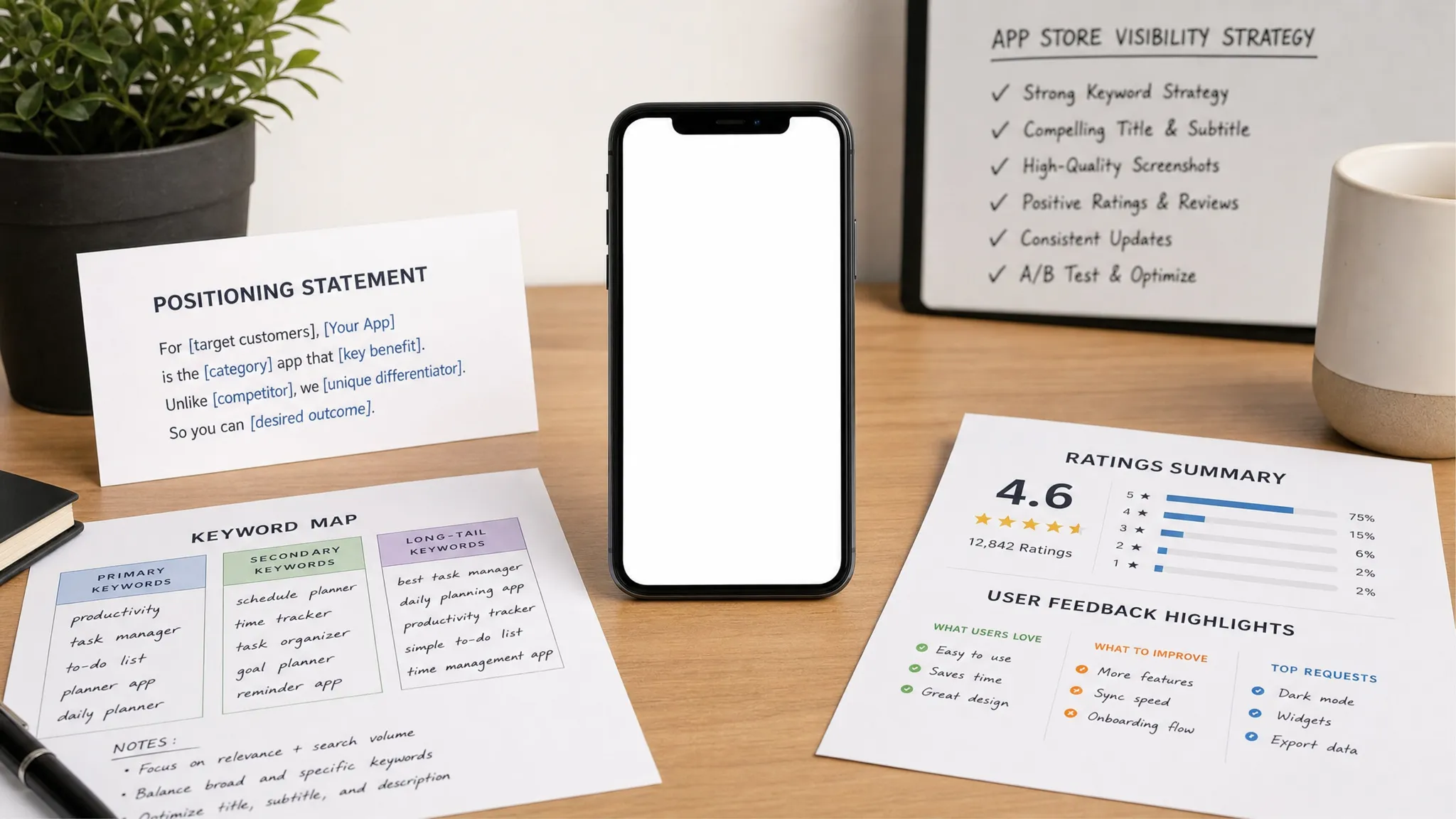
Getting an app approved is only the starting line. The real challenge is earning attention inside crowded discovery environments where users compare apps in seconds, often before they ever visit your website or hear your pitch.
Winning visibility in the mobile app store means giving Apple, Google, and users the same clear signal: this app solves a specific problem for a specific audience, and the experience is trustworthy enough to try. That requires more than adding keywords to a listing. It combines product positioning, metadata, visual storytelling, reviews, technical quality, and a disciplined iteration cycle after launch.
For funded startups, the biggest mistake is treating store visibility as a marketing task that begins after engineering is finished. In practice, the apps that become easier to discover are usually built with store readiness, user trust, and product quality in mind from the first roadmap conversation.
What mobile app store visibility really means
Visibility is not one ranking. It is a collection of discovery surfaces across the App Store and Google Play. Search is important, especially because Apple Search Ads states that 70% of App Store visitors use search to discover apps, but search is only one part of the system.
An app can be discovered through category pages, recommendations, related app placements, editorial features, paid campaigns, external search, social links, and direct brand searches. Each surface responds to a different mix of relevance, trust, user behavior, and product quality.
| Discovery surface | What users are doing | What improves your odds |
|---|---|---|
| Store search | Looking for a category, problem, brand, or feature | Clear metadata, keyword relevance, strong conversion, ratings |
| Category and browse pages | Exploring options without a fixed brand | Accurate category choice, polished creative, engagement signals |
| Related apps | Comparing alternatives near a known solution | Distinct positioning, user overlap, metadata clarity |
| Editorial and featuring | Discovering apps recommended by the platform | Product polish, platform-native quality, timely story angle |
| External traffic | Arriving from web, PR, ads, creators, or community | Message match between campaign, landing page, and store listing |
The goal is not to manipulate the store algorithm. The goal is to make every signal easier to understand. If your audience, promise, category, screenshots, onboarding, and reviews all point in the same direction, discovery becomes more efficient.
Start with a searchable positioning statement
Before you rewrite your app name or description, define the sentence your store listing should prove:
For [specific audience], this app helps [specific job] so they can [specific outcome].
This sounds simple, but it prevents vague store listings. “AI productivity app” is broad. “AI meeting notes for field sales teams” is more searchable, more memorable, and easier to support with screenshots, reviews, and product features.
A strong positioning statement should clarify four things:
- Audience: Who needs this app most urgently?
- Use case: What exact job are they trying to complete?
- Differentiation: Why would they choose this over a familiar alternative?
- Proof: What can the listing show immediately to make the claim believable?
This positioning work also helps beyond the stores. If web search, landing pages, and content are part of your acquisition strategy, it is worth aligning app discovery with broader digital visibility. For example, a specialist partner in digital visibility and SEO strategy can help connect website demand generation with the app store journey, so users hear the same promise before and after they click through to download.
Build a keyword map around user intent
Keyword research for the mobile app store should begin with intent, not volume. High-volume generic terms are usually competitive and vague. High-intent phrases often reveal the user’s context, urgency, and willingness to try a new solution.
Think in layers:
- Category terms: fitness tracker, CRM app, habit planner, delivery app
- Problem terms: reduce meeting admin, track mileage, manage shift swaps
- Audience terms: for founders, for sales reps, for nurses, for students
- Outcome terms: faster invoicing, better sleep, private notes, team scheduling
- Feature terms: offline mode, calendar sync, receipt scanner, route tracking
Apple and Google use store metadata differently, so do not copy and paste the same text everywhere. Apple gives you fields like app name, subtitle, and keyword field. Google Play relies more heavily on visible listing text, including the title, short description, and full description. Always follow current platform rules and avoid misleading repetition.
| Store field | Main role | Practical guidance |
|---|---|---|
| App name or title | Brand plus strongest relevance signal | Keep it readable and avoid stuffing generic terms |
| Subtitle or short description | Fast positioning | State the use case and outcome in plain language |
| Keyword field on iOS | Hidden relevance support | Use relevant terms not already covered in visible fields |
| Long description | Education and conversion | Explain benefits, use cases, trust factors, and proof |
| Promotional text or updates | Timely context | Highlight relevant launches, improvements, or seasonal use cases |
A useful test is to remove your brand name from the listing and ask: would a qualified user still understand who the app is for and why it exists? If not, your metadata is probably too brand-centric.
Make your listing promise match the product experience
Store visibility depends heavily on what happens after the impression. If users see your app in search results but do not tap, download, activate, or stay, the listing is not doing its job.
The first few seconds matter most. Your app icon, title, rating, subtitle, and first screenshots create a quick credibility judgment. Users are asking silent questions: “Is this for me?”, “Does it look trustworthy?”, “Will it solve my problem quickly?”, and “Is it worth the download?”
Your listing should answer those questions without making the user read a wall of copy. Lead with outcomes, then support them with product evidence. For a B2B productivity app, that might mean showing the completed workflow, not a generic dashboard. For a consumer wellness app, it might mean showing the first win, not a long onboarding sequence.
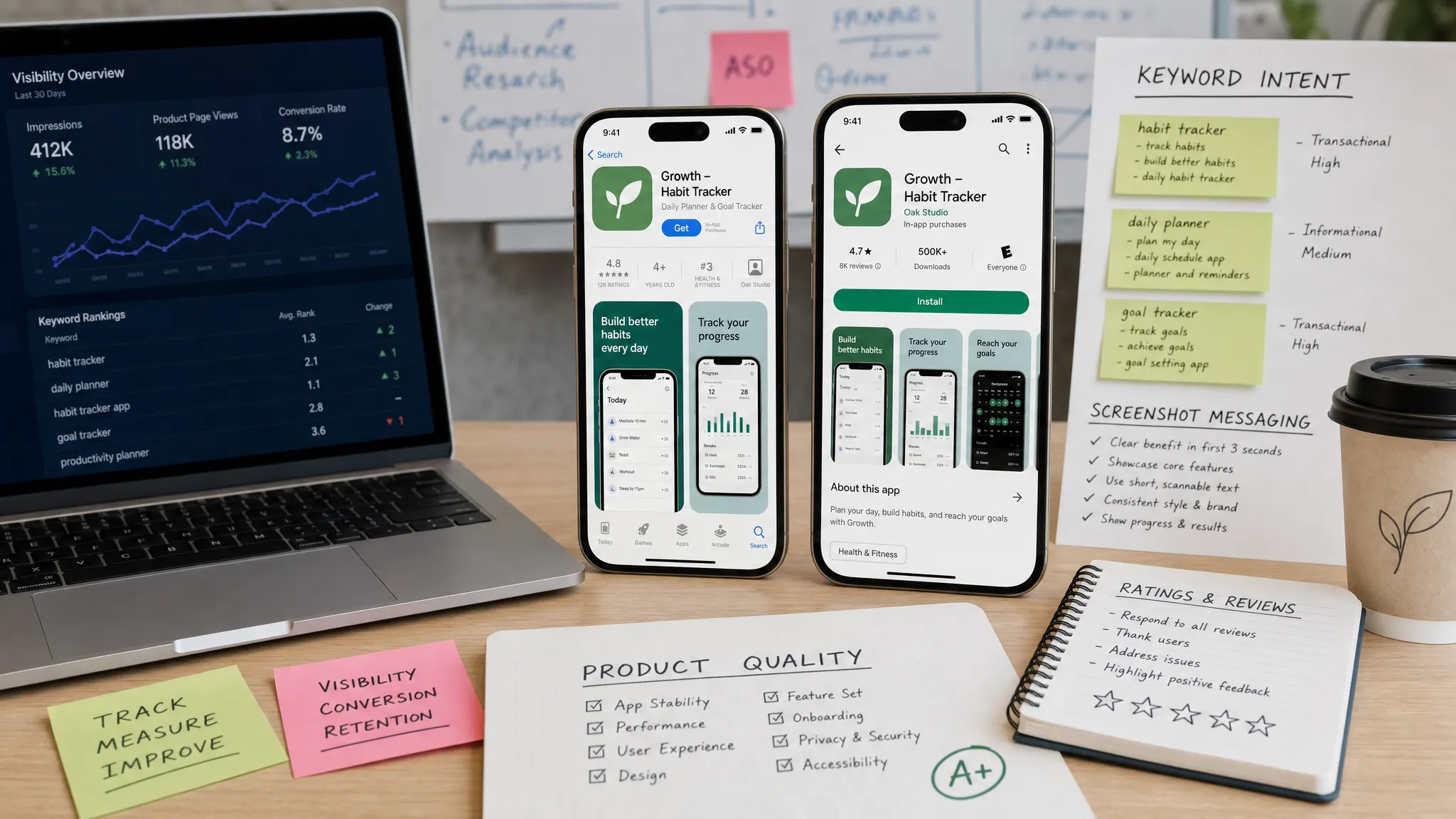
Design screenshots for decisions, not decoration
Screenshots are often treated like a design portfolio. They should function more like a sales sequence. Each image should answer one decision-making question and move the user closer to download.
A strong screenshot sequence usually follows this logic:
- Screenshot 1: Who the app is for and the primary outcome
- Screenshot 2: The core action or workflow
- Screenshot 3: The result or payoff
- Screenshot 4: Trust, privacy, integrations, or collaboration
- Screenshot 5: Differentiating feature or advanced use case
Avoid using every screenshot to show a different feature with no narrative. Users do not evaluate features in isolation. They evaluate whether the app fits their situation.
Apple’s Product Page Optimization and Google Play’s Store Listing Experiments make it possible to test listing assets. Use those tools to compare meaningful hypotheses, not tiny cosmetic changes. For example, test “workflow-led screenshots” against “benefit-led screenshots,” or test a founder audience against an operations team audience.
Treat product quality as an ASO signal
App store algorithms are proprietary, so no one outside Apple or Google can tell you exactly how every ranking factor is weighted. But it is safe to say that a poor product experience will limit store growth, even if the listing is optimized.
Users leave ratings, abandon onboarding, uninstall apps, and mention issues in reviews. Google also surfaces technical quality through Android vitals, which tracks areas like crash rates and app not responding errors. Google’s Android vitals documentation makes clear that technical quality is part of the Play ecosystem.
For startups, this is good news. You do not have to separate ASO from engineering. The same work that makes users stay also makes your store presence more credible.
| Product signal | Why it matters for visibility | What to improve |
|---|---|---|
| Crash rate | Users and platforms lose trust in unstable apps | Release testing, crash monitoring, staged rollouts |
| Load speed | Slow first sessions reduce activation | Cold start optimization, lighter assets, backend performance |
| Onboarding completion | Downloads only matter if users reach value | Shorter onboarding, progressive permissions, clearer first action |
| Ratings and reviews | Social proof affects tap and install decisions | Ethical review prompts, support workflows, roadmap fixes |
| Retention | Visibility without repeat usage creates weak growth | Strong product loop, useful notifications, reliable core flow |
If you need a deeper technical framework, Appzay’s guide to app optimization for speed, battery, and retention explains how performance and product quality connect to long-term app growth.
Use reviews as research, not just reputation management
Reviews are one of the most visible trust signals in the store. They also reveal the language users naturally use to describe your product, which can improve future metadata, screenshots, onboarding, and roadmap decisions.
The best review strategy is ethical and product-led. Ask for a rating after a user has completed a meaningful action, not during onboarding or after an error. Do not gate negative feedback, buy reviews, or incentivize ratings. Those tactics damage trust and can violate platform policies.
Review operations should include three recurring habits. First, tag review themes by product area, such as onboarding, pricing, bugs, missing features, or support. Second, respond to reviews where a response can clarify, help, or acknowledge the issue. Third, feed recurring review language into your positioning and product backlog.
A review that says “finally a CRM my reps actually update from the field” is more than praise. It is potential screenshot copy, keyword insight, and product positioning in the user’s own words.
Localize for markets, not just languages
Localization can unlock meaningful visibility, but direct translation is rarely enough. Search behavior varies by market, and so do category expectations, trust signals, pricing sensitivity, and screenshot conventions.
A proper localization pass should adapt:
- Store title, subtitle, keyword field, and descriptions
- Screenshot captions and visible UI language
- Units, currency, date formats, and examples
- Support expectations and privacy language
- The competitive set in that market
If you are not ready for full localization, start with markets where you already see organic traction, paid campaign efficiency, or customer conversations. A focused localization for one promising market usually beats a shallow translation across ten.
Create a release rhythm that gives visibility more chances to grow
Store visibility improves through iteration. Your first launch listing is a hypothesis, not a final answer. The teams that win are the ones that connect ASO work to product releases, analytics, and customer feedback.
A simple 30-day visibility sprint can work well after launch or after a major product update.
| Timeline | Focus | Output |
|---|---|---|
| Days 1 to 7 | Audit current visibility | Baseline impressions, conversion, keyword ranks, reviews, crash data |
| Days 8 to 14 | Refresh positioning and assets | Updated metadata, screenshot hypothesis, review theme summary |
| Days 15 to 21 | Run experiments | Store listing test, paid keyword test, product page variant, or localization test |
| Days 22 to 30 | Analyze and decide | Keep, revert, or iterate based on conversion and activation data |
Do not change everything at once unless the listing is clearly broken. If title, screenshots, description, pricing, onboarding, and traffic source all change simultaneously, you will not know what caused the result.
This is also why launch planning matters. A store listing performs better when it is supported by stable builds, analytics, support readiness, and a rollout plan. Appzay’s mobile app launch checklist for iOS and Android teams covers the operational side of preparing a release that can actually learn from early demand.
Use paid acquisition to learn faster, not to cover weak positioning
Paid campaigns can help you test visibility assumptions faster. Apple Search Ads can reveal which queries convert into downloads. Google App campaigns can help validate creative themes and audience segments. Social or creator campaigns can show whether your store page converts warmer traffic.
The key is to separate learning from scaling. Early paid spend should answer questions like:
- Which problem statement gets qualified users to tap?
- Which keywords produce activated users, not just installs?
- Which screenshot message improves conversion?
- Which audience retains after the first session?
If paid traffic downloads the app but does not activate, the issue may be product promise, onboarding, or audience fit. If users tap the ad but do not install, the store page may lack proof. If users install and retain, you have a stronger case for scaling both paid and organic visibility.
Avoid visibility traps that waste time
Many teams lose months chasing tactics that do not compound. The most common traps are easy to spot.
First, do not over-optimize for generic keywords your app has little chance of owning. Relevance usually beats reach for early-stage apps. Second, do not copy a competitor’s listing structure without understanding their brand awareness, review base, and traffic sources. Third, do not treat screenshots as static assets. They should evolve as you learn what users care about. Fourth, do not ignore store compliance. Misleading metadata, privacy mismatch, payment rule violations, or broken account flows can delay approvals and disrupt launch momentum.
If you are preparing a new release, review the practical requirements in Appzay’s guide to what Apple and Google expect from app store apps. Visibility cannot compound if the app keeps getting blocked, rejected, or pulled into review issues.
The founder’s visibility scorecard
Use this scorecard before launch, after launch, and before major updates. It keeps the conversation focused on controllable factors.
| Area | Healthy sign | Warning sign |
|---|---|---|
| Positioning | A user can explain the app in one sentence | The listing sounds broad or category-generic |
| Metadata | Keywords match real user intent | Repetition is forced or misleading |
| Screenshots | The first three images tell a clear story | Screenshots show features with no outcome |
| Reviews | Themes are tracked and acted on | Ratings are monitored only when they drop |
| Product quality | Crashes, speed, and onboarding are measured | ASO is separated from engineering quality |
| Experiments | Tests are based on clear hypotheses | Random changes are made without baselines |
| Launch operations | Store updates, analytics, and support are coordinated | Marketing drives traffic before the app is stable |
The scorecard is not about perfection. It is about reducing ambiguity. When visibility stalls, you want to know whether the problem is discoverability, conversion, trust, product quality, or audience fit.
Frequently Asked Questions
How long does it take to improve mobile app store visibility? You can often improve conversion signals within a few weeks by updating metadata and screenshots, but broader visibility usually takes multiple release cycles. Ratings, retention, keyword learning, and product quality compound over time.
Is mobile app store visibility the same as ASO? ASO is a core part of visibility, but visibility is broader. It includes search optimization, conversion, reviews, product quality, localization, paid learning, external traffic, and release operations.
Do ratings and reviews affect visibility? They strongly affect user trust and conversion, and they may influence how users engage with your listing. Even when rankings are not directly transparent, better reviews can improve tap and install decisions.
Should startups focus on Apple App Store or Google Play first? Focus on where your highest-intent audience is most likely to adopt first. Many startups launch on both platforms, but your optimization strategy should reflect platform-specific metadata, review behavior, and testing tools.
What is the biggest mistake founders make with store visibility? The biggest mistake is waiting until the app is finished to think about visibility. Store performance depends on positioning, UX, technical quality, analytics, and launch planning, all of which should be built into the product process early.
Build for visibility before you launch
More mobile app store visibility is not won by a single keyword trick. It comes from a product and listing that make the same promise, prove it quickly, and keep improving after real users arrive.
If you are building a funded startup app, Appzay can help turn that work into an end-to-end launch plan. From product strategy and UX design to native iOS and Android engineering, release orchestration, App Store optimization, and proactive support, Appzay partners with founders to build apps that are not only approved, but ready to earn attention.
Ready to make your app easier to discover and stronger after launch? Start with Appzay and bring your concept, target users, and launch goals into a focused product conversation.