6/12/2026
App Efficiency Tips That Improve Speed and Battery Life
Use these app efficiency tips to improve mobile speed, reduce battery drain, and ship smoother iOS and Android experiences users keep.
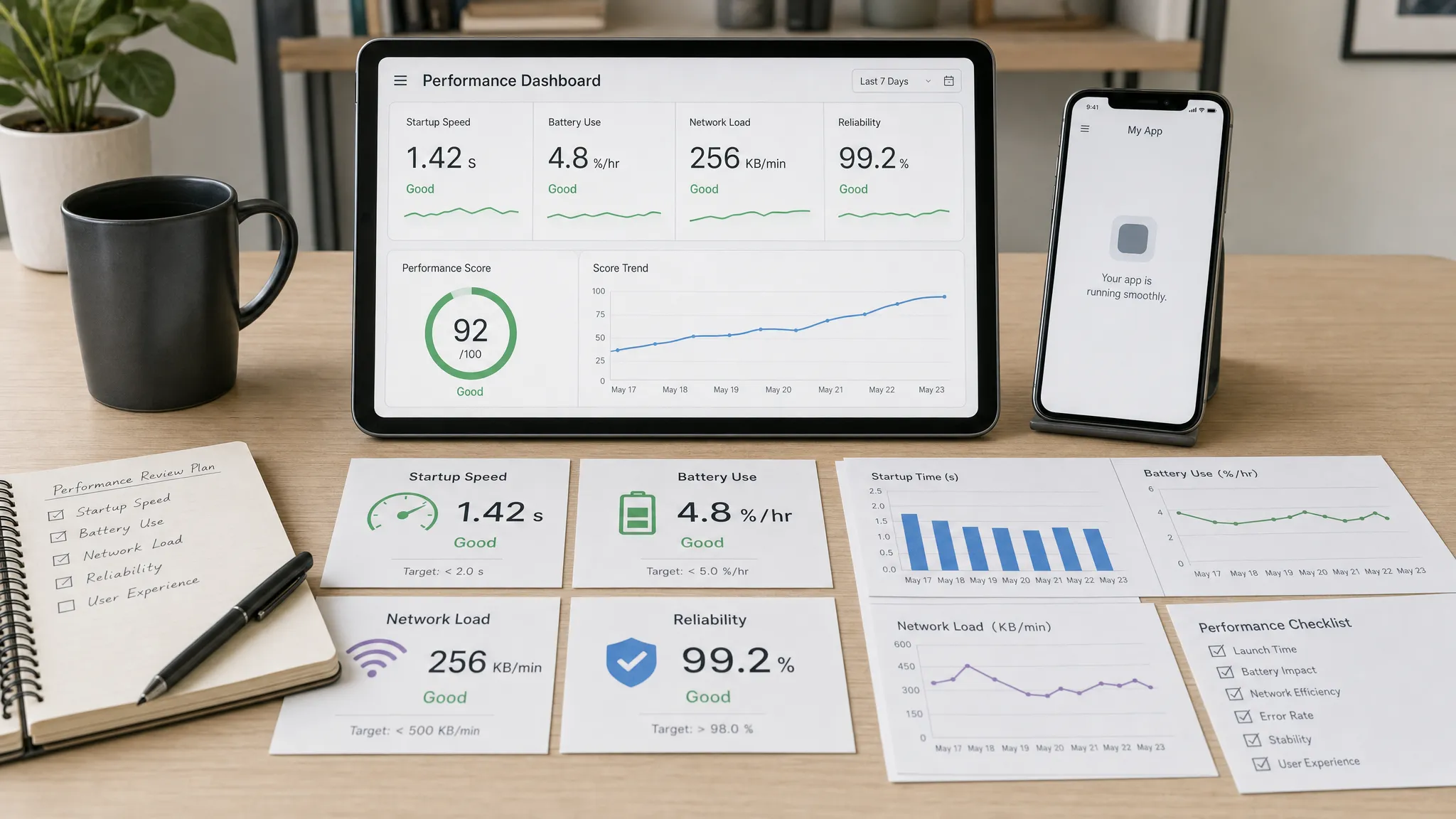
Users do not usually complain that an app is “inefficient.” They say it is slow, it makes their phone hot, it kills their battery, or it feels unreliable when the network drops. For a startup, those comments are not minor polish issues. They can hurt activation, reviews, retention, support load, and your ability to scale without expensive rewrites.
Good app efficiency is the discipline of making every screen, request, background task, and release do only the work that creates user value. It is not about chasing vanity benchmarks or stripping away product quality. It is about building a mobile app that feels fast on real devices, behaves responsibly in the background, and keeps battery impact proportional to the job users hired it to do.
The tips below are written for founders, product leads, and engineering teams preparing to ship or improve an iOS and Android app. They focus on practical decisions that improve speed and battery life without turning optimization into an endless engineering project.
What app efficiency really means
App efficiency combines several layers of product and technical quality. A fast launch screen is useful, but it will not save an app that constantly wakes in the background, sends redundant API calls, or blocks the main thread whenever a user scrolls.
A useful way to think about efficiency is to separate perceived speed from resource cost. Perceived speed is what the user feels: how quickly the app opens, responds, loads content, and recovers from errors. Resource cost is what the device and infrastructure spend to create that experience: CPU, memory, network, storage, GPS, camera, Bluetooth, background execution, and backend work.
| Efficiency area | What users notice | What teams should inspect |
|---|---|---|
| Startup | The app feels instant or sluggish | Cold start, warm start, SDK initialization, first usable screen |
| Interaction | Taps, scrolling, and transitions feel smooth or sticky | Main-thread work, rendering, state updates, animations |
| Network | Content loads quickly or stalls | API payloads, retries, caching, pagination, timeouts |
| Battery | Phone gets warm or drains faster | Background tasks, sensors, location, wakeups, sync frequency |
| Reliability | The app recovers gracefully or feels broken | Offline states, queueing, error handling, observability |
The strongest teams do not treat these as separate concerns. They design app efficiency into the roadmap, architecture, UX, QA process, and post-launch monitoring.
Start with measurement, not guesses
The first app efficiency tip is also the least glamorous: measure before optimizing. Teams often waste time debating whether animations, API calls, or images are the main issue when a profiler would show the answer quickly.
For Android, Android vitals helps teams track quality signals such as crashes, ANRs, startup issues, and excessive background behavior. For iOS, Apple’s development tools, including Instruments and Xcode performance reports, help teams inspect CPU, memory, energy, and rendering behavior. These platform tools should be paired with real-user monitoring, app analytics, and a device matrix that reflects your audience.
Do not rely only on high-end test phones. If your market includes older devices, budget Android phones, weak networks, or users who multitask heavily, those environments need to be part of testing. A build that feels excellent on a founder’s newest iPhone can still feel unusable on a mid-range Android device with limited memory.
Before each optimization sprint, define a small set of signals you will improve. For example, you might target cold start, first contentful screen, API latency for the core workflow, crash-free sessions, excessive background wakeups, or battery impact during a location-based session. Keep the list short so engineering work maps to measurable user improvement.
Shorten the startup path
A slow startup creates doubt before users see your product’s value. The solution is not a longer splash screen. It is a shorter path to a usable first screen.
Start by separating what must happen before the first interaction from what can happen later. Authentication checks, local configuration, and the initial route may be required. Heavy analytics SDKs, marketing prompts, large remote configuration downloads, deep database migrations, and nonessential content refreshes usually are not.
Common startup improvements include lazy-loading noncritical SDKs, caching remote configuration, deferring large data syncs, avoiding synchronous file and database work on the main thread, and showing the last known useful state while fresh data loads. If the app has a logged-in experience, make sure the session validation path is lean. If it has onboarding, do not block users behind permissions or setup steps that are not needed for immediate value.
The best startup experience is honest and useful. A skeleton state can reduce perceived waiting, but only if the app is actually doing necessary work. Masking avoidable slowness with animations usually makes the product feel less trustworthy over time.
Make core screens cheaper to render
Once users are inside the app, efficiency depends heavily on the screens they touch most often. A startup team should know its top three core screens and treat them as performance-critical surfaces.
Expensive screens often share the same problems. They fetch too much data, render too many components at once, recalculate derived state repeatedly, use oversized images, or trigger unnecessary re-renders when small state changes occur. On mobile, these issues show up as janky scrolling, delayed taps, frozen transitions, and battery drain from avoidable CPU work.
For feed-style screens, use pagination and list virtualization rather than loading everything at once. For dashboards, avoid recalculating every card after a small data change. For forms, validate intelligently without blocking typing. For maps, media, and AI-heavy interfaces, isolate the expensive parts of the screen so they do not cause the entire UI to refresh.
The goal is not to make every screen technically perfect. The goal is to make the highest-frequency screens consistently smooth under realistic conditions. A single slow core screen can do more damage to retention than ten minor settings screens ever will.
Reduce network waste
Network efficiency improves both speed and battery life. Every unnecessary request wakes radios, consumes data, adds latency, and creates more backend work. This matters even more for apps used on the move, in low-signal environments, or during battery-sensitive moments.
A common mistake is designing mobile apps around desktop-style data loading. Mobile APIs should serve the exact screen or workflow, not force the app to assemble a simple view from many large, generic responses. Chatty APIs increase load time and make weak-network behavior worse.
Practical network improvements include smaller payloads, endpoint shapes that match product moments, caching, pagination, request deduplication, compression, retry limits, and exponential backoff. Apps should avoid aggressive polling when event-based sync, push notifications, webhooks, or scheduled refreshes would be more efficient.
Backend architecture is part of app efficiency, not a separate infrastructure topic. If your mobile app depends on real-time sync, AI processing, maps, payments, or CRM updates, the backend should be designed to reduce unnecessary mobile work. Appzay’s guide to cloud-based app development covers several architecture choices that help apps scale without overloading the client.
Efficiency also extends beyond the app binary. Many mobile products rely on landing pages, help centers, admin panels, and CMS-driven content. If those web properties are slow or poorly maintained, they can affect onboarding, support, and conversion around the app experience. For teams running WordPress-based assets, professional WordPress maintenance and optimization can help keep supporting web infrastructure secure, backed up, and performant while the mobile team focuses on the app itself.
Be strict with background work
Battery drain often comes from work users do not see. Background location, frequent sync, push processing, audio capture, Bluetooth scanning, large uploads, and scheduled tasks can all be legitimate. They can also become the reason users uninstall.
The rule is simple: background work must be tied to a user-visible promise. If a delivery app tracks a courier’s live route, background location may be essential. If a note app syncs changes, background upload may be valuable. If a social app wakes constantly to refresh content the user may never open, the battery cost becomes hard to justify.
Use platform-native background APIs rather than fighting the operating system. iOS and Android both restrict background execution for good reasons. Apps that try to bypass those limits often become unreliable, battery-heavy, and risky during store review.
Teams should also design user controls for expensive background features. Let users pause tracking, reduce update frequency, choose Wi-Fi-only uploads, or disable nonessential background refresh. Clear controls build trust and reduce support complaints.
Optimize location, sensors, and media carefully
Some app categories have unavoidable battery pressure. Fitness, logistics, field service, navigation, recording, smart devices, and augmented reality products all depend on hardware features that consume power. In these apps, efficiency is not a nice-to-have. It is part of the product promise.
Location is a common example. GPS is expensive, but not every use case needs maximum precision every second. A planning app might only need coarse location. A check-in app might need a one-time location fix. A route-tracking app may need continuous updates only during an active trip. Matching accuracy, frequency, and duration to the user’s goal can dramatically reduce battery impact.
The same principle applies to camera, microphone, Bluetooth, accelerometer, and media processing. Capture only when the user expects it. Stop when the task ends. Compress thoughtfully. Upload in chunks when needed. Avoid keeping sensors active behind inactive screens.
Media-heavy apps should also pay attention to image and video sizing. Serving a full-resolution image into a small mobile card wastes network, memory, and battery. Generate appropriate sizes, use modern formats where supported, cache intentionally, and avoid autoplay unless it directly supports the product experience.
Design efficient UX, not just efficient code
Some speed problems are really UX problems. If users must pass through five screens before reaching the main value, the app will feel slow even if each screen renders quickly. If onboarding asks for every permission up front, users may hesitate, abandon, or deny access that the app later needs.
Efficient UX reduces unnecessary decisions and moves users toward value quickly. That means a focused first session, progressive permission prompts, visible loading states, clear recovery paths, and fewer “are you sure?” moments when the action is low risk.
It also means designing for failure. Weak networks, expired sessions, empty states, partial sync, and third-party outages are normal mobile conditions. When the app handles those states gracefully, users perceive it as faster and more reliable. When it freezes, hides errors, or forces restarts, users blame the app even if the root cause is external.
For funded startups, this is where product strategy and engineering need to work together. A beautifully engineered workflow can still feel inefficient if the user path is bloated. A clean UX can still fail if the architecture cannot support it under real conditions.
Automate efficiency checks before every release
Performance and battery improvements can disappear quietly. A new SDK, animation, image asset, integration, or background task can reintroduce waste without anyone noticing until reviews drop.
That is why app efficiency belongs in release operations. CI/CD pipelines should not only build and test the app, they should protect quality over time. Teams can add automated checks for bundle size changes, dependency updates, slow tests, performance-sensitive user journeys, and crash or latency regressions. Manual QA should include real-device testing on the core flow, not only visual inspection.
For larger teams, release runbooks should include efficiency checks before staged rollout. If a new version increases crashes, ANRs, API failures, or battery complaints, the team needs a clear decision path: pause rollout, hotfix, disable a feature flag, or revert. Appzay’s app deployment guide explains how CI/CD, testing gates, and safe rollout practices reduce release risk.
Monitoring should continue after launch. Real users will always reveal conditions your test plan missed. Tie performance and battery-related telemetry to app versions, device types, OS versions, network conditions, and feature usage so the team can identify patterns quickly. If you are building a monitoring plan from scratch, start with the core signals in Appzay’s guide to monitoring reliable mobile products.
Common efficiency mistakes to avoid
Many app efficiency issues come from small decisions that compound over time. The earlier you catch them, the less expensive they are to fix.
| Mistake | Why it hurts | Better approach |
|---|---|---|
| Loading every SDK at startup | Delays the first usable screen | Initialize noncritical services after launch |
| Polling too often | Drains battery and increases backend load | Use event-based sync or smarter intervals |
| Fetching oversized payloads | Slows screens and wastes data | Shape APIs around mobile views |
| Ignoring weak networks | Creates stalls and failed sessions | Add caching, retries, and offline states |
| Running sensors longer than needed | Increases battery drain and heat | Start and stop hardware use around the task |
| Optimizing only on new devices | Hides real user pain | Test on representative iOS and Android devices |
| Treating performance as a final cleanup | Creates late rework | Set efficiency budgets during planning |
A practical app efficiency checklist
Use this checklist before launch, before a major release, or when reviews mention speed and battery issues.
- Define the top three user journeys that must feel fast.
- Measure startup, screen responsiveness, network latency, and background behavior on real devices.
- Defer noncritical startup work until after the first usable screen.
- Reduce unnecessary re-renders, expensive calculations, and main-thread blocking.
- Resize and cache images and media for the actual mobile layout.
- Replace chatty API patterns with efficient, screen-specific data loading.
- Use pagination, caching, and offline states for content-heavy flows.
- Match location, sensors, and background work to a clear user-visible purpose.
- Add release gates that catch performance regressions before rollout.
- Monitor real-user performance by app version, device, OS, and network condition.
The checklist is intentionally practical. A startup does not need a months-long optimization program before shipping. It needs a disciplined way to prevent the most common sources of slowness, battery drain, and rework.
Frequently Asked Questions
What is app efficiency? App efficiency is the practice of making a mobile app deliver its core value with minimal wasted time, battery, network, memory, and background work. It covers speed, responsiveness, energy use, architecture, UX, and release quality.
How can I improve app speed quickly? Start with the highest-impact user journey. Measure cold start, first usable screen, API calls, image loading, and main-thread work on real devices. Then remove nonessential startup tasks, cache useful data, reduce payload size, and fix the slowest core screen first.
What causes mobile apps to drain battery? Common causes include continuous location tracking, frequent background sync, aggressive polling, long-running sensors, large uploads, inefficient media processing, and unnecessary CPU work. Battery use should always be tied to a clear user-visible benefit.
Should app efficiency be handled before or after launch? Both. Some efficiency decisions, such as architecture, background behavior, and API design, should happen before launch because they are costly to change later. Post-launch monitoring is also essential because real users reveal device, network, and usage patterns that testing cannot fully predict.
Do efficient apps improve retention? Usually, yes. Users are more likely to return to apps that open quickly, respond smoothly, preserve battery, and behave reliably under real-world conditions. Efficiency is not the only retention factor, but poor efficiency can undermine an otherwise strong product.
Build a faster, more efficient mobile app
Speed and battery life are not just engineering details. They are part of the product experience users judge every day. If your startup is preparing to build, launch, or improve an iOS and Android app, efficiency should be planned from the first product decisions through architecture, UX, engineering, testing, release orchestration, and post-launch support.
Appzay partners with funded startups to design, build, and launch premium mobile apps end to end. If you need help turning a concept into a scalable, high-quality app with strong product strategy, native engineering, cloud integration, CI/CD, App Store readiness, and ongoing support, talk to Appzay about your next mobile product.